
FLY PDF: The All-in-One PDF Processing Solution
FLY PDF is a comprehensive and versatile PDF processing tool designed to streamline your digital document management. Whether you're handling personal files or managing large volumes of corporate documents, this app empowers users with a suite of powerful features to improve efficiency and productivity.
Main Features of FLY PDF
Image to PDF Conversion
One of the standout functionalities of FLY PDF is its ability to convert multiple images into high-quality PDF files swiftly. This feature is especially useful when organizing visual content, such as photographs, scanned documents, or design drafts. With just a few taps, users can compile images into a single, cohesive PDF, simplifying sharing and storage.
TXT to PDF Conversion
This app can convert plain text files into well-formatted PDFs, preserving layout and formatting. It’s ideal for distributing text-heavy documents with professional presentation, ensuring that the content remains intact across different platforms and devices.
Split PDF
Handle large PDF files effortlessly with FLY PDF’s split feature. It allows users to divide a bulky document into smaller, more manageable files based on pages or custom sections. This simplifies document management, makes reading easier, and allows targeted sharing of specific segments.
Merge PDF Documents
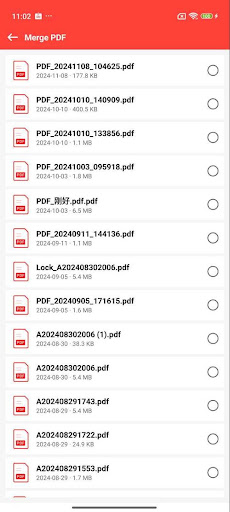
Combine multiple PDF files into a single, organized document to streamline workflows. Whether you’re consolidating reports, presentations, or client files, this feature enhances work efficiency by reducing the need to switch between various files.
PDF Encryption & Decryption
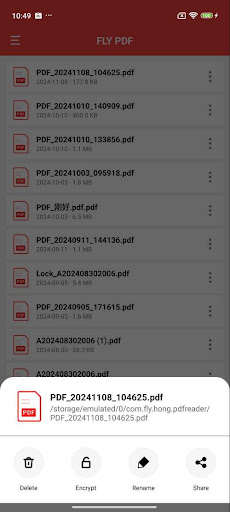
Security is a top priority with FLY PDF. It provides robust encryption options to password-protect sensitive documents. Conversely, if you have encrypted PDFs, the app allows quick decryption by entering the correct password, making secure access simple.
Why Choose FLY PDF? A Personal and Business Essential
FLY PDF is not just a basic PDF tool; it’s an all-encompassing application that caters to both casual users and professionals. Its features significantly reduce the time and effort required for document processing. From converting images to PDFs for quick sharing, to securely encrypting files for confidentiality, and merging or splitting documents for precise management—FLY PDF covers all essential functions in one intuitive platform.
Enhanced User Experience and Seamless Integration
User-Friendly Interface
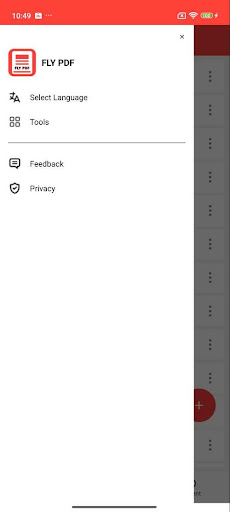
Upon launching FLY PDF, users are greeted with a sleek and intuitive interface. This design minimizes clutter and provides easy access to all tools, making it simple even for beginners to navigate and utilize its functions efficiently.
Integration & Document Management
The app smoothly integrates with various platforms, enabling users to import documents directly from emails or cloud storage services. Its robust search capabilities allow quick retrieval of files based on keywords, and the ability to compress PDFs without losing quality helps save valuable storage space.
Collaborate and Share Effortlessly
Sharing your PDF files is straightforward with FLY PDF. The app supports sharing via email and other messaging platforms. Its collaboration features enable multiple users to view or edit documents simultaneously, making teamwork more effective—whether for business projects or academic work.
Final Thoughts: Your Go-To PDF Companion
If you're seeking a reliable, feature-rich PDF solution that simplifies your workflow, FLY PDF is the perfect choice. It combines essential functionalities like conversion, editing, merging, and secure encryption into a single, user-friendly app. With its powerful tools and seamless integration, managing your digital documents has never been easier. Try FLY PDF today and experience the difference it can make in your daily productivity and professional tasks.
Pros
- Intuitive interface that facilitates easy navigation
- Compatible with a variety of file formats
- Efficient and fast PDF processing capabilities
- Ensures secure and dependable data management
- Works across different platforms
Cons
- Free version has limited features
- May experience crashes on older devices occasionally
- In-app purchases can be expensive
- Requires a stable internet connection for cloud functionalities
- Customer support options are somewhat limited











