
Frequently Asked Questions
What is Touch Lock Screen Touch Photo and how does it work?
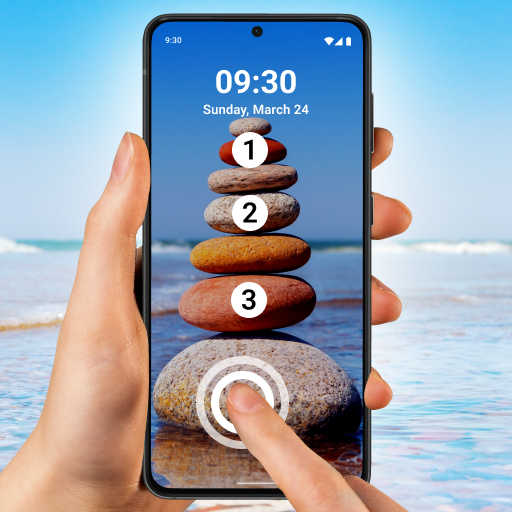
Touch Lock Screen Touch Photo is an innovative application that allows users to personalize their lock screen with interactive, touch-responsive photos. Users can select any photo from their gallery to set as a lock screen, with certain areas configurable to perform specific actions upon touch. This enhances phone security and user interaction by combining functionality with visual appeal, making the device both secure and aesthetically pleasing.
Is Touch Lock Screen Touch Photo secure for my device?
Yes, Touch Lock Screen Touch Photo is designed with security as a priority. It protects personal data while allowing customization of the lock screen. The app employs a strong algorithm to ensure only authorized touches can unlock the device and does not store or share personal information, maintaining user privacy and data security.
Can I customize the touch areas on the lock screen with Touch Lock Screen Touch Photo?
Absolutely! The app offers full customization of touch zones on the lock screen. Users can select specific regions of their chosen photo to serve as touchpoints for unlocking or triggering other actions. This feature enhances security and allows a personalized user experience tailored to individual preferences.
Does Touch Lock Screen Touch Photo affect the battery life of my phone?
Touch Lock Screen Touch Photo is optimized to have minimal impact on battery life. It uses efficient resource management to ensure device performance and battery consumption are not significantly affected. While interactive lock screens may use more power than static ones, the app balances functionality with power efficiency.
Is Touch Lock Screen Touch Photo compatible with all devices?
The app is compatible with a wide variety of Android and iOS devices. However, it is recommended to verify compatibility with your specific device model and operating system version before installation. The app is regularly updated to support new devices and OS versions, providing a smooth user experience across most devices.
You May Like

Zedge™ Wallpapers & Ringtones
Personalization
4.6
Edge Lighting - Borderlight
Personalization
4.8
Pixel 4D™ Live Wallpapers
Personalization
4.7
Themepack - App Icons, Widgets
Personalization
4.7
Make Money: Play & Earn Cash
Personalization
4.5
ThemeKit - Themes & Widgets
Personalization
4.7
Wallpapers HD - Backgrounds 4K
Personalization
4.7
Microsoft Launcher
Personalization
4.7
Themes
Personalization
4.2
Fonts Keyboard Themes & Emoji
Personalization
4.7
Launcher OS™
Personalization
4.4
LED Keyboard: Colorful RGB
Personalization
4.5