

Introducing Volume Styles - Custom Control
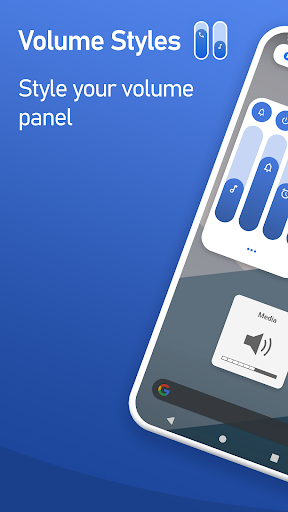
Are you tired of the plain and boring default volume controls on your smartphone? Do you crave more personalization and functional enhancements for your device’s volume management? Look no further than Volume Styles - Custom control. This innovative application offers the ultimate solution for users who want complete control over their volume sliders, panel, and shortcuts, transforming how they interact with sound on their device. Whether you're an Android aficionado or an iOS enthusiast, Volume Styles provides a versatile platform to customize your volume experience like never before.
Unmatched Customization for Your Volume Panel
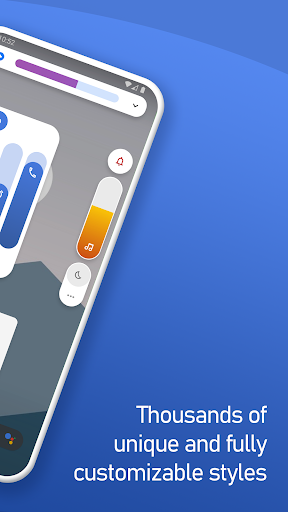
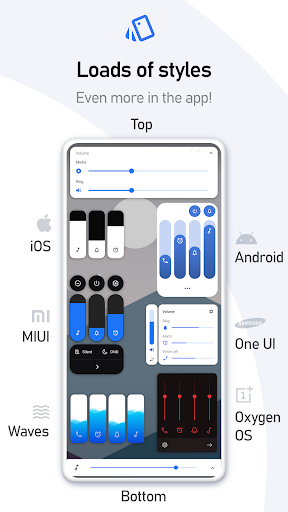
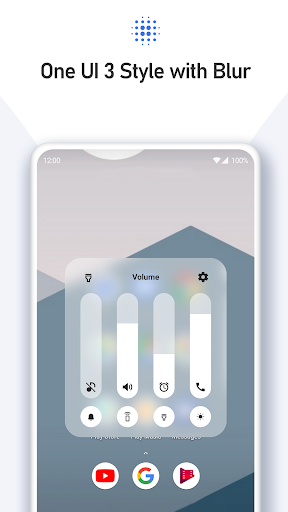
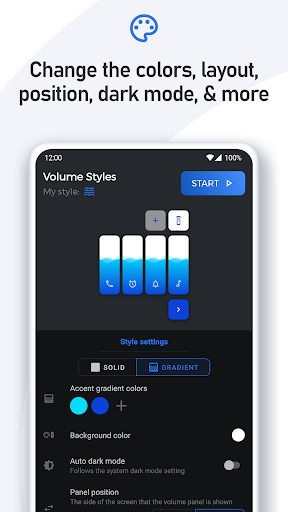
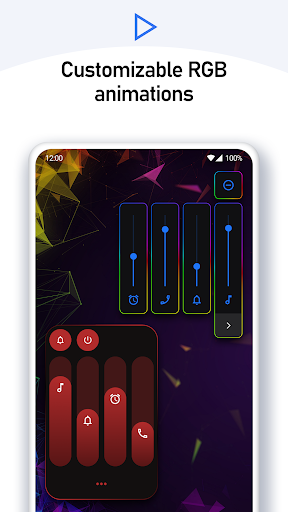
With Volume Styles, customization is king. The app allows you to tweak nearly every aspect of your device’s volume control interface, ensuring it aligns perfectly with your style and preferences. You can easily change colors, apply a variety of themes—from sleek iOS 13 aesthetics to vibrant Xiaomi MIUI—and even modify the position of the volume panel on your screen. Want a subtle look or a more colorful one? The choice is yours! The app also offers auto dark mode, corner radius adjustments, and control over how long the volume panel remains visible. This level of customization makes your volume panel not just functional, but a true reflection of your personal style.
One-Tap Style Selection & Community Sharing
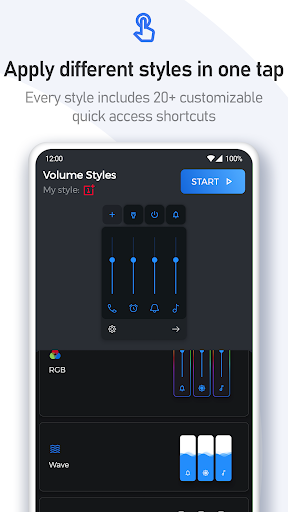
Applying new styles is effortless—simply tap to change your appearance instantly. Volume Styles boasts a comprehensive Style Feed where you can browse thousands of styles created by a vibrant community of users. Interested in a particular look? Favorite it for later or tap once to apply it immediately. The app even includes a Style Creator—a powerful tool for crafting your unique style from scratch. For creative users, sharing your designs or importing others’ styles adds a social dimension, making customization a fun and collaborative experience.
Flexible and Extensive Slider Options
Not just about style—Volume Styles empowers you to customize which sliders to display. You can choose from main volume controls like Media, Ring, Notification, Alarm, Voice Call, and much more. Plus, enthusiasts can add specialized sliders such as Bluetooth, Cast, or even a dedicated Brightness slider. This customization allows you to access key functions faster and more intuitively tailored to your daily usage.
Complete Panel Customization & Shortcuts
Beyond basic controls, Volume Styles allows you to style the entire volume panel—adjust colors, control panel position, corner radius, and panel show duration for a personalized look. Want quick access to common functions? The app supports adding shortcuts for features like Flashlight/Torch, Screenshot, Split Screen, or even toggling Do Not Disturb. These shortcuts can be placed right within your volume panel, making multitasking faster and more efficient.
Enhanced Functionality with Shortcut Additions
You can also add a variety of shortcuts such as Live Caption, Toggle Rotation, Auto Brightness, and more. These tools help streamline your device's operation—whether it’s quickly turning off your screen or adjusting volume levels for different apps. The app utilizes Accessibility Services to override volume button functions, granting you comprehensive control over your device’s audio and other functions without hassle.
Performance and Compatibility
In terms of usability, Volume Styles delivers smooth and lag-free performance across supported devices. It’s designed to work seamlessly with system controls while consuming minimal battery power. The intuitive interface means you can navigate features easily, whether on Android or iOS devices, making it an indispensable tool for tech-savvy users and casual users alike.
Boost Your Device’s Personalization with Volume Styles
If you’re seeking a comprehensive way to elevate your device’s volume control experience, Volume Styles - Custom control is the perfect app to explore. It offers a potent combination of aesthetic customization, functional enhancements, and social features that cater to everyone—from gadget lovers to everyday users wanting more from their smartphones. Create your ideal volume interface, share your unique styles, and enjoy faster access to key functions—all wrapped in a sleek, user-friendly package. Transform your device today and elevate your volume management experience to new heights!
Pros
- Highly customizable user interface
- User-friendly and easy to navigate
- Supports multiple volume control panels
- Compatible with most devices
- Consumes minimal battery power
Cons
- Limited features available for free
- Occasional presence of bugs
- Includes advertisements in the free version
- Requires necessary system permissions
- Not available on iOS devices











