
Introduction to Alli360 by Kids360
If you're a parent seeking effective tools to help manage your child's digital activities, Alli360 by Kids360 is an innovative app designed to make parental control easier and more comprehensive. This intuitive application helps parents set time limits for entertainment applications and games, monitor app usage, and ensure safe online interactions for their children. Whether you're concerned about excessive screen time or online safety, Alli360 offers a suite of features to give you peace of mind while fostering your child's independence.
Key Features of Alli360
Time Limit and Scheduling
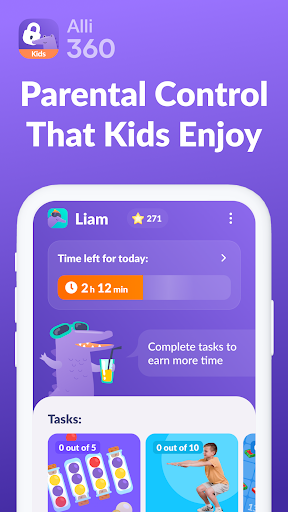
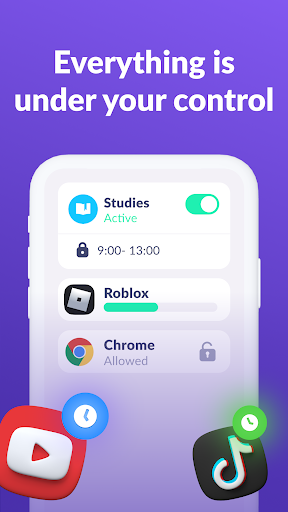
With Alli360, you can easily create time limits for specific apps, ensuring your child doesn't spend too long on games or social media. The app allows you to configure schedules that define when your child can access entertainment apps, such as setting dedicated school hours or evening rest periods. During scheduled times, applications like games, social networks, and other entertainment services become inaccessible, promoting healthy boundaries between screen time and other activities.
Application Management
Fans of digital oversight will appreciate the list of applications feature, which enables you to select and limit access to specific apps. You can choose to restrict or completely block certain applications to prevent overuse or exposure to inappropriate content. The application tracker also provides detailed insights into how much time your teen spends on each app, helping you identify their most-used digital activities.
Real-Time Monitoring
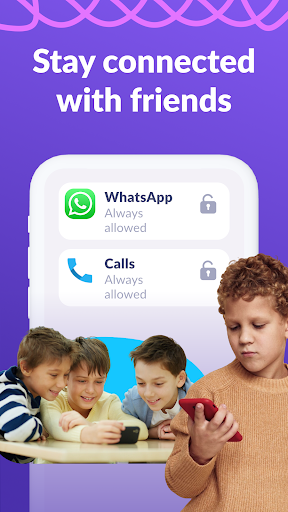
Alli360 allows parents to stay connected with their child's digital life by providing continuous updates on time spent on the device. This real-time monitoring helps you understand your child's screen habits and facilitates conversations about responsible device use. Additionally, essential non-entertainment communications like calls, messages, and rideshare apps are always accessible — ensuring your child's safety and your peace of mind.
Safety and Privacy
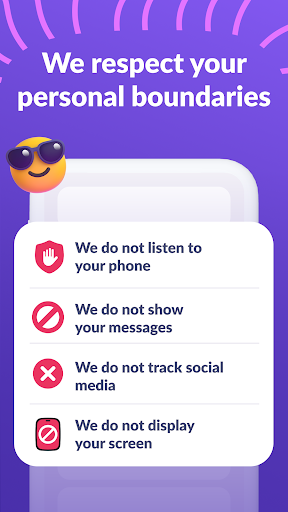
The Kids360 app ensures strict adherence to privacy standards, with personal data stored securely in accordance with legislation and GDPR policies. The app does not allow installation without your child's consent, respecting their privacy while maintaining effective oversight. All monitoring functions require explicit parental setup, making it a trustworthy choice for families prioritizing safety and privacy.
Getting Started with Kids360
Simple Setup Process
Starting with Kids360 is straightforward: First, you need to install the Kids360 for parents app on your device. Then, install the Kids360 app on your teen's smartphone and enter a unique link code shared from the parent’s device. Following this, you can configure monitoring settings and establish rules tailored to your child's needs. The process is designed to be user-friendly, ensuring even non-tech-savvy parents can quickly set up and start managing their child's device usage.
Support and Subscription Details
If you encounter technical issues, the app's 24-hour support service is readily available via in-app contact or email. Basic monitoring features are free after connecting a second device, while additional time management and control functions are accessible during a free trial period and via subscription. The app requests essential permissions, such as displaying over other apps, accessibility services, usage access, autostart, and device admin rights, to ensure seamless operation and effective parental control.
Personal Experience and Benefits
Many parents, including myself, find Alli360 by Kids360 to be an invaluable digital parenting tool. It simplifies the challenge of balancing unrestricted access with necessary monitoring by providing features like location tracking, screen time management, and insights into app usage. The interface is clean, intuitive, and easy to navigate, making it accessible even for those less familiar with technology. The real-time location feature offers reassuring updates about where your children are, especially during outings or trips, while the screen time controls help promote a healthy digital lifestyle. Overall, Alli360 fosters responsible app usage, encourages open conversations about online safety, and helps develop healthy tech habits.
If you're considering a parental control app that respects privacy but offers comprehensive oversight, Alli360 is definitely worth exploring. It acts as a reliable digital companion for parents who want to stay connected and informed, all while nurturing their child's independence in a safe digital environment.
Pros
- User-friendly interface
- Parental control features
- Real-time location tracking
- Customizable notifications
- Supports multiple devices
Cons
- Requires constant internet connection
- Limited features in the free version
- May drain battery quickly
- Full access requires a subscription
- Initial setup can be complex











