










Introducing the Remove Background From Video App
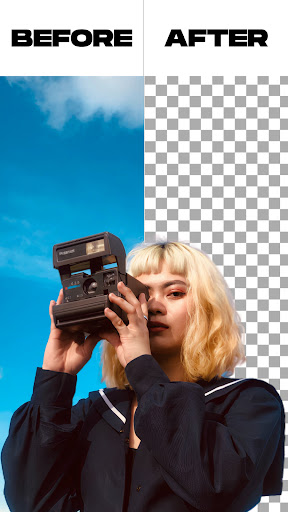
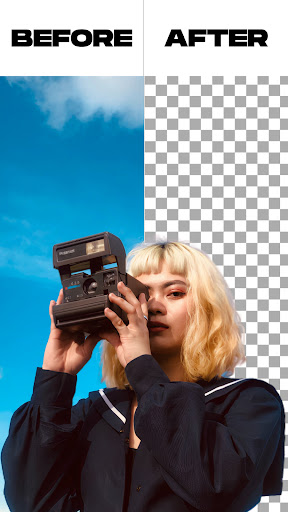
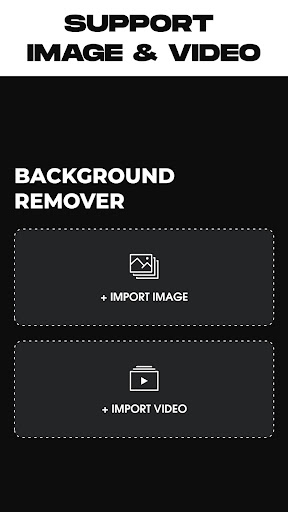
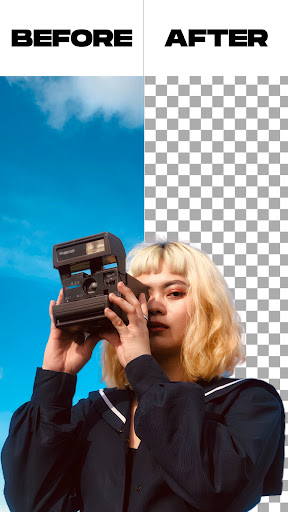
The Remove Background From Video app is a revolutionary tool designed for content creators, social media enthusiasts, and anyone looking to enhance their videos with professional-quality background editing. Whether you're aiming to erase distracting backgrounds, replace them with stunning visuals, or simply add a creative touch, this app offers an intuitive and efficient solution.
This versatile application enables users to effortlessly remove backgrounds from both videos and images. You can change your video background directly from your camera or gallery, making your content more engaging and visually appealing. With features like automatic background removal and manual editing options, it's suitable for both beginners and seasoned editors.
One of the standout advantages of the Remove Background From Video app is its extensive library of colors and gradient options, allowing you to animate your videos with vibrant and eye-catching backgrounds. Additionally, the app supports background replacements with images or videos stored locally, providing limitless creative freedom.
By leveraging advanced AI technology, the app detects and separates the subject from the background quickly and accurately. This smart process preserves high resolution quality, ensuring your videos look professional without any lag or pixelation. The tool also offers a green screen effect, letting you switch between • selfie: and • back camera modes with a simple tap, which is perfect for dynamic video shoots and social media content creation.
Key Features of Remove Background From Video
Easy Background Removal
The app provides two straightforward options to remove backgrounds from images: an automatic background remover and a manual background remover. This flexibility allows you to fine-tune the editing process according to your needs.
Video Background Editing
You can trim videos prior to removing their backgrounds, ensuring you focus on the exact clip you want. Whether you’re removing the background from a short clip or a lengthy video, the app handles both seamlessly.
Green Screen Mode
The green screen feature is a popular choice among videographers. It offers multiple modes—using the • selfie camera or the • back camera—and allows quick switching between them. You can replace the green background with a variety of images or videos, perfect for creating captivating content.
Color and Gradient Options
Choose from thousands of colors, including gradient options, to customize your video background. Effortlessly apply these backgrounds with a single tap, delivering a professional look without complex editing software.
How to Use the Remove Background From Video App
Getting Started
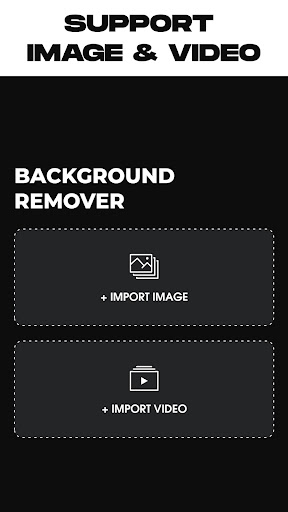
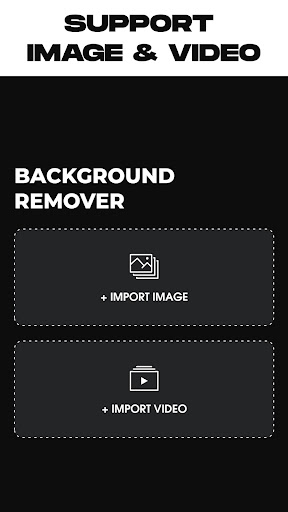
Simply open the app then select your desired operation: remove a photo background or a video background. Upload your media file—either from your device gallery or directly from your camera.
Automatic Processing
The app will automatically begin removing the background once your file is loaded. Wait a few moments as the AI-powered technology works behind the scenes to create a clean separation of your subject from the background.
Customization and Export
After the background removal, you can replace it with an in-app background, choose an image from your gallery, or even apply a video as the new background. When satisfied, simply tap on the export button to save your edited video or photo into your device gallery.
Why Choose Remove Background From Video?
This app is more than just a background remover; it’s a creative powerhouse that simplifies video editing without sacrificing quality. Its AI-driven technology ensures quick, accurate results while preserving high resolution, making your videos look crisp and professional. The user-friendly interface guarantees a seamless experience whether you’re a beginner or a seasoned content creator.
Perfect for creating engaging social media content, personalized video messages, or professional presentations, the Remove Background From Video app unlocks new creative possibilities. Its ability to handle various backgrounds—from solid colors to complex scenes—means you can produce dynamic content easily and efficiently.
Overall, this tool is an essential addition to your digital toolkit—saving you time, effort, and resources while delivering stunning visual effects. If you're looking to elevate your video production and stand out online, give this innovative app a try. You’ll quickly realize how it transforms your creative workflow into a fun, straightforward process that yields impressive results.
Pros
- Easy and user-friendly interface
- Compatible with various video formats
- Rapid processing speed
- Outputs high-quality videos
- Videos are free of watermarks
Cons
- Limited features in the free version
- Must have an internet connection
- Includes ads in the free version
- Sometimes the app crashes unexpectedly
- Lacks batch processing capability











