
Discover the Power of BimmerCode for BMW and MINI
Ever wanted to unlock the full potential of your BMW or MINI? BimmerCode is your ultimate tool for custom car coding, allowing enthusiasts and everyday drivers alike to personalize their vehicle's features with ease. This innovative app provides a straightforward way to access and modify your car's control units, unveiling a host of hidden functionalities that are usually reserved for higher trims or specialized services.
Seamless Car Coding and Personalization
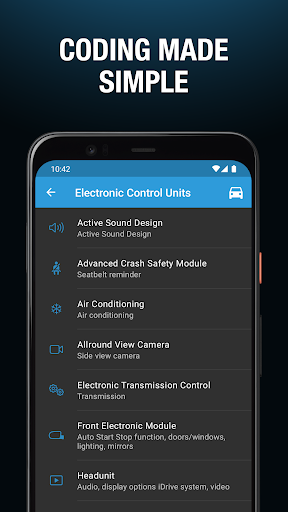
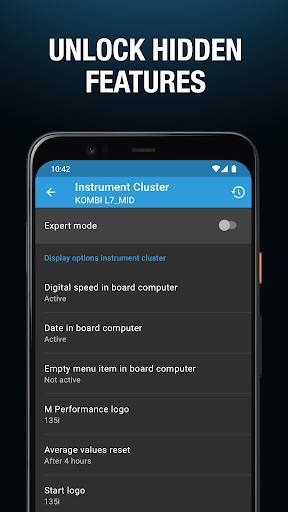
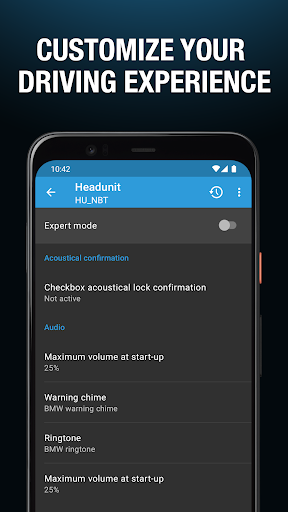
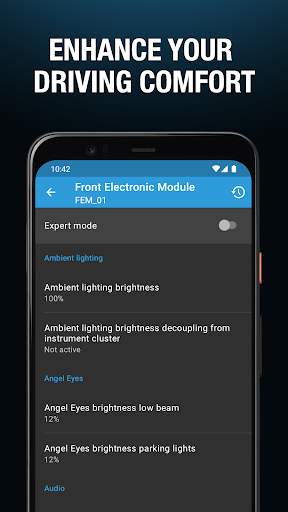
With BimmerCode, you can transform your driving experience by activating or deactivating a variety of features. Imagine enabling the digital speed display in your instrument cluster or allowing passengers to watch videos via the iDrive system during your journeys. Do you wish to disable the Auto Start/Stop feature to improve engine responsiveness? Or perhaps you want to enhance your driving sound with the Active Sound Design? All of this is possible without visiting a dealership—all it takes is a compatible smartphone and an OBD adapter.
Supported Vehicle Range
This app supports a broad spectrum of BMW, MINI, and even Toyota models, making it a versatile tool for car enthusiasts. Supported vehicles include:
- 1 Series (2004+)
- 2 Series, M2 (2013+)
- 2 Series Active Tourer (2014-2022)
- 2 Series Gran Tourer (2015+)
- 3 Series, M3 (2005+)
- 4 Series, M4 (2013+)
- 5 Series, M5 (2003+)
- 6 Series, M6 (2003+)
- 7 Series (2008+)
- 8 Series (2018+)
- X1 (2009-2022)
- X2 (2018+)
- X3, X3 M (2010+)
- X4, X4 M (2014+)
- X5, X5 M (2006)
- X6, X6 M (2008+)
- X7 (2019-2022)
- Z4 (2009+)
- i3 (2013+)
- i4 (2021+)
- i8 (2013+)
- MINI (2006+)
- Toyota Supra (2019+)
Essential Accessories for Optimal Use
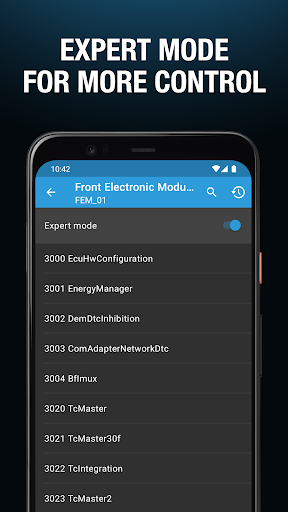
To get started with BimmerCode, you'll need a supported OBD-II adapter to connect your smartphone to your vehicle. The app recommends a range of compatible adapters to ensure smooth operation. Once connected, the intuitive interface guides you through various coding options, making the customization process accessible even for beginners.
Why Choose BimmerCode?
This app stands out for its impressive array of features that allow you to truly individualize your vehicle. Besides enabling fun options like customizing interior lighting or adjusting mirror settings, BimmerCode also unlocks practical functionalities. For instance, you can configure your side mirrors to fold automatically when locking your car or disable the engine's start-stop system to improve performance. The app is regularly updated, expanding compatibility and adding new features to meet the evolving needs of BMW and MINI owners.
A Thriving Community and Support System
One of the key advantages of using BimmerCode is access to an active community of car enthusiasts. A dedicated online forum exists where users share tips, coding guides, and custom configurations, making it easier for newcomers to explore all the possibilities. Additionally, responsive customer support is available to assist with troubleshooting and provide guidance, ensuring a smooth and rewarding experience with the app.
Elevate Your Driving Experience Today
If you're passionate about your BMW or MINI and want to tailor it to your unique preferences, BimmerCode offers a powerful, user-friendly solution. Whether you're looking to enhance convenience, improve functionality, or simply enjoy the art of automotive customization, this app truly makes it all possible. Unlock hidden features, personalize your vehicle, and transform how you interact with your car—a little coding goes a long way in elevating your driving experience.
Pros
- User-friendly interface suitable for all skill levels.
- Compatible with a broad range of BMW and MINI models.
- Offers coding options for various vehicle features.
- Regular updates introducing new features.
- Accessible and helpful customer support.
Cons
- Requires a compatible OBD adapter to operate.
- Incorrect usage may void the vehicle's warranty.
- Only a limited set of features are free to use.
- There is a risk of coding errors if not cautious.
- Certain features depend on a stable internet connection.











