




Discover Thunderbird: The Ultimate Privacy-Focused Email App
Are you overwhelmed by managing multiple email accounts and tired of intrusive ads or data privacy concerns? Thunderbird is the answer you've been looking for — a powerful, privacy-focused email application that simplifies your digital communication. Built on open-source technology and supported by a global community of dedicated developers and volunteers, Thunderbird offers a flexible, secure, and customizable email experience that prioritizes your privacy.
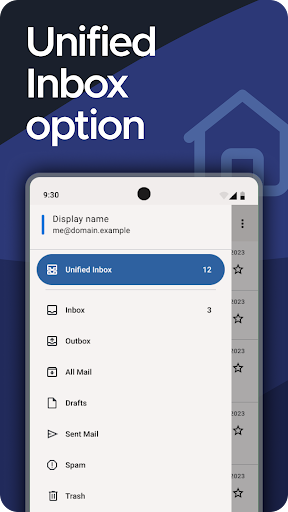
This free email client enables you to manage multiple email accounts effortlessly within a single interface. With features like the Unified Inbox, you can view all your messages conveniently without jumping between different apps or webmail services. Plus, it never treats your personal data as a product, ensuring that your private information remains protected at all times. Thunderbird is supported solely through user contributions, meaning no ads or hidden tracking — just pure, secure email management.
Key Features of Thunderbird
All-in-One Email Management
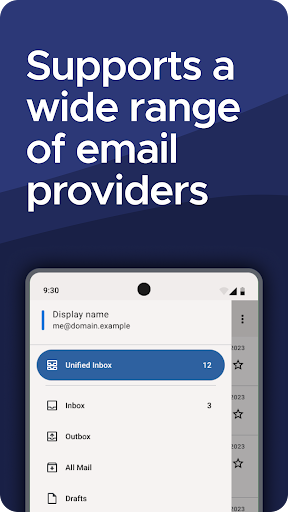
Rather than juggling several applications or webmail platforms, Thunderbird consolidates your email accounts into one app. The Unified Inbox makes it simple to stay on top of your messages, whether it's your personal Gmail, Outlook, Yahoo Mail, iCloud, or other providers. Its versatile support for IMAP and POP3 protocols ensures broad compatibility and smooth integration with your favorite email services.
Enhanced Privacy and Security
Concerned about the security of your communications? Thunderbird offers robust security features, including encryption options like OpenPGP (PGP/MIME) to encrypt your messages. You can easily enhance your privacy by integrating with apps like OpenKeychain for seamless encrypting and decrypting. In addition, built-in phishing protection helps you identify and avoid malicious emails, giving you peace of mind with every message sent or received.
Customization and Extendability
Make Thunderbird your own! Customize the interface to suit your style, whether it’s switching to a dark theme or rearranging the layout. You can further extend its functionality with a wide variety of add-ons, turning your email client into a personal productivity hub. Whether you want advanced filtering, integrated chat, or enhanced themes, Thunderbird's flexible architecture allows you to tailor your experience.
Smart Organization Tools
Streamline your inbox management with powerful filtering options, labels, and tags that help categorize your emails automatically. Automatic sorting ensures your important messages stay front and center, while less crucial emails are neatly filed away. For those who use chat alongside email, Thunderbird supports multiple chat protocols, transforming it into an all-in-one communication center.
Why Choose Thunderbird?
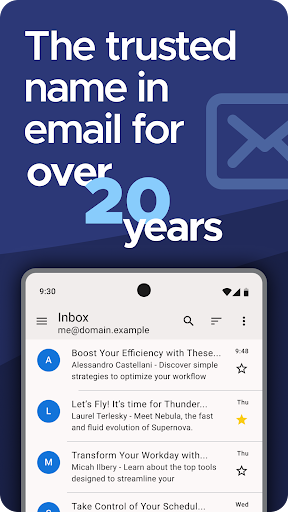
For over two decades, Thunderbird has been a trusted name in the email world. Its open-source nature guarantees transparency, security, and long-term freedom from proprietary restrictions. Developed by Mozilla and supported by volunteers worldwide, Thunderbird is a gift from the community to users seeking a secure, reliable, and ad-free email experience.
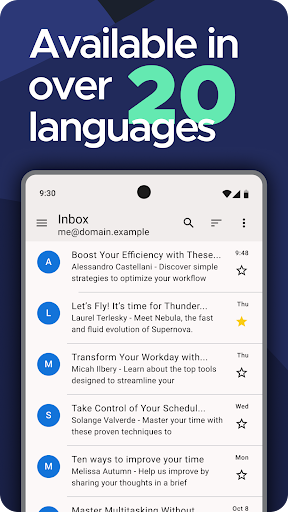
It’s designed for efficiency, letting you spend less time managing your inbox and more time doing what matters. The app is translated into more than 20 languages, making it accessible to users around the globe. Because it’s funded by voluntary contributions, Thunderbird remains free forever, ensuring that you are never the product, and your privacy stays intact.
Open Source and Community-Driven Development
Thunderbird’s open-source license means anyone can inspect, modify, and share its code, fostering transparency and continuous improvement. Regular updates are released openly, and the global community offers robust support — from answering questions to translation assistance. You’re not just a user; you can become a contributor by helping answer queries, improving translations, or recommending Thunderbird to others.
By choosing Thunderbird, you join a worldwide movement dedicated to open, privacy-respecting email communication. It’s more than just an app — it’s a community effort to keep your digital correspondence secure and accessible.
Conclusion
If you’re looking for an efficient, customizable, and privacy-oriented email client, Thunderbird is undoubtedly worth trying. Its versatility, security features, and open-source model make it an excellent choice for casual users, professionals, and businesses alike. Say goodbye to cluttered inboxes and intrusive ads — embrace a smarter, safer way to handle your emails. Download Thunderbird today and free yourself from the tyranny of your inbox!
Pros
- Open-source and freely available for use.
- Highly customizable user interface.
- Supports multiple email accounts simultaneously.
- Includes integrated calendar and task management features.
- Offers strong security and privacy protections.
Cons
- Initial setup may be complicated for new users.
- Limited compatibility with third-party plugins.
- Occasional issues with synchronization.
- Does not include advanced collaboration tools.
- Mobile application version is less feature-rich.











