

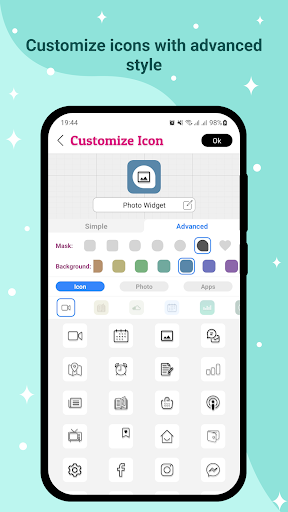
Overview of Icon Changer - Customize Icon
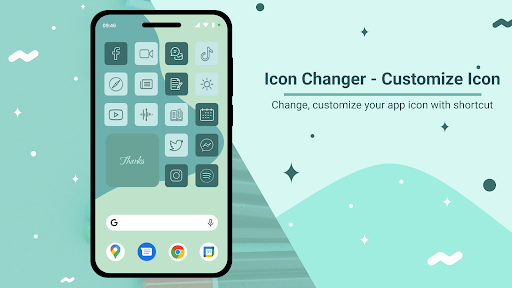
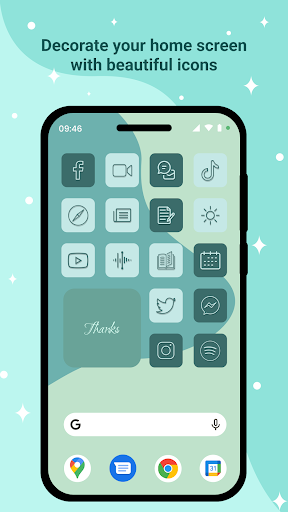
Icon Changer - Customize Icon is a powerful and free application that enables users to personalize their smartphones by changing app icons and names effortlessly. With this innovative tool, you can make your device truly unique by applying custom icon packs, creating icons from your own images, or tweaking existing icons to match your style. Whether you're aiming for a sleek minimalistic look or a vibrant, colorful interface, this app offers a wide array of options to bring your home screen to life.
The app works by creating shortcuts with customized icons and placing them on your home screen. This approach ensures compatibility with most devices without requiring complex modifications. The user-friendly design allows even non-technical users to navigate through the customization process smoothly. Plus, the app supports multiple icon packs, including popular styles like iOS, so you can get exactly the aesthetic you're aiming for.
One of the highlight features of Icon Changer - Customize Icon is its variety of customization modes. From simple tweaks to advanced modifications, users can explore numerous creative possibilities. Whether it’s selecting icons from a broad library, cropping photos to use as icons, or designing entirely new icons with layered effects, this app caters to all levels of customization enthusiasts.
In summary, this app is perfect for anyone looking to give their phone a fresh new look, improve visual coherence, or just have fun personalizing their device to reflect their personality. Its versatility, ease of use, and extensive features make it a top choice for Android users who want to elevate their home screen experience.
Features of Icon Changer - Customize Icon
Simple Style
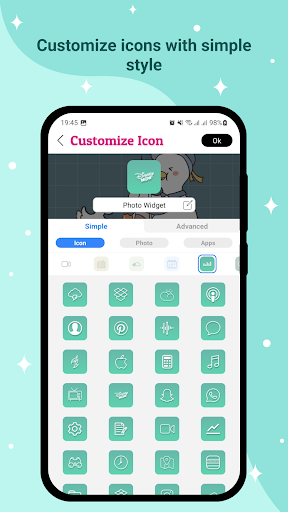
In the Simple style, customization is straightforward and quick. You can:
- Select icons from over 10 icon packs available within the app, including an iOS style icon pack for those desiring an iPhone-like aesthetic.
- Pick photos directly from your device gallery or capture new ones using the camera.
- Use icons from other applications installed on your device.
- Utilize icon packs from third-party sources for greater variety.
Advanced Style 1
The Advanced 1 style builds upon the simple mode by adding:
- The ability to select background colors and apply masks to icons.
- Automatic cropping of photos or app icons to create highlighted, professional-looking icons.
Advanced Style 2
This mode offers comprehensive customization options, including:
- Choosing icon backgrounds and masks, with options to change mask colors.
- Selecting default icon styles and adjusting icon colors.
- Layer masks for decorative effects, with an option to disable them for a cleaner look.
- Complete creative freedom to craft stunning, personalized icons suited to your style.
Workflow and Usage
The process to change icons is simple:
- Open Icon Changer
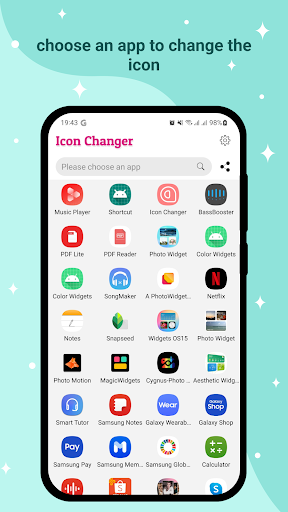
- Find and select the app you wish to customize
- Navigate to the Customize Icon section and apply your preferred design
- Press the "Ok" button to set the new icon
- Finish by creating the icon or returning to the main menu using the "Create next" button
With just a few taps, you can instantly transform your phone's appearance, making it more personalized, trendy, or fun. Plus, if you love the new look, you can always recreate icons or tweak them later to keep your interface fresh and exciting.
Don't forget to leave a review or share this app with friends who also want to enhance their device customization experience!
Why Choose Icon Changer - Customize Icon? A Personalization Game-Changer
Have you ever looked at your phone screen and thought, "Man, these icons are just not cutting it for me?" If so, you're not alone. Icon Changer - Customize Icon is here to revolutionize your home screen customization experience. This app empowers you to bid farewell to dull default icons and embrace a personalized, stylish interface that truly reflects your personality.
When I first discovered this application, I was impressed by its vast library of icon designs catering to various tastes—from minimalistic and sleek to vibrant and quirky. Browsing through the options felt like opening a treasure chest of creative possibilities. You can easily find icons that match your mood, set a theme, or simply make your home screen stand out in a crowded app drawer.
One of the best parts? The app's intuitive and seamless user interface makes customization accessible even for beginners. With just a few taps, you can replace existing app icons with your chosen designs, giving your device a cohesive and personalized look. The step-by-step guides within the app ensure that you won’t get lost or confused during the process, making it a fun experience rather than a chore.
Beyond simple icon swaps, Icon Changer - Customize Icon offers extensive creative freedom. You can craft your own icons from scratch, edit existing ones, or incorporate photos from your gallery. This flexibility makes it perfect for users who want to showcase their artistic side or create themed icons that complement their overall device aesthetic. Plus, the ability to rename apps adds an extra layer of customization, allowing you to label your apps uniquely, further enhancing your organization and style.
Ultimately, this app is a fantastic tool for transforming your smartphone into a visually stunning device. Whether you’re seeking a uniform theme, a burst of color, or a completely fresh look, Icon Changer - Customize Icon makes it straightforward to achieve your vision. Its combination of ease-of-use, variety of features, and creative potential makes it highly recommended for anyone eager to elevate their home screen customization game.
Pros
- Easy-to-use interface
- Various icon styles
- Customizable themes
- Quick icon switching
- Does not require root access
Cons
- Limited free features
- Contains advertisements in the free version
- May slow down device performance
- Experiences occasional glitches
- Needs frequent updates











