

OTTO Tv - Video Player: A Comprehensive Video Playback Solution
Are you searching for a versatile and feature-rich app to handle all your video playback needs? Look no further than OTTO Tv - Video Player. This innovative application stands out in the crowded market of media players by offering an intuitive interface, broad format support, and advanced features that enhance your viewing experience. Whether you're into live streaming, watching videos on demand, or channel playback, OTTO Tv delivers a seamless and enjoyable experience for users of all levels.
Key Features of OTTO Tv - Video Player
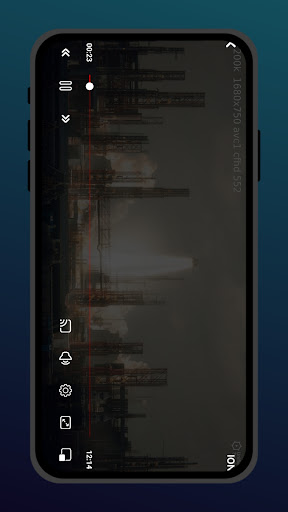
OTTO Tv is not just your average media player; it’s a powerhouse packed with features designed to meet various entertainment needs. The app fully supports high-quality video, audio, and live streaming playback, ensuring crisp visuals and immersive sound. One of its standout capabilities is the Picture-in-Picture (PIP) mode, which allows multitasking—watch videos while using other apps. This feature is perfect for those who want to keep an eye on their favorite channels or recordings without interrupting their workflow.
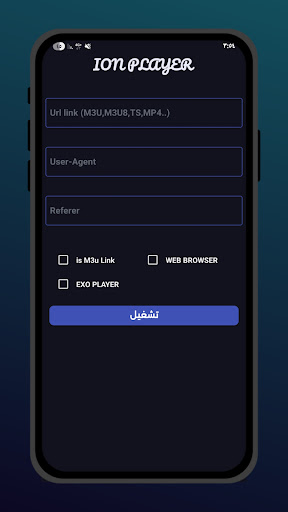
Furthermore, OTTO Tv offers background playback and audio-only modes, helping save data and extend your device’s battery life. Managing your favorite content is made simple with the create and organize playlist feature, enabling quick access to preferred videos. The app also supports M3U files and direct import of request attributes, making it easier to access and stream your custom content. Additionally, in case of interrupted streams, OTTO Tv automatically attempts reconnection to provide uninterrupted viewing.
Enhanced User Experience and Interface
When it comes to usability, OTTO Tv - Video Player impresses with its **slick and intuitive interface**. The layout is thoughtfully designed so you won’t struggle to find settings or controls. Even without tutorials, new users can easily navigate through the app and start playing videos effortlessly. Its responsiveness is also noteworthy; unlike some laggy media players, OTTO Tv performs smoothly without annoying delays or crashes, enhancing overall reliability.
Format Support and Content Management
The app supports a wide array of popular formats such as MP4, M3U8, MKV, and TS. This flexibility makes it suitable for diverse video libraries, from downloaded files to live streams. Its efficient library management system helps you organize your videos, making browsing and selection hassle-free instead of scrolling endlessly through your gallery. Plus, the casting feature allows you to share your videos seamlessly on other devices, like big-screen TVs—perfect for group viewing or parties.
Performance, Reliability, and Additional Benefits
OTTO Tv excels in performance, swiftly loading videos without lag or crashes. Its reliability is a significant advantage, allowing continuous playback during long sessions. The app also consumes surprisingly low battery power, even during prolonged usage, making it a practical choice for mobile users. Keep in mind that OTTO Tv does not supply pre-made content; it relies on user input, so respecting copyright laws is essential for legal and ethical use.
Why Choose OTTO Tv - Video Player?
In summary, OTTO Tv - Video Player is a comprehensive tool for anyone looking for a robust, user-friendly, and feature-packed video playback app. Its support for multiple formats, advanced features like picture-in-picture mode, background playback, and easy playlist management make it stand out among competitors. Whether you’re watching movies, streaming live channels, or managing personal video collections, this app adapts to your needs seamlessly. Download OTTO Tv today and elevate your entertainment experience with its smooth performance and innovative features—your ultimate video companion awaits.
Pros
- User-friendly interface for easy navigation.
- Supports a wide range of video formats.
- High-quality playback with no lag.
- Offline viewing available with downloads.
- Customizable subtitles and audio settings.
Cons
- Ads can interrupt the viewing experience.
- Limited features in the free version.
- Occasional bugs during playback.
- Requires a stable internet connection.
- No parental control options available.











