

























Introduction to Meeting - Video Meeting App
Welcome to Meeting - Video Meeting app! This innovative platform facilitates online meetings and Cloud Video Meetings with real-time video and screen sharing capabilities. Whether you're hosting a business meeting, participating in a virtual event, or catching up with friends, Meeting - Video Meeting makes staying connected effortless and intuitive. Its high-quality video conferencing technology ensures seamless audio and video communication, creating a reliable environment for professional and personal interactions alike.
Key Features of the Video Conference Platform
Designed for versatility and ease of use, Meeting - Video Meeting offers a variety of features optimized for effective virtual communication:
- Join Meeting without login: No complicated registration required to participate.
- Join meetings easily using the meeting ID: Quick access with just a code.
- All essential features are available, including cloud meetings and virtual video conferencing.
- Intuitive interface makes it easy to use for users of all levels.
- Supports chat functionality during sessions for real-time interaction without interrupting the speaker.
How to Use the Meeting - Video Meeting App
Create a Meeting
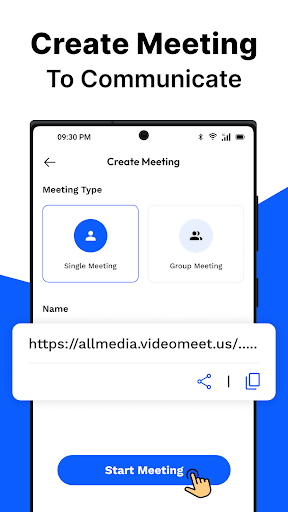
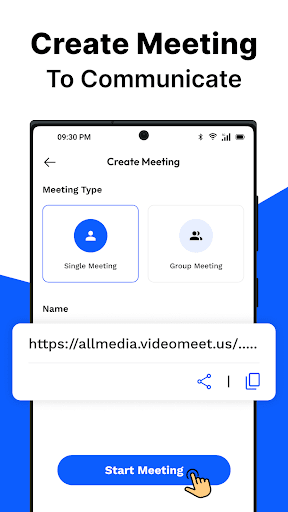
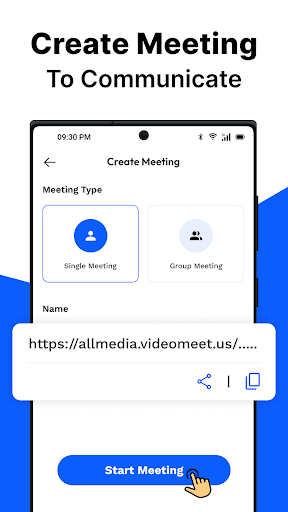
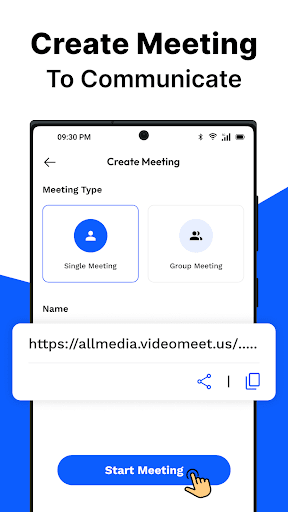
- Choose the meeting type (One-on-One or Group).
- Personalize your session by entering a meeting name.
- Share the unique meeting code with participants to facilitate quick joins.
Join a Meeting
- Enter the meeting ID provided by the host.
- No login required to join the meeting, making it user-friendly and accessible.
During the Meeting
- Flip the camera to switch perspectives for better interaction.
- Utilize the chat feature for quick discussions.
- Share your screen effortlessly to present or collaborate in real time.
- Monitor and manage participants with ease to ensure a smooth meeting experience.
End or Exit a Meeting
You can either leave the meeting gracefully or end the session for all participants, providing flexibility depending on the situation.
Why Choose Meeting - Video Meeting?
If you've ever encountered difficulties finding a reliable virtual meeting platform, Meeting - Video Meeting is here to change that experience. Its intuitive interface makes setup a breeze—just download the app, create an account, and you're ready to start hosting or attending meetings without any hassle. Think of it as your virtual coffee shop for meetings, where everything works seamlessly, and you feel right at home.
Superior Video Quality and Connectivity
One of the standout qualities of this application is its excellent video and audio quality. The app ensures that you won't experience those awkward moments of frozen video or mismatched audio, thanks to its sophisticated technology that maintains video and audio sync. Even with less stable internet connections, it intelligently adjusts the video quality to keep the communication smooth—much like a resilient friend who adapts to your connectivity situation.
Highlighted Features for Enhanced Virtual Meetings
- Screen sharing: Share your screen with a single click, making presentations or explanations straightforward and engaging.
- Device compatibility: Supports a wide range of devices, allowing you to switch seamlessly between laptop, tablet, or smartphone.
- Built-in chat: Communicate silently via chat during meetings, ideal for sharing quick notes or questions without interrupting the speaker.
Conclusion
In summary, Meeting - Video Meeting offers a robust, user-friendly platform perfect for anyone seeking reliable virtual meeting software. Its blend of essential features, high-quality video, and simple interface makes it suitable for business professionals, educators, or casual users alike. Whether you're conducting team meetings, hosting webinars, or catching up with friends in a virtual gathering, this app ensures a smooth and engaging experience. Embrace the future of remote communication with Meeting - Video Meeting, and elevate your virtual interactions to the next level.
Pros
- Easy to set up and join meetings.
- High-quality video and audio.
- Compatible across multiple platforms.
- Includes screen sharing feature.
- Suitable for large groups.
Cons
- Can use a significant amount of data.
- Occasional disconnections may occur.
- Limited features in the free version.
- Requires a stable internet connection.
- May experience lag on older devices.











