
Manual Camera: DSLR Camera Pro
Imagine having the power of a DSLR camera right in the palm of your hand. Manual Camera: DSLR Camera Pro is designed for photography enthusiasts who want to elevate their mobile photography by offering extensive manual controls and professional-grade features. Whether you're a seasoned photographer or a hobbyist, this app transforms your smartphone into a powerful camera capable of shooting high-quality images and videos, including stunning 4K UHD recordings.
Intuitive User Interface for a Professional Experience
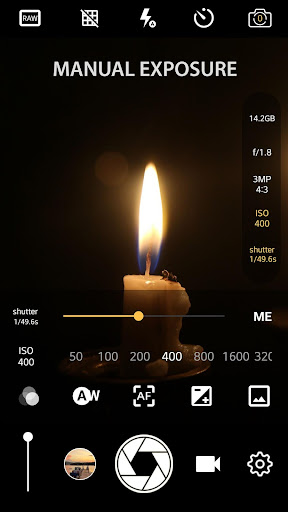
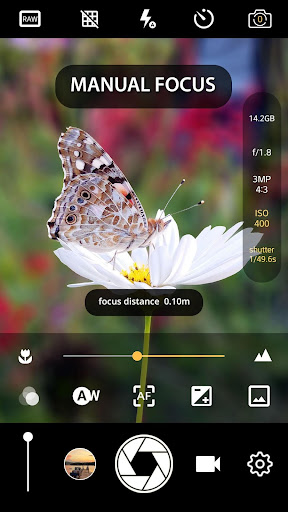
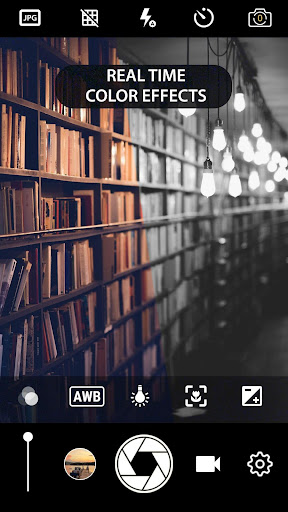
Upon launching Manual Camera: DSLR Camera Pro, users are welcomed with a clean and intuitive layout reminiscent of traditional DSLR cameras. The interface provides immediate access to essential manual controls such as ISO, shutter speed, white balance, and manual focus. This familiar setup makes it easy for photographers familiar with DSLR photography to quickly adjust settings in real-time, allowing for precise image capturing.
Key Features for Superior Mobile Photography
Manual Controls and RAW Support
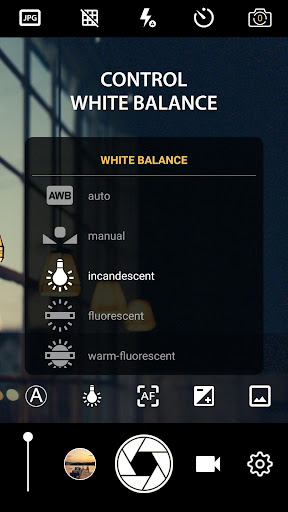
A standout aspect of this app is its ability to manually adjust settings like ISO (including manual ISO control), shutter speed, and white balance. These controls give users full artistic and technical freedom over their shots. Additionally, the app supports capturing images in RAW (DNG) format, providing maximum flexibility in post-processing with software like Adobe Lightroom, thus enabling professional editing workflows.
High-Quality Video Recording
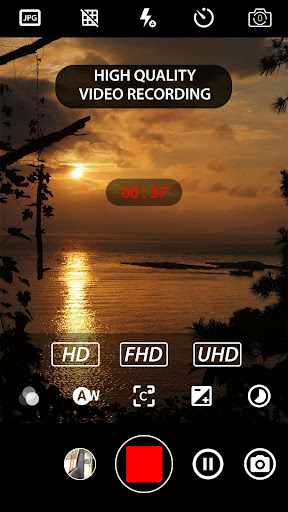
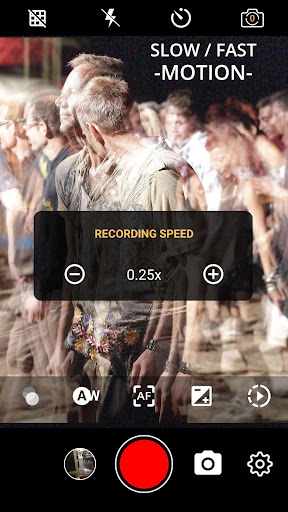
Capture your moments in 4K UHD resolution with the app’s advanced video recording capabilities on supported devices. Users can customize video frame rate and bit rate to achieve professional-quality footage. Features like slow motion, timelapse, and fast motion videos further expand creative options, making it suitable for stunning cinematic projects or dynamic time-lapse sequences.
Advanced Photography Features
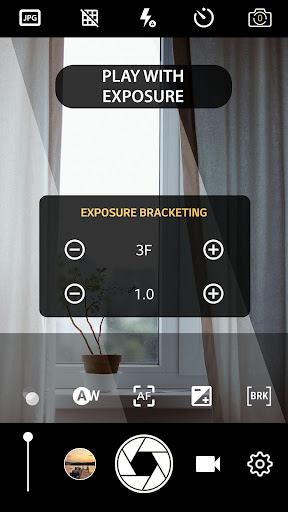
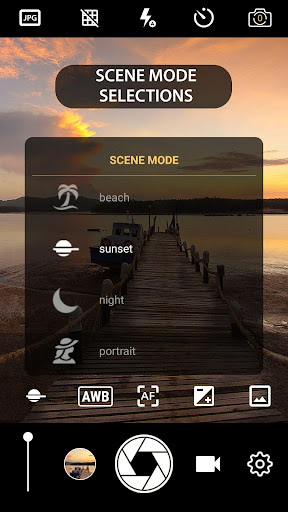
The app offers a host of professional features including manual focus lock, manual exposure lock, geotagging, and photo stamping. These tools allow you to add location data or custom text overlays to your images. Other enhancements include scene modes, focus modes, burst mode for rapid shooting, and color effects—all designed to replicate a professional camera’s versatility.
Enhanced Shooting Modes and Effects
Create stunning images with effects like real-time filters and color effects. The app supports external microphones, making it suitable for high-quality video recording. The inclusion of features like intervalometer for interval shooting, time-lapse, and slow motion modes provide versatile options for creative projects. Users can also disable shutter sounds for silent shooting, perfect for discreet photography.
Premium User Control and Flexibility
Adjust shutter speed, ISO, and white balance manually or lock these settings for consistency across shots. The app allows switching between front and rear cameras with ease—supporting HD front and back cameras—and offers an adjustable GUI that can change orientation without interrupting the live view. Volume keys can be customized for quick operations like zooming or exposure adjustment, and the app supports remote control with optional timers and repeat modes.
Compatibility and Performance
Designed for devices with Android 5.0+ and support for Camera2API, Manual Camera: DSLR Camera Pro guarantees high performance, quick responsiveness, and a professional shooting experience. You can verify device compatibility by checking for the enable camera2api option in settings. The app’s optimized performance ensures smooth operation during critical shots, whether capturing fast action or long exposures in low-light conditions.
Why Choose Manual Camera: DSLR Camera Pro?
If you are passionate about photography and wish to unlock your device’s full potential, Manual Camera: DSLR Camera Pro offers an extensive suite of professional features in a compact, user-friendly package. It is perfect for capturing high-resolution photos and videos, experimenting with manual settings, and exploring creative photography techniques like long exposure and time-lapse. Whether for personal projects, social media, or artistic pursuits, this app bridges the gap between smartphone convenience and DSLR-level control, empowering you to create stunning visual content wherever you go.
Pros
- Complete manual control over camera settings
- High-quality RAW image capturing
- Customizable user interface
- Support for 4K video recording
- Advanced focus and exposure options
Cons
- Requires a high-end device for optimal performance
- Limited features in the free version
- More complex for beginners to use
- Occasional app crashes
- Higher battery consumption











