
Neon Clock Wallpaper - Create Diverse and Unique Clocks for Your Screens!
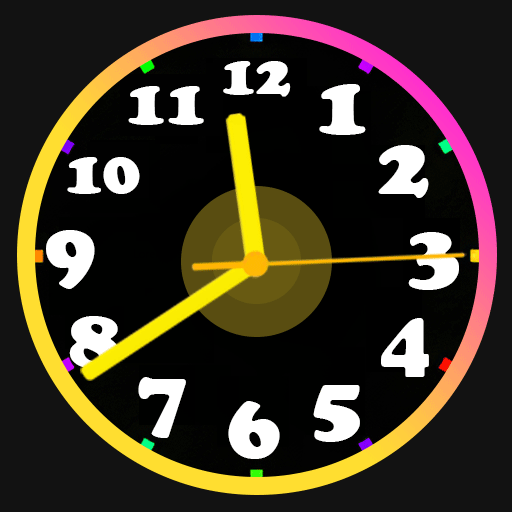
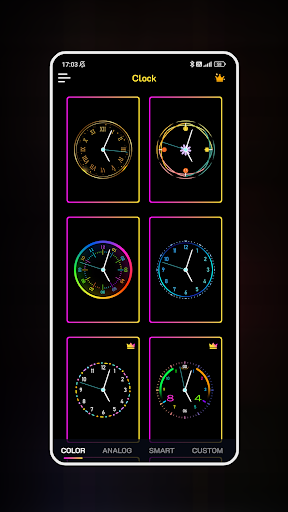
Are you looking to transform your phone into a unique work of art? Don't miss the opportunity to create a variety of beautiful clocks on your wallpaper and lock screen with the Neon Clock Wallpaper app! This versatile application allows you to craft creative and one-of-a-kind clocks that reflect your personal style. Whether you prefer pre-made templates or want to design a clock from scratch, Neon Clock Wallpaper offers the tools to let your creativity run wild.
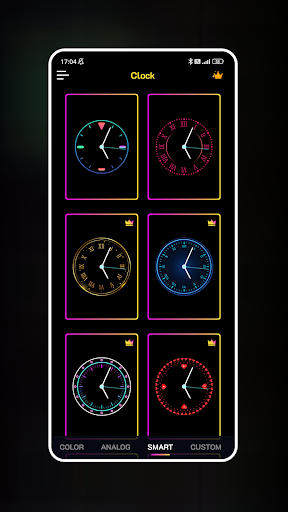
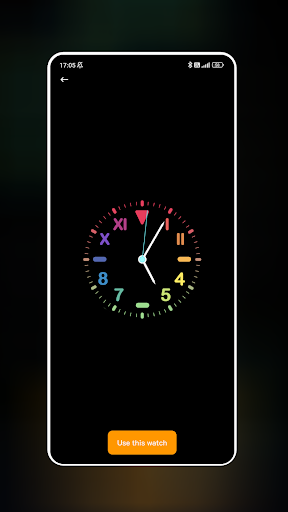
The app provides an extensive selection of pre-made clock templates with different designs and vibrant neon effects, or you can choose to customize every aspect of your clock. Adjust colors, sizes, and styles to perfectly match your aesthetic preferences. Featuring multiple options for both wallpapers and lock screens, Neon Clock Wallpaper ensures that your device’s look is always fresh and personalized.
Key Features of Neon Clock Wallpaper
Diverse Clock Templates: Pick from a wide range of pre-designed clock options with various colors and layouts to make your screen stand out.
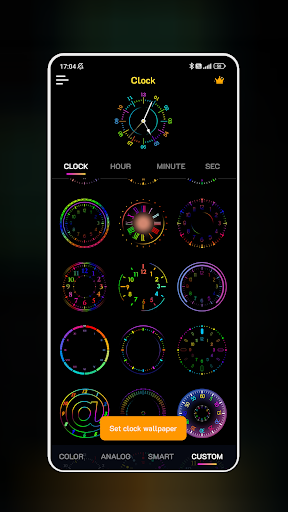
Create Custom Clocks: Combine different components to design a clock tailored to your liking by customizing the colors, sizes, and styles.
Stunning Neon Effects: Enhance your clock with vibrant neon light effects, making your display striking and eye-catching.
Wallpaper and Lock Screen Compatibility: Set your uniquely designed clock as your home screen or lock screen background effortlessly.
With Neon Clock Wallpaper, you'll always have an exciting and unique clock background to showcase your personality. Whether you're into a retro neon vibe or a modern digital look, this app makes it simple to elevate your device’s appearance. Download the app today and start creating stunning wallpapers in just a few easy steps!
Experience and Personalization: An Insider’s Look at Neon Clock Wallpaper
Hey there, fellow app enthusiast! Recently, I started using Neon Clock Wallpaper, and I must say, it’s packed with style and functionality. If you’re a fan of vibrant colors and enjoy customizing your device, this app might be just what you need to spice up your phone’s home screen.
From the moment I opened Neon Clock Wallpaper, I was welcomed by a bright, user-friendly interface. It’s like stepping into a world where neon lights and time displays collide in the coolest way. The app features a rich selection of neon clock designs, ranging from classic analog styles to sleek digital displays, ensuring there’s something to suit every taste.
Customizing Your Neon Clock
A standout feature of Neon Clock Wallpaper is its high level of customization. You can tweak nearly every detail of your clock’s appearance. Want to alter the glow of the neon light? You can do that easily. Looking to change the clock face itself? It’s just a tap away. Mixing and matching different colors and styles allows you to create a truly personalized wallpaper that reflects your personality.
Once you start experimenting with the options, it’s hard to stop—each adjustment makes your clock more distinctive and eye-catching. The app’s flexibility means you can craft clocks that blend perfectly with your overall device theme or stand out with bold neon aesthetics.
Performance and Ease of Use
Many worry that such vibrant effects might slow down their device, but I found Neon Clock Wallpaper runs smoothly without draining your battery or causing lag. Despite the lively animations, the app is optimized for everyday use, making customization a seamless experience without sacrificing performance.
Its intuitive design ensures that even beginners can create stunning neon clocks easily. Plus, regular updates bring fresh designs and features, keeping the experience exciting and fresh over time.
Should You Give It a Try?
If you love to personalize your device and enjoy a bit of visual flair, Neon Clock Wallpaper is definitely worth exploring. It’s not just about having another clock on your screen; it’s about making a statement every time you unlock your phone with a vibrant neon touch. Whether you want a retro neon vibe or a modern digital look, this app provides all the tools to turn your device into a neon wonderland.
So, why not give Neon Clock Wallpaper a shot? It’s a fun, creative way to add a splash of color to your daily routine and show off your unique style. Dive into the world of neon design and let your creativity shine—your customized clock background awaits!
Pros
- Vibrant and eye-catching display.
- Customizable clock styles.
- Battery-friendly operation.
- Smooth animations.
- User-friendly interface.
Cons
- Limited free customization options.
- Ads in the free version.
- Occasional lag on older devices.
- No widget support.
- Requires internet for extra themes.











