

Introduction to Olauncher. Minimal AF Launcher
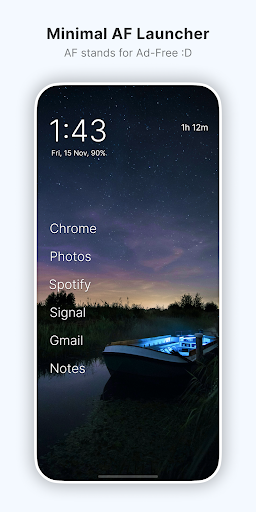
Are you using your phone, or is your phone using you? Olauncher is a minimal AF Android launcher designed with simplicity and productivity in mind. AF stands for AdFree, ensuring a clutter-free experience without intrusive ads. This launcher champions a minimalist approach, offering just enough features to keep your device functional while maintaining a clean, distraction-free interface. Many users and tech enthusiasts have praised Olauncher for its elegant design and efficiency. For instance, @DHH mentions that "Olauncher for Android remains the nicest home screen interface of any phone I've ever used." It has also been recognized as one of the Top 10 Android launchers of 2024 by AndroidPolice and recommended among the 8 best minimalist Android launchers by MakeUseOf. Tech fans also highlight how this launcher can help significantly reduce phone usage, with some users claiming they managed to cut their screen time in half. Designed for users who value privacy as much as simplicity, Olauncher is an open-source project licensed under GPLv3. It supports themes, dual apps, work profiles, and automatic app launching, making it a versatile yet straightforward launcher option for Android devices. Whether you're aiming to declutter your digital life or simply enjoy the aesthetic of a minimal home screen, Olauncher offers a compelling solution that emphasizes user control and privacy.
Key Features of Olauncher
Minimalist Homescreen
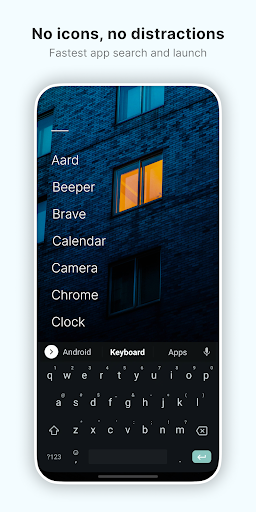
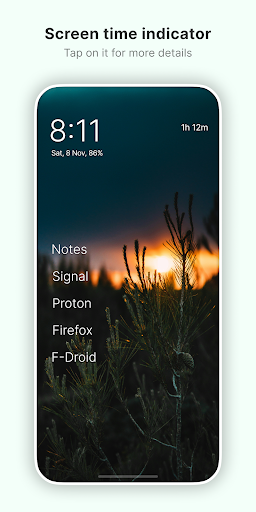
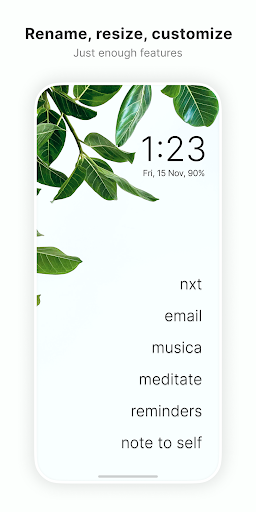
Olauncher provides a clean homescreen experience devoid of icons, ads, or distractions. It helps you reduce your screen time and increase productivity by encouraging a minimalist digital environment. The interface is calming and orderly, resembling a Zen garden for your phone—peaceful and clutter-free.
Customization Options
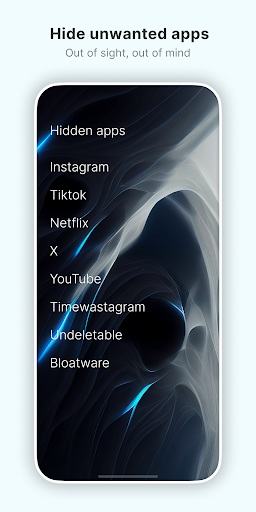
While focused on simplicity, Olauncher offers essential customization choices, including resizing text, renaming apps, hiding unused apps, and toggling the visibility of the status bar. You can also adjust app text alignment to suit your preferences, allowing a personalized yet minimal interface.
Gesture Controls
Gestures enhance usability: double-tap to lock the screen, swipe left or right to open specific apps, and swipe down for notifications. These intuitive controls make navigation seamless without overwhelming the interface.
Dynamic Wallpapers
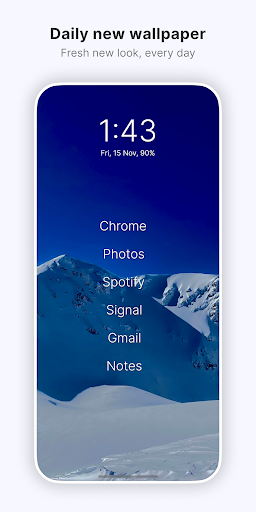
Each day, Olauncher offers a fresh wallpaper, adding visual variety and freshness to your device. If you prefer a custom look, you can set any wallpaper from your device’s gallery or photo app, ensuring your home screen remains personalized.
Privacy and Open Source
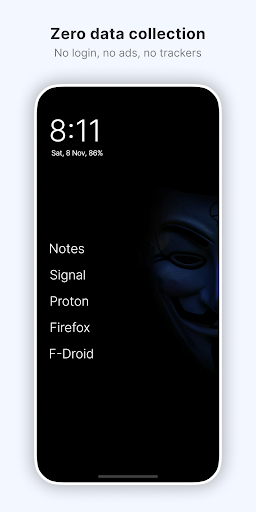
Olauncher is designed with user privacy at its core. It does not collect any personal data and is fully open source under the GPLv3 license. This transparency reassures users looking for a safe and trustworthy launcher.
Additional Features
The launcher supports dark and light themes, dual app support, work profiles, and auto app launch capabilities. Some niche features are hidden to preserve simplicity; details are available on the About page within the app settings.
FAQs and Usage Tips
Hidden Apps
Long press anywhere on the home screen to access settings. Tap 'Olauncher' at the top to manage hidden apps and keep your interface clean.
Navigation Gestures
Some devices may not support gesture controls implemented via downloaded launchers. This limitation can usually be addressed through device updates from manufacturers.
Wallpaper Customization
Besides the daily wallpaper, you have the flexibility to set any image from your device's gallery orPhotos app for a more personalized experience.
For more tips and detailed FAQs, visit the About section within the launcher settings.
Additional Insights
Olauncher's accessibility service allows users to turn off their phone’s screen with a double-tap gesture—this feature is optional and does not collect or share any data. Designed for efficiency and privacy, the launcher emphasizes minimalism while still providing essential functionalities that improve daily device use.If you're overwhelmed by an overly cluttered interface and crave a calmer, more focused digital environment, Olauncher is an excellent choice. It promotes mindful app usage, reduces distractions, and can help you regain control over your screen time. Its lightweight design ensures it runs smoothly on old or low-resource devices, making it accessible to a broader audience.In conclusion, Olauncher embodies the ethos of less is more. By stripping away unnecessary features and focusing on core functionalities, it creates a serene, clutter-free experience that invites users to enjoy their device without the digital noise. If you're ready to transform your Android experience into something peaceful, productive, and private, Olauncher is definitely worth exploring.
Pros
- Super lightweight and fast.
- No ads or distractions.
- Highly customizable interface.
- Saves battery life.
- Open source and free to use.
Cons
- Limited widget functionality.
- Basic design may not suit all users.
- No app drawer available.
- Lacks advanced features.
- Might be too minimalistic.











