

Introducing Captions Lite: The Ultimate AI-Powered Video Captioning and Editing App
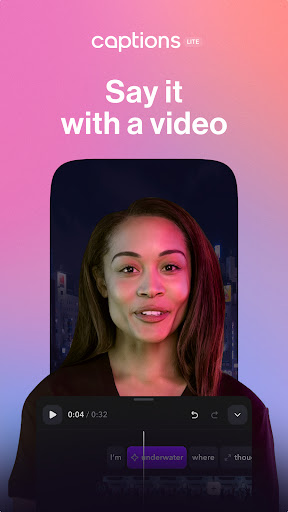
Captions Lite is a groundbreaking mobile application designed to revolutionize the way creators, marketers, small businesses, and media agencies produce and edit videos. Harnessing advanced artificial intelligence, Captions Lite enables users to craft engaging, high-quality videos effortlessly, directly from their phones. Whether you need accurate subtitles, creative overlays, or multilingual dubbing, this app offers a comprehensive suite of tools that make professional-level video editing accessible to everyone.
Seamless Subtitle Generation and Editing
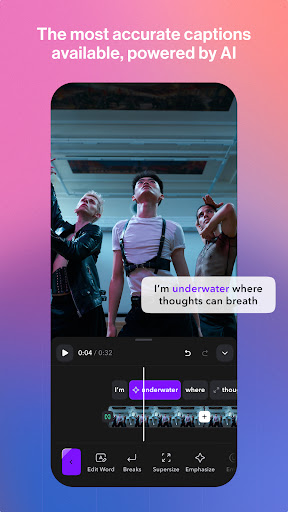
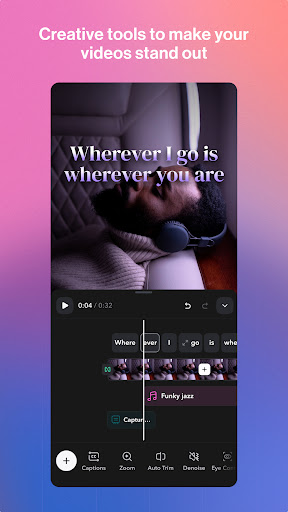
Automatic Captions
With automatic captions, Captions Lite instantly transcribes speech into accurate subtitles, powered by cutting-edge speech recognition technology. This feature streamlines the process, saving you countless hours that would otherwise be spent manually adding captions.
Add Custom Text
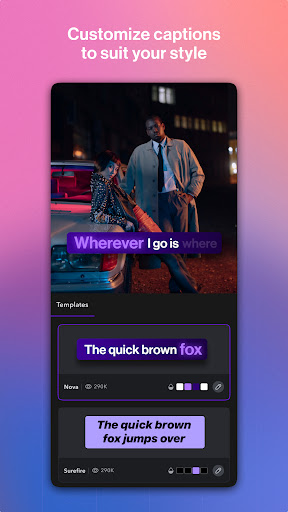
Enhance your videos by overlaying static text. The app provides a variety of customizable caption styles, including viral and classic looks, so you can keep your content on-brand with colors, fonts, and emojis tailored to your aesthetic.
Edit and Customize
Choose from a vast library of caption templates and styles. Use the full video editing suite to trim, crop, and align your captions precisely. Whether it's X, Reels, IG Stories, or Threads, Captions Lite offers versatile tools to elevate your content.
Expand Your Reach with Multilingual Features
Multilingual Dubbing
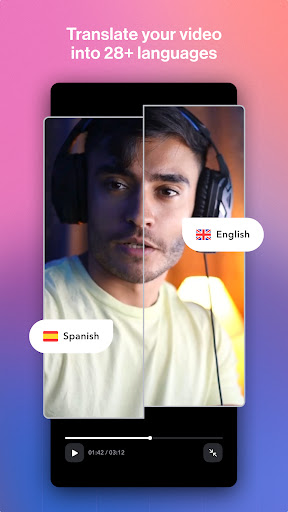
Want to reach a global audience? Captions Lite features multilingual dubbing, automatically translating and dubbing your videos into over 29 languages. This makes your content accessible and engaging to viewers across different regions.
Subtitle Translation
Translate your video captions into multiple languages to grow your international presence. The app’s accurate transcription makes it simple to edit and translate spoken content seamlessly.
Enhance Your Videos with AI-Driven Effects
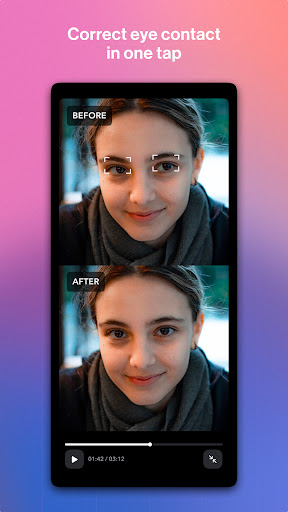
AI Eye Contact
Automatically adjust eye contact in your videos, so you can record while reading scripts confidently, ensuring natural and engaging eye contact with your audience.
AI Zoom
Dynamic zoom effects are added automatically to make your videos more captivating and professional-looking.
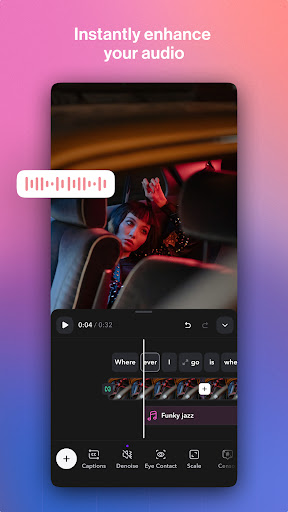
AI Sounds & Denoise
Generate relevant sound effects and remove background noise effortlessly, delivering crisp audio quality that complements your visuals.
Template Library
Access an extensive library of trending caption styles and templates, perfect for keeping your content fresh and trendy.
Creating Inclusive and Engaging Videos for Everyone
With over 6% of the global population experiencing hearing loss, adding captions is vital for creating inclusive content. Captions Lite makes your videos accessible to everyone, boosting engagement across diverse audiences.
Support for noisy environments is also essential—dynamic closed captions (cc) are preferred by 85% of viewers who watch videos without sound, ensuring your message reaches viewers in all circumstances.
Why Choose Captions Lite?
Trusted by over 10 million users worldwide, Captions Lite stands out as the easiest way to create and edit talking videos using AI technology. Its intuitive interface requires no prior technical knowledge, allowing anyone to generate professional-quality content quickly. The app supports a wide range of formats and styles, making it suitable for social media influencers, marketers, or casual content creators aiming to elevate their video game.
Ready to transform your video content? Try Captions Lite today with a free trial and experience how AI-powered features like automatic captions, multilingual translation, and AI effects can make your videos more engaging and accessible. Join millions of creators enhancing their storytelling with Captions Lite.
Pros
- User-friendly interface for quick video editing
- Provides a variety of fonts and styles for captions
- Supports multiple video formats
- Captions enhance video accessibility
- Fast export options available
Cons
- Limited customization options for advanced users
- Occasional app crashes reported
- In-app purchases required for premium features
- Limited free features
- Advertisements can be intrusive











