
Frequently Asked Questions
What is AR Drawing: Paint & Sketch App?
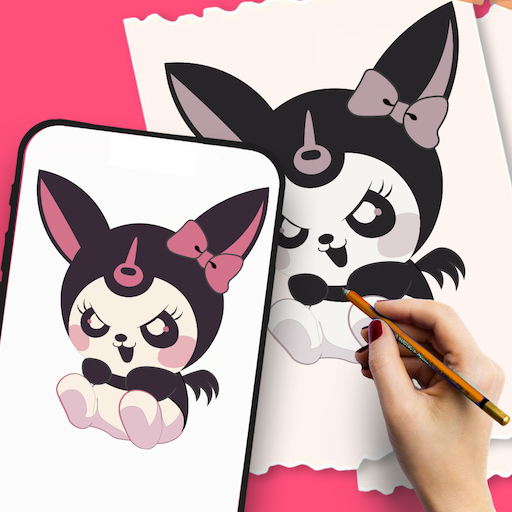
AR Drawing: Paint & Sketch App is an innovative application that enables users to create artwork using augmented reality technology. It overlays digital sketches onto real-world surfaces through the device's camera, offering a unique and interactive method of drawing and painting. Whether you're an aspiring artist or simply seeking creative fun, this app adds a new dimension to digital art creation.
What are the key features of AR Drawing: Paint & Sketch App?
The app features a wide selection of brushes and colors, tools to trace over real-world objects, and options for adjusting opacity and stroke thickness. Users can import images as templates and save their artwork for future editing or sharing. The augmented reality functionality enhances the drawing experience by integrating digital art with the surrounding environment.
Is AR Drawing: Paint & Sketch App suitable for beginners?
Yes, the app is designed to be user-friendly, making it suitable for both beginners and experienced artists. Its intuitive interface guides users through the drawing process, complemented by tutorials and tips to help newcomers get started. Even without prior experience, users can easily navigate and utilize the app's features to create impressive art.
How does the augmented reality feature work in the app?
The augmented reality feature uses the device's camera to detect surfaces in the real world, allowing digital drawings to be overlaid onto these surfaces. It enables viewing of artwork in a 3D space, providing an immersive and engaging drawing experience. This functionality is helpful for visualizing how art will appear in physical environments.
Are there any costs associated with using AR Drawing: Paint & Sketch App?
The app offers a free version with basic features, while in-app purchases may be available for advanced tools and additional content. The free version is quite functional, but users interested in unlocking all features might consider purchasing premium options. It's advisable to check the app store for current pricing and subscription details.
You May Like

Canva: AI Photo & Video Editor
Art & Design
4.8
FlipaClip: Create 2D Animation
Art & Design
4.3
AI Photo Editor: BG Remover
Art & Design
4.1
Adobe Capture: Illustrator,Ps
Art & Design
4.6
Paint
Art & Design
3.8
Tayasui Sketches
Art & Design
4.1
Concepts: Sketch, Note, Draw
Art & Design
4.2
Tattoo Simulator Tattoo Maker
Art & Design
4.4
Leonardo.Ai - Image Generator
Art & Design
4.8
Bazaart AI Photo Editor Design
Art & Design
4.8
AI Home Design: Interior DecAI
Art & Design
4.6
Figma: view. comment. mirror.
Art & Design
4.3