

Introducing Salesforce Authenticator: Your Ultimate Multi-Factor Authentication Tool
In today’s digital landscape, security is more crucial than ever. Salesforce Authenticator provides an additional layer of protection for your online accounts through robust multi-factor authentication (MFA), also known as two-factor authentication. This app is designed to enhance the security of your Salesforce login experience, making it both reliable and convenient. Whether you’re a seasoned Salesforce user or just getting started, Salesforce Authenticator can significantly improve your account safety while maintaining ease of use.
Why Choose Salesforce Authenticator?
User-Friendly Setup and Integration
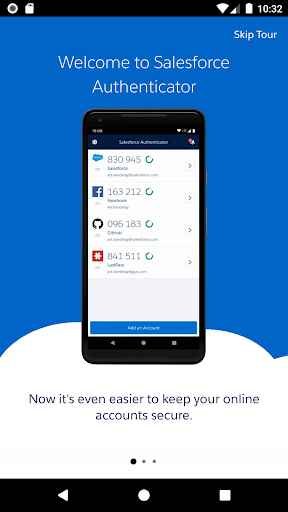
Getting started with Salesforce Authenticator is straightforward. The app is available for both Android and iOS devices, ensuring compatibility with nearly every mobile user. Simply download the app, follow the on-screen prompts, and link it to your Salesforce account — no technical expertise required. Its seamless integration means you’ll immediately benefit from enhanced security without complicated configurations.
Effortless and Secure Login Process
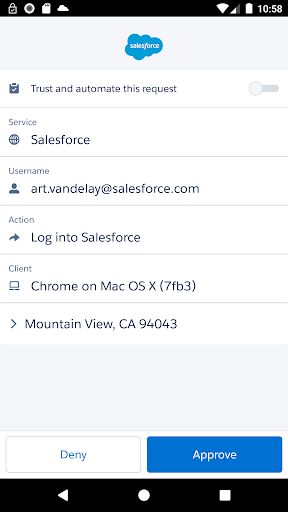
Once set up, every login attempt to Salesforce prompts a push notification directly to your mobile device. With a single tap on your screen—either to approve or deny—the authentication process is completed swiftly. This method not only eliminates the need to remember complex passwords but also reduces the risk of credential theft by requiring your explicit approval for each access attempt. Plus, the app supports time-based one-time passwords (TOTP), which can be used for other online services that support multi-factor authentication, further broadening its utility.
Innovative Security Features
Location-Based Authentication for Enhanced Security
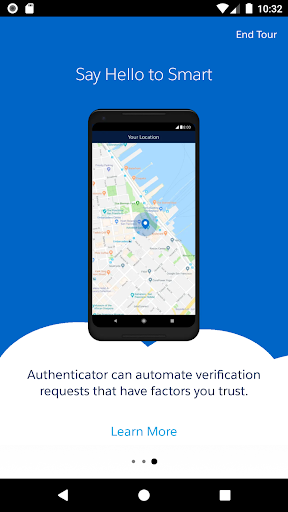
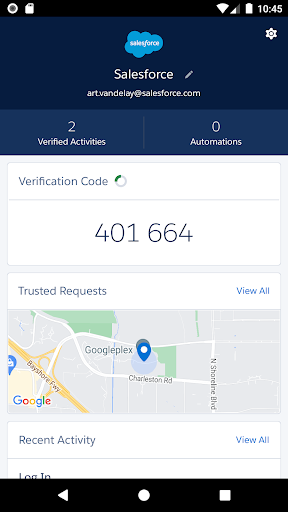
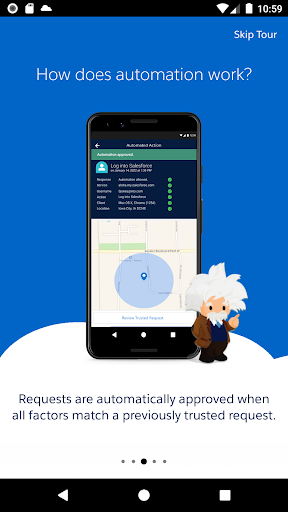
Salesforce Authenticator can leverage your device’s location services to automatically approve login activities from trusted locations. When enabled, location data is securely stored on your device—not in the cloud—ensuring your privacy is maintained. You can easily delete location data or disable location services at any time to control your privacy settings. This feature simplifies login procedures for familiar environments while still providing strong security measures.
Battery-Friendly Location Data Usage
To conserve your device’s battery life, the app only receives updates when you enter or leave designated geofences—specific areas you trust. This approach minimizes power consumption by avoiding continuous location tracking. If desired, you can turn off location services entirely for maximum battery efficiency. The intelligent use of geofencing strikes a balance between security convenience and device performance.
Additional Benefits of Salesforce Authenticator
Offline Verification for Accessibility
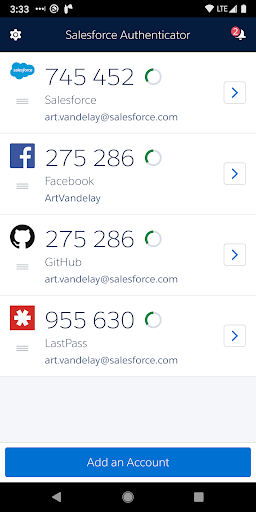
One of the standout features of Salesforce Authenticator is its ability to generate verification codes that work even when you’re offline or have poor internet connectivity. This ensures you can authenticate your account from virtually anywhere, making it ideal for remote work, travel, or areas with unreliable network coverage.
Lightweight and Energy-Efficient
The app is designed to be resource-friendly, ensuring minimal impact on your device’s performance and battery life. It doesn’t require constant location updates, opting instead for efficient, trigger-based notifications. This lightweight design ensures smooth operation without slowing down your smartphone.
Enhanced Security for All Your Accounts
While primarily built for Salesforce accounts, Salesforce Authenticator can be used to add MFA protection across any service that supports time-based one-time passwords. This flexibility makes it a versatile choice for users seeking to bolster their overall online security across various platforms.
Final Thoughts
In an era where data breaches and cyber threats are increasingly sophisticated, the Salesforce Authenticator app stands out as a reliable, user-friendly solution for enhancing account security. Its seamless integration with Salesforce, combined with innovative features like location-based automation and offline verification, makes it an essential tool for safeguarding sensitive information. Whether you’re managing critical business data or personal accounts, this app offers peace of mind with minimal hassle. Embrace multi-factor authentication today and keep your online presence protected with Salesforce Authenticator.
Pros
- Secure two-factor authentication
- User-friendly interface
- Seamless integration with Salesforce
- Easy account recovery
- Customizable notifications
Cons
- Limited to Salesforce users
- No biometric login option
- Requires internet connection
- Initial setup can be complex
- No offline access for codes











