
Overview of PDF Editor - PDF Reader
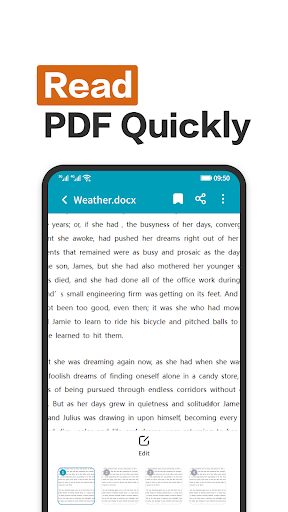
PDF Editor - PDF Reader is a versatile all-in-one app designed to meet your document needs effortlessly. Whether you're looking to read, edit, annotate, or manage PDFs and other document formats, this app offers comprehensive features packed into a user-friendly interface. It simplifies tasks like viewing PDFs in full-screen immersive mode, editing documents with various tools, adding comments or signatures, and seamlessly handling multiple file formats including Word, PPT, and Excel.
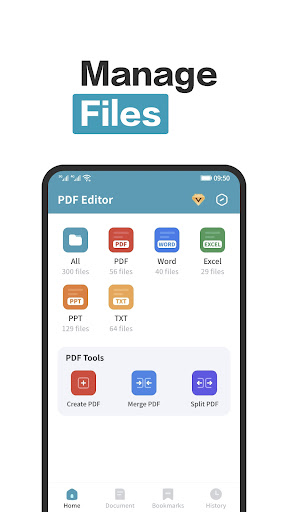
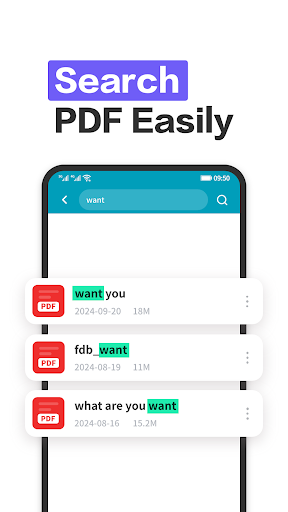
One of its standout capabilities is the ability to access •system files, allowing users to view PDF documents directly from their device's file system. This feature makes it convenient to open and read PDF books, notes, or reports anytime, anywhere. Additionally, its support for •multi-format reading ensures compatibility across different document types, making it a flexible solution for students, professionals, and casual users alike.
With fast performance and robust accessibility features, PDF Editor - PDF Reader enables quick loading and smooth editing, transforming your device into a powerful portable document workspace. Whether you're reviewing documents, highlighting important text, or digitally signing forms, this app has the tools you need to stay organized and productive on the go.
Key Features of PDF Editor - PDF Reader
All-in-One Document Solution
This app functions as a •Swiss Army knife for PDFs, offering editing, annotation, and signing capabilities in one integrated platform. Its intuitive interface makes navigation simple—no manual needed. Just tap and swipe to access the various tools and features, making your document management tasks quick and hassle-free.
Advanced Annotation Tools
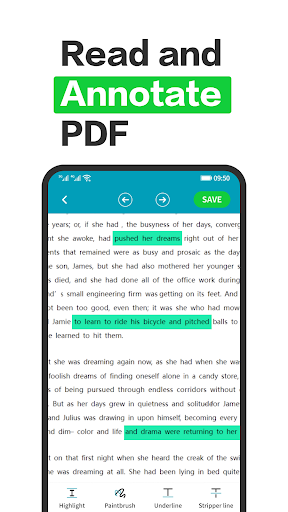
A noteworthy feature is the annotation toolset, which lets you highlight text, add comments, and draw directly on your documents. This is especially useful for students preparing for exams or professionals reviewing presentations and reports. The annotation functionality enhances your ability to mark key points and collaborate effectively.
Digital Signatures & Document Security
Signing documents digitally removes the need for printing and scanning. With a few taps, you can add your •digital signature, making contracts, forms, and official paperwork convenient to sign remotely. This feature streamlines your workflow and maintains document integrity.
Multi-Format Support & Compatibility
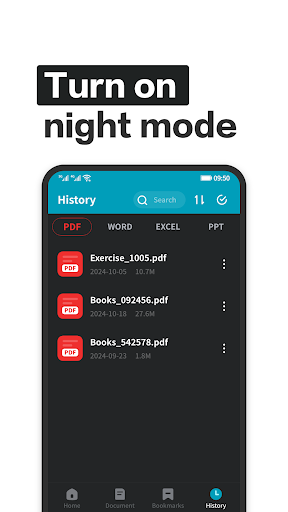
Beyond PDFs, this app supports a range of formats such as Word, PPT, and Excel. Its compatibility ensures you can read and edit various document types within a single application, boosting your productivity without switching between different tools.
Seamless Cloud Integration
Integrate with cloud services like Google Drive and Dropbox for easy access and storage of your files. This integration helps you work with the latest versions of your documents and sync your changes across devices, making document management •more efficient.
User Experience & Performance
The app performs reliably across Android and iOS platforms, providing a smooth experience without lag or crashes. Loading times are quick, and the editing tools respond instantly. These performance optimizations ensure that your work proceeds smoothly, whether you're reading a PDF book or editing a presentation on the move.
Final Thoughts
In summary, PDF Editor - PDF Reader is a comprehensive and dependable tool for anyone who frequently handles digital documents. Its combination of easy-to-use features, extensive format support, and seamless cloud integration makes it an essential app for students, professionals, and casual users alike. Whether you're looking to annotate, sign, or simply read documents in a distraction-free environment, this app delivers it all in a sleek, intuitive package. Try it today and experience a new level of convenience in your document management workflow.
Pros
- Intuitive interface for easy navigation
- Supports a wide range of file formats seamlessly
- Provides annotation tools for collaborative work
- Processes files quickly and efficiently
- Offers secure options for document encryption
Cons
- Limited features in the free version
- Includes occasional advertisements in the free version
- Some advanced features require a subscription
- Compatibility issues with older devices
- Handling large files may reduce performance











