
Introducing the Mobile Passport Control (MPC) App
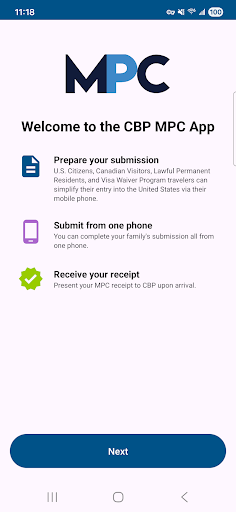
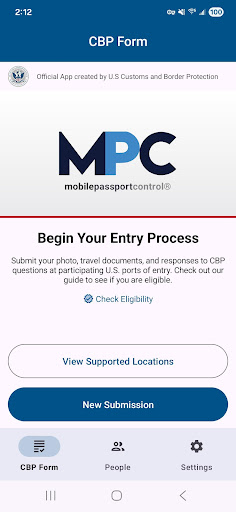
The Mobile Passport Control (MPC) is an official application developed by U.S. Customs and Border Protection designed to simplify and expedite your CBP inspection process at select U.S. entry points. If you're a frequent traveler to the United States, this innovative app can significantly reduce wait times and make your airport experience more comfortable. With the MPC app, you can quickly submit your travel information, answer inspection questions, and provide necessary photos—all through your smartphone. This modern solution aims to streamline the customs process, offering a seamless entry experience for eligible travelers.
Key Features of the Mobile Passport Control App
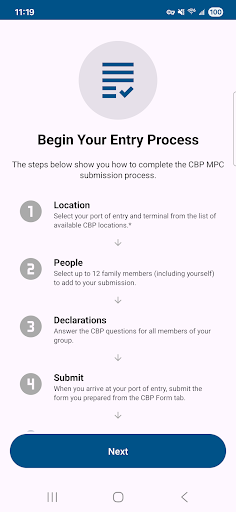
The app guides users through a simple six-step process, providing convenience and efficiency at U.S. ports of entry. Here’s how it works:
-
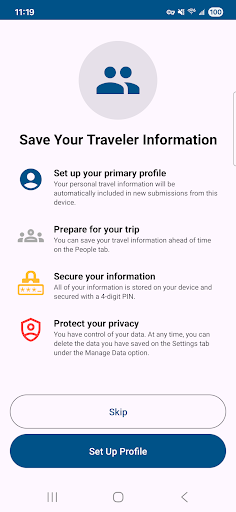
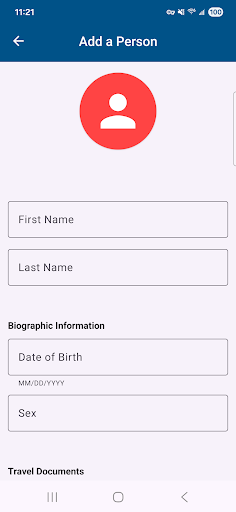
Create a Primary Profile
Begin by setting up a primary profile to securely store your travel documents and biographic information. You can also add family members or travel companions to submit together from one device. Your data will be safely kept on your device for future use, making subsequent trips even faster.
-
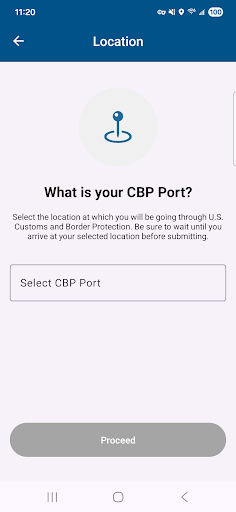
Select Your Port of Entry
Choose your CBP port of entry, including the specific terminal if applicable. You can include up to 11 additional members in your group submission, perfect for families or groups traveling together.
-
Answer Inspection Questions
Answer the CBP inspection questions truthfully and certify the accuracy of your responses, ensuring a smooth process upon arrival.
-
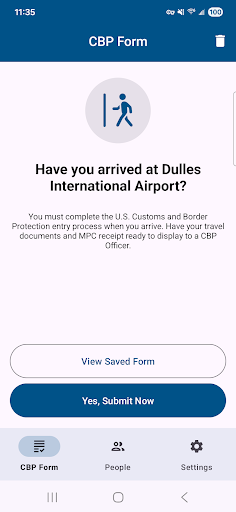
Submit Your Information
When arriving at the port, tap the “Yes, Submit Now” button in the app. You will be prompted to take clear photos of yourself and each group member you included, which facilitates verification by CBP officers.
-
Receive Your Virtual Receipt
After processing, the app will send you a virtual receipt. Follow the instructions on your receipt, and be ready to present your passport and other travel documents at the inspection booth.
-
Complete Inspection with CBP Officer
The CBP officer will complete the inspection. If necessary, they may ask to capture additional photos of you or your group members for verification purposes.
Why Travelers Love the Mobile Passport Control App
Have you ever faced long lines at airport immigration counters and thought, "There must be a better way"? The Mobile Passport Control app is here to transform your travel experience by providing a faster, more efficient way to clear customs. As a seasoned traveler, I found this app to be a game-changer, especially during those hectic days when time is of the essence.
Getting started with the MPC app is straightforward and user-friendly. After downloading, creating a profile involves scanning your passport, eliminating tedious manual entry. The interface is clean and simple, making it accessible for travelers of all ages. Once set up, your digital travel credentials are there to serve you for all upcoming trips to the U.S.
Upon arrival, launching the app and initiating a new trip allows you to quickly upload your details and receive a digital receipt in seconds. This expedites the processing at immigration, helping you bypass lengthy queues and minimize travel stress. The app’s robust security measures, including encryption and privacy protections, ensure that your personal data remains safe and confidential throughout the process.
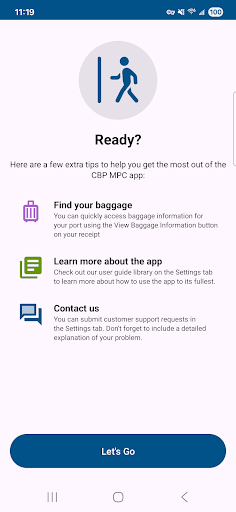
Although currently limited to U.S. entry points, the Mobile Passport Control app is a must-have for frequent travelers seeking hassle-free customs clearance. It functions as a virtual fast pass, giving you priority at immigration counters without additional cost or lengthy waits. Just remember, the app does not replace your passport
Next time you’re planning your trip to the United States, consider downloading the MPC app. It can turn a normally stressful process into a quick and smooth encounter. Save time, reduce stress, and enjoy a seamless travel experience with this innovative tool designed to make border crossings easier and faster. Safe travels!
Pros
- Streamlines airport security procedures
- Eliminates the need for paper forms at international arrivals
- Provides rapid processing for users
- Features an easy-to-use and intuitive interface
- Significantly reduces wait times
Cons
- Limited to airports that participate
- Requires a stable internet connection
- Does not support offline mode
- Raises privacy concerns regarding data storage
- Cannot be transferred between devices