

Pixilart - Make Pixel Art: The Ultimate Digital Pixel Art Creator
If you're passionate about pixel art or looking to explore a new digital creative hobby, Pixilart - Make Pixel Art is the perfect app to bring your ideas to life. Designed for artists of all skill levels, this engaging platform combines easy-to-use tools with a vibrant community, making it a top choice for anyone interested in creating and sharing pixel art on the go.
Accessible and User-Friendly Pixel Art Creation
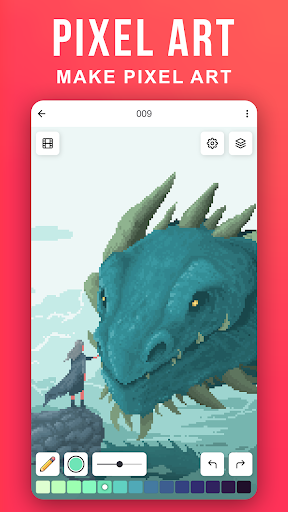
Getting started with Pixilart is straightforward. Download the app from your preferred app store, and you'll be greeted by a colorful, intuitive interface that invites creativity. Whether you're a seasoned pixel artist or a complete beginner, the app’s design ensures a smooth onboarding experience. The core function allows you to quickly draw by simply moving your finger across the screen to position the cursor and tapping to lay pixels. You can choose blank canvases or select from a variety of bases crafted by other users, offering endless inspiration and starting points for your pixel masterpieces.
Powerful Features to Elevate Your Pixel Art
Custom Canvas and Tools
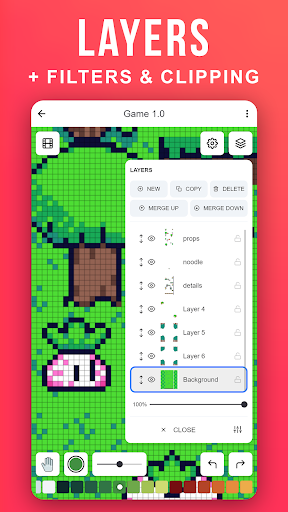
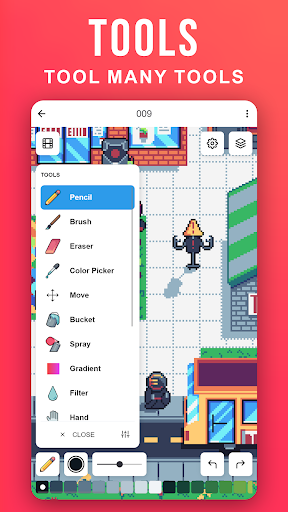
The app offers customizable canvas sizes, enabling you to work on both simple icons and detailed scenes. Choose from an extensive color palette with countless shades to match your vision. Use various brushes and take advantage of layered workflows for more complex artworks—these features make pixel art creation both flexible and fun.
Community and Sharing
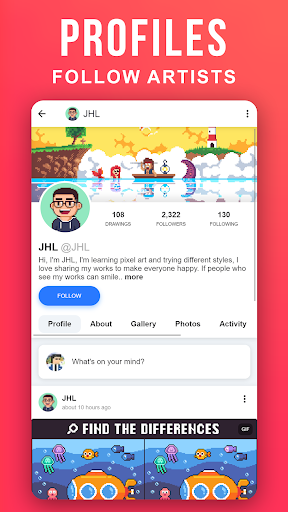
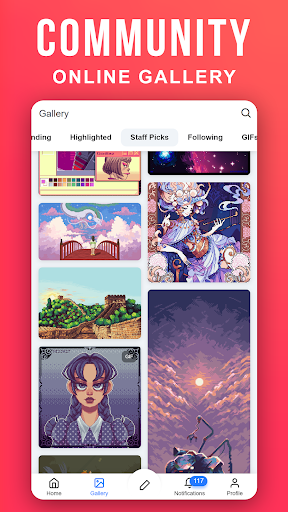
Pixilart is more than just a drawing tool; it’s a thriving social network for art enthusiasts. You can upload your artworks to your profile and decide whether to keep them private or share them with the entire community. Sharing your art not only boosts motivation but also encourages constructive feedback. Follow your favorite artists on activity feeds, participate in art challenges, or simply browse and get inspired by others' pixel creations.
Cloud Storage and Accessibility
To ensure easy access across devices, Pixilart allows you to upload your drawings to the cloud. This feature simplifies seamless editing and viewing from different smartphones or tablets, keeping your creative workspace flexible and accessible anytime you want to create or review your pixel artwork.
Safety and Community Moderation
Designed for users of all ages, Pixilart maintains a secure environment. It enforces filters for swearing and spam, monitors all submissions, and provides easy options for users to block or unfollow others. Unlike some social platforms, there’s no private messaging system; all interactions are public, promoting respectful and creative engagement. These safeguards help maintain a welcoming, focused space for pixel art enthusiasts to connect and thrive.
Why Choose Pixilart for Pixel Art?
Pixilart - Make Pixel Art stands out as a versatile and engaging platform for both casual hobbyists and aspiring professional pixel artists. Its comprehensive set of creation tools paired with a lively community makes it easy to learn, share, and grow as a digital artist. Whether you want to create simple icons, detailed sprites, or abstract designs, this app provides everything you need to turn your pixel art dreams into reality.
Start Your Pixel Art Journey Today
If you’ve ever doodled on notebooks or sketched on scraps of paper, now’s the time to elevate your art with digital tools. Pixilart helps you explore the pixel art universe with ease and fun. Download it today and unlock your creative potential—who knows, you might just create the next viral pixel masterpiece or discover a new passion! Dive into the world of pixel art with Pixilart, and let your creativity pixels fly!
Pros
- User-friendly interface for creating pixel art easily
- Extensive collection of colors and tools
- Features for sharing within the community and collaborating
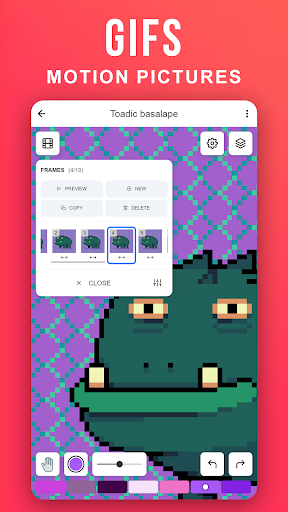
- Ability to create animated GIFs
- Ad-free experience
Cons
- Lacks advanced features suitable for professional users
- Occasional crashes of the app
- Requires internet connection for certain functionalities
- No offline usage option
- Limited options for exporting files
You May Like

Canva: AI Photo & Video Editor
Art & Design
4.9
FlipaClip: Create 2D Animation
Art & Design
4.6
AI Photo Editor: BG Remover
Art & Design
4.1
Adobe Capture: Illustrator,Ps
Art & Design
4.6
Photo Editor - Retouch Photos
Art & Design
3.8
ArtPic: Photo & Video Editor
Art & Design
3.8
Figma: view. comment. mirror.
Art & Design
4.3
VistaCreate: Graphic Design
Art & Design
4.7
AR Drawing : Trace Anything
Art & Design
4.6
Draw Anime: Paint & Sketch App
Art & Design
4.4
Anime AI - Photo Enhancer
Art & Design
3.4
Paint
Art & Design
4