Discover the Power of Audio Master - Your Ultimate Ringtone Maker
Are you tired of generic ringtones and looking to personalize your phone with your favorite sounds? Audio Master - Ringtone Maker is the perfect app that empowers you to effortlessly create custom ringtones, alarms, and notification sounds directly from your audio files. Whether you want to merge multiple tracks or convert different formats, this versatile app delivers all the features you need in a simple and intuitive interface.
Key Features of Audio Master
Effortless Audio Import and Processing
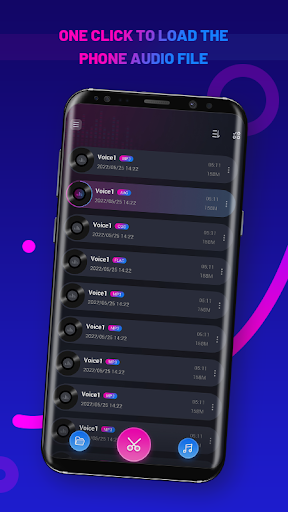
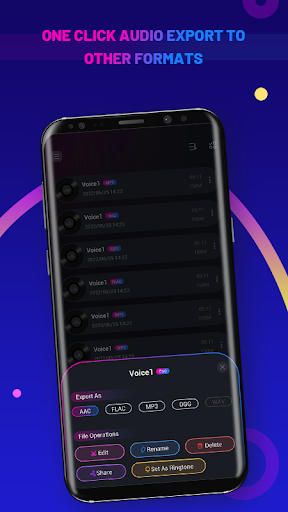
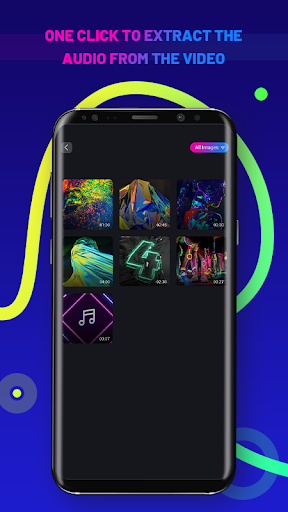
Audio Master allows you to import audio files in your phone with one click, streamlining the process of selecting your favorite music or recordings. You can easily extract audio from video clips, making it convenient to repurpose video content into personalized ringtones or alert sounds. The app also supports conversion of audio files to other formats, ensuring compatibility across different devices and use cases.
Advanced Editing Capabilities
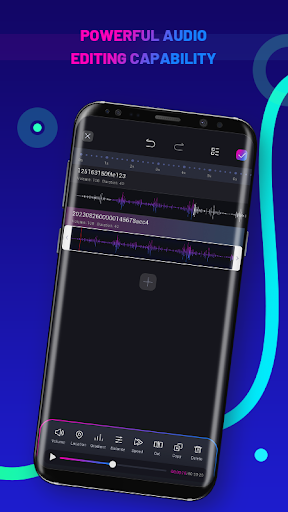
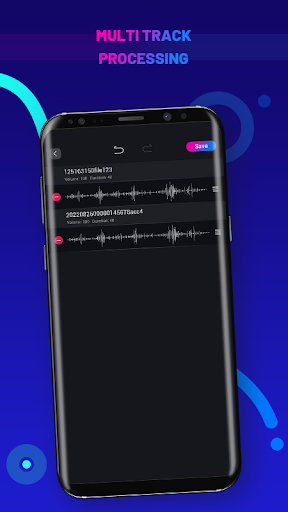
One of the standout features is its robust editing system. You can edit and rename audio files with ease, giving you full control over your audio content. For a more dynamic experience, multi-track editing is supported, enabling you to combine several audio tracks and assign priority levels to each track. This makes it perfect for creating layered sound effects or complex compositions.
Intuitive Timeline and Track Management
Adjusting the length and position of your audio clips is straightforward. Simply drag to change the length of an audio file or reposition it on the timeline to perfect your ringtone. The app offers two track alignment modes, giving you the flexibility to arrange your tracks precisely. Additionally, all your projects are saved automatically, allowing you to revisit and modify your creations anytime without hassle.
Why Audio Master Is Your Go-To Ringtone Maker
If you’ve ever been captivated by a catchy tune and wished you could turn it into your personal ringtone, Audio Master - Ringtone Maker is just the app you need. This user-friendly tool makes creating custom ringtones as simple as a few taps, whether you’re on Android or iOS. Its straightforward design ensures that even beginners can craft professional-sounding ringtones without any prior experience.
Getting Started with Audio Master
Once you download Audio Master from your app store, you’re ready to explore its impressive features. The intuitive interface showcases your existing audio files prominently, making it easy to select and start editing. The editing screen provides powerful tools for trimming, cutting, and merging audio clips with pinpoint accuracy—you can even add effects like fade in and fade out to give your ringtones a polished, professional touch. Built-in support for multiple audio formats means you can work seamlessly without worrying about conversions beforehand.
Personal Experience and Benefits
Many users find Audio Master to be both efficient and enjoyable. Creating a custom ringtone is quick, enjoyable, and creatively freeing—all while avoiding intrusive ads that often plague other free apps. Experimenting with different effects and arrangements can turn into a fun mini project, inspiring you to unleash your inner DJ. The app’s stability and feature set make it ideal for anyone—from casual users wishing to personalize their phone sounds to tech enthusiasts seeking advanced editing capabilities.
Final Thoughts
In summary, Audio Master - Ringtone Maker stands out as a reliable, feature-rich solution for creating personalized ringtones, alarm tones, and notification sounds. Its user-centric design, combined with its robust set of editing tools, makes it an essential app for anyone eager to customize their device’s audio experience. Download Audio Master today and let your phone sing your favorite tunes with style and ease!
Pros
- Intuitive interface for quick editing
- Supports a broad spectrum of audio formats
- Rapid processing speed
- Produces high-quality ringtones
- Provides customization options for tones
Cons
- Limited advanced editing capabilities
- Contains advertisements that may disrupt workflow
- Free version has restricted features
- Lacks cloud synchronization for projects
- Occasional reports of app crashes