






Introducing the Airbuds Widget: Elevate Your Earbud Experience
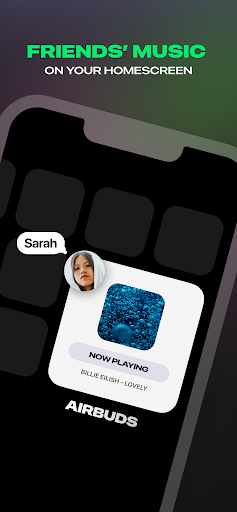
The Airbuds Widget is a must-have tool for earbud enthusiasts and tech lovers alike. Designed to seamlessly integrate with your daily routine, this innovative app offers quick access to your earbuds' vital information right from your home screen. Whether you want to monitor battery life, adjust settings, or stay connected with friends through your music activity, the Airbuds Widget makes every aspect of your earbud experience more convenient and enjoyable. This versatile widget is perfect for users who want a deeper connection with their listening activity or simply want to keep an eye on their earbuds without diving into complicated settings. Say goodbye to the hassle of digging through menus—airbuds management becomes effortless, helping you stay focused on what matters most: your music and your day-to-day life.
Key Features of the Airbuds Widget
One of the standout features of the Airbuds Widget is its real-time • battery status. Never again will you be caught off guard by a dead earbud during a crucial moment. The widget provides instant updates on your earbuds' remaining charge, so you can plan your usage accordingly. Plus, with customizable • notifications, you can set alerts to remind you when your battery is running low, ensuring continuous listening without interruptions.Another significant advantage is its broad compatibility. Whether you're an Apple user or prefer Android devices, the Airbuds Widget plays well across different brands and specifications. This universal approach makes it a great choice for anyone looking to streamline their earbud management regardless of their device ecosystem.Customization is also key. From appearance tweaks to notification settings, you can personalize the widget to match your style and needs. Want a sleek look or a more colorful interface? It's all at your fingertips. The intuitive setup process makes installation quick and easy, requiring just a few taps to get started—no technical expertise needed.
How It Works
Getting started with Airbuds Widget is straightforward:
- Sign up using your Spotify account and install the widget on your home screen.
- Connect your earbuds to the app to enable monitoring and control.
- Enjoy a live view of your listening activity, manage your earbud settings, and engage with your friends' listening habits.
Enhance Your Daily Life with Airbuds Widget
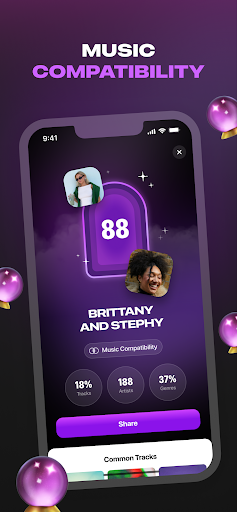
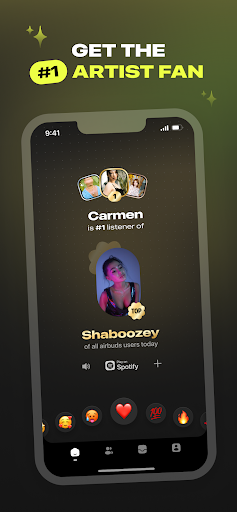
Imagine the convenience of checking your • earbud battery status discreetly during meetings or workouts. With the Airbuds Widget, this becomes a reality. Its quick access feature allows you to glance at your home screen and gather all essential info instantly, without interrupting your flow.For fitness enthusiasts, the widget offers on-the-fly controls—adjust volume, toggle noise cancellation, or switch between modes—so you can stay focused on your activity without fumbling with your device. It’s perfect for running, gym sessions, or busy commutes where efficiency is key.Moreover, the social element of the app allows friends to see what music someone else is listening to, fostering a shared listening experience. React to songs, start a conversation, or play music directly from the widget—making music a more interactive part of your social interactions.
Conclusion: Why You Need the Airbuds Widget
Whether you’re a dedicated earbud user, a tech gadget lover, or someone who values convenience, the Airbuds Widget is an essential addition to your smartphone toolkit. Its user-friendly interface, comprehensive features, and universal compatibility make it the ideal solution for managing earbuds effortlessly.This innovative widget not only keeps you informed about your earbud performance but also enhances your social experience through shared listening. It’s a smart, practical app that simplifies everyday tasks and enriches your digital lifestyle. Try the Airbuds Widget today and discover how easy managing your earbuds can be—small yet powerful changes that make a big difference in your day-to-day life.
Pros
- Intuitive interface providing a seamless user experience
- Fast access to audio settings
- Customizable design of widgets
- Compatibility with multiple audio devices
- Minimal battery consumption
Cons
- Limited compatibility with older devices
- Occasional delays in widget updates
- No availability of dark mode
- Lacks advanced audio configuration options
- Requires frequent permission updates











