

Big Keyboard: Easy Launcher - Enhance Your Phone Experience
Discover the Big Keyboard: Easy Launcher, an innovative app designed to revolutionize your mobile device usage by offering a clean and intuitive home screen layout. This application is tailored for those seeking a more accessible and user-friendly smartphone experience. With features like quick-swipe shortcuts, a bigger keyboard for effortless typing, and a hands-free voice assistant, this launcher aims to make your device easier to operate and more enjoyable.
Intuitive Design & Easy Access
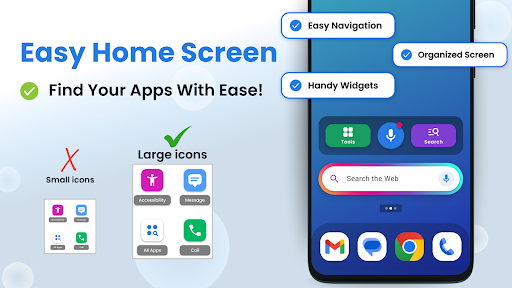
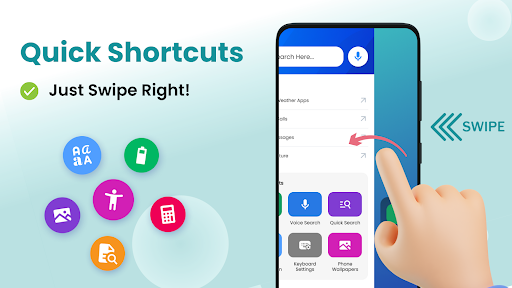
The core of Big Keyboard: Easy Launcher is its new home screen experience that replaces the traditional cluttered interface with a simple and organized layout. Just swipe right on the home screen, and you'll access quick shortcuts to your most-used features like calls, messages, and apps. This streamlined setup reduces the time spent searching for functions, letting you get things done faster and more efficiently.
Enhanced Typing Experience
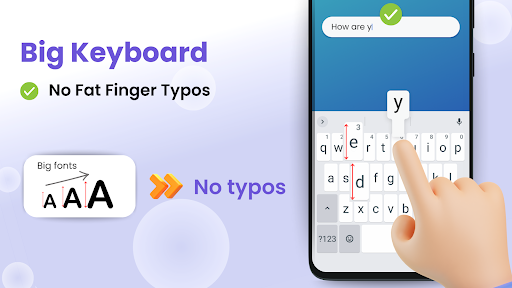
Struggling with small keys? The Big Keyboard feature can increase your keyboard size by up to 70%, significantly reducing typos and making typing more comfortable. Whether you’re replying to messages or entering search queries, this larger keyboard improves accuracy and speed. You can set the size during setup or adjust it anytime later to fit your personal typing preferences.
Smarter Search & Voice Assistance
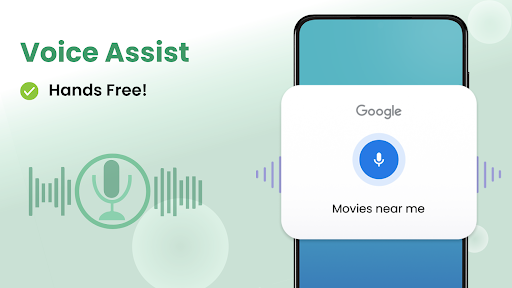
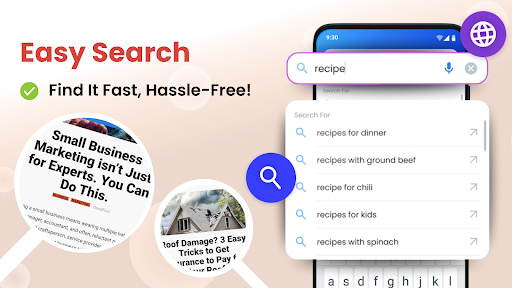
Smartphone searches become easier with the integrated hands-free voice assistant. Just tap the microphone icon, speak your query, and get instant results—perfect for quick web searches or finding contacts. The app also suggests search terms proactively, helping you locate what you need faster without typing each word manually.
Accessibility & Visual Ease
Reading small text or menus in dim lighting can be challenging. Big Keyboard: Easy Launcher addresses this with its built-in tools such as a magnifier and a flashlight. Hover over textual menus or menus in restaurants to enlarge text, making navigation less frustrating. These features are especially helpful for users with visual impairments or those in low-light environments.
Personalization & Fun Features
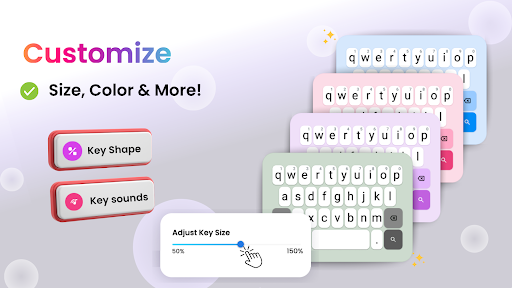
Express your personality by customizing your phone's appearance. The app offers free wallpapers to personalize your background and create a unique look for your device. Additionally, easy access to display and accessibility settings ensures your device adapts perfectly to your needs and preferences.
Additional Tools to Enhance Your Phone Usage
Beyond the primary features, Big Keyboard includes helpful utilities like a calculator, magnifier, and quick access tools. These functionalities are designed to make everyday tasks simpler, whether you're checking small print or performing quick calculations. The app's lightweight design ensures smooth performance without slowing down your device.
Why Choose Big Keyboard: Easy Launcher?
If you often find yourself squinting at tiny keys or struggling to navigate menus in low light, this app is made for you. Its focus on accessibility, ease of use, and personalized experience makes it a standout choice for users of all ages. Whether you're an elderly person or someone with larger fingers, the large keypad and intuitive interface can significantly improve your interaction with your smartphone.
Conclusion: A Smart Choice for Better Phone Usage
While it may not boast all the flashy features of high-end keyboard apps, Big Keyboard: Easy Launcher excels at providing a functional, simple, and user-friendly experience. It helps eliminate common frustrations like typos, small text, and complicated navigation, making your smartphone more accessible and enjoyable. If you’re tired of battling with a tiny keyboard or complex interfaces, give this app a try—your thumbs and eyes will thank you.
Pros
- Large keys enhance typing accuracy.
- User-friendly interface for easy navigation.
- Customizable themes for personalization.
- Supports multiple languages.
- Quick access to favorite applications.
Cons
- Limited advanced features.
- Not optimized for tablet devices.
- Occasional lag on older hardware.
- Advertisements appear in the free version.
- Lacks gesture support.











