

Introducing The Official MTA App: Your Ultimate Transit Companion in New York City
Are you tired of navigating the sprawling and often complex subway, bus, and commuter rail systems in New York City? Look no further than The Official MTA App, an all-in-one digital solution designed to simplify your urban mobility experience. Whether you're a daily commuter or an occasional tourist, this app is tailored to keep you informed, organized, and on time—all from a user-friendly interface. Let’s explore the key features that make this app a must-have for anyone navigating NYC's transit network.
Seamless Trip Planning with a Map-Based Interface
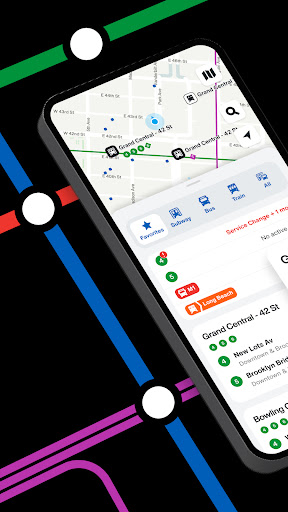
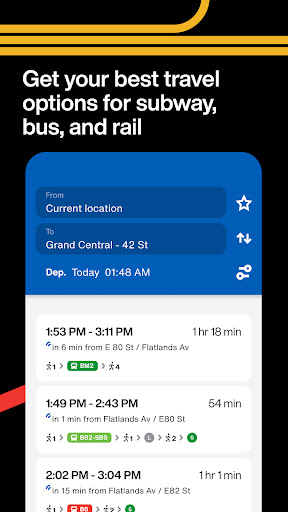
One of the standout features of The Official MTA App is its intuitive, map-based interface. The app offers an interactive, zoomable, and scrollable map that covers all subway lines, bus stops, and stations across New York City. Whether you’re planning your route in advance or looking for directions on the go, the map provides detailed, real-time information to help you choose the best transit options. This visual approach makes trip planning straightforward and accessible, reducing the stress often associated with navigating NYC’s dense transit system.
Real-Time Status and Service Updates
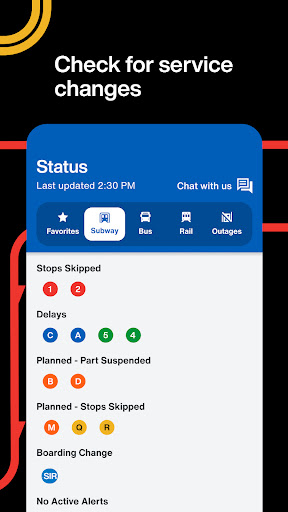
Stay ahead of any disruptions with reliable real-time information from the MTA. The app features a dedicated Status tab that displays current service issues, delays, or closures across subway lines, buses, and commuter trains like the Long Island Rail Road and Metro-North. This proactive update system ensures you know about any potential problems before heading out, allowing you to adjust your plans accordingly and avoid frustrating delays.
Live Bus and Train Tracking
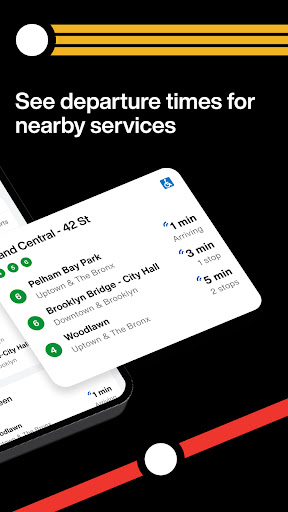
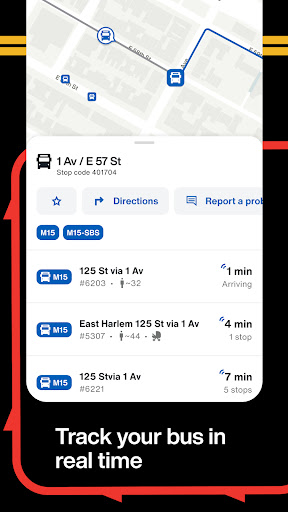
Never miss a bus or train again with live tracking features that let you pinpoint your vehicle’s whereabouts in real-time. Want to know the exact location of your bus on the map? Simply open the app and track it instantaneously. This feature is especially helpful during peak hours or unpredictable service disruptions, giving you the confidence to plan your arrival and maximize your time.
Personalized and Hassle-Free Commutes
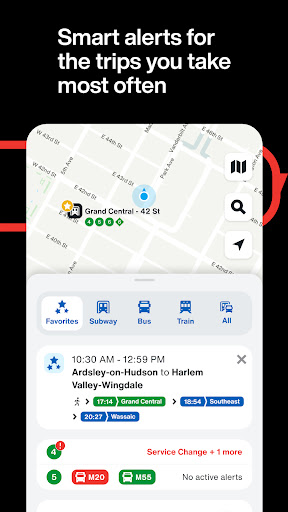
Saving time is crucial, and The Official MTA App makes it easy to do so. You can save your frequently used lines, stops, and stations, creating a personalized travel experience tailored to your routine. Additionally, the app offers optional alerts that notify you of delays, service changes, or disruptions affecting your preferred routes. For a more proactive approach, the app’s smart alerts learn your typical trips and proactively check for service updates before you even leave your house, helping you stay ahead of any transit hiccups.
User-Centric Design and Regular Updates
Designed with riders in mind, the app combines an easy-to-navigate interface with robust functionality. It performs smoothly even during rush hours and supports accessibility features like voice-over support, ensuring that everyone can benefit from its capabilities. Since the MTA team regularly updates the app based on user feedback, it continues to improve and adapt to the evolving transit landscape, making your commuting experience more efficient and enjoyable.
Why Choose the Official MTA App?
In summary, The Official MTA App is more than just a transit tool—it's your intelligent travel assistant in the heart of NYC. With features like real-time transit updates, interactive maps, live vehicle tracking, and personalized alerts, it streamlines the often chaotic city commute into a seamless experience. Whether you’re navigating the subway, buses, or commuter railroads like Long Island Rail Road and Metro-North, this app equips you with all the necessary information to make your journey smoother and more predictable. If you haven’t downloaded it yet, now is the perfect time to embrace smarter travel and unlock the full potential of NYC’s public transportation system. Happy travels!
Pros
- Easy city navigation
- Real-time train and bus updates
- User-friendly interface design
- Customizable notifications
- Offline maps available
Cons
- Occasional inaccurate data
- Limited features without internet connection
- High battery consumption
- No dark mode option
- Frequent app updates needed











