



AI Photo Editor: Photo Enhance
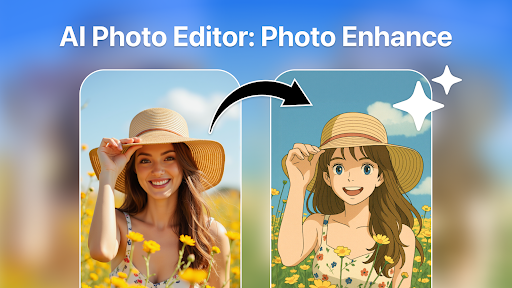
In today's digital age, capturing and sharing stunning photos has become more important than ever. AI Photo Editor: Photo Enhance is a revolutionary photo editing application designed to transform your ordinary images into eye-catching masterpieces. Whether you're aiming to perfect a selfie, sharpen vacation memories, or enhance images for social media, this app provides a comprehensive set of features to meet all your editing needs.
Key Features of AI Photo Editor: Photo Enhance
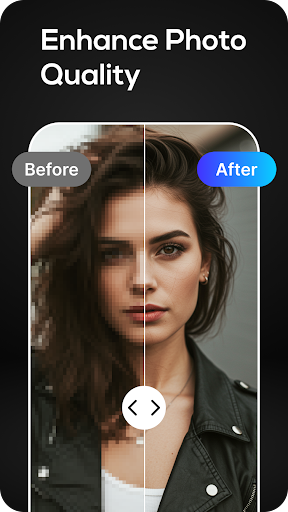
• Photo Enhancer: With its intuitive interface and cutting-edge technology, the app allows users to easily enhance photo quality to HD. Using AI-driven analysis, it automatically detects areas needing improvement—such as clarity, brightness, and color—and applies intelligent adjustments. Even photos taken in low light or with shaky hands are transformed into professional-quality images, with vibrant colors and sharp details that make every element pop.
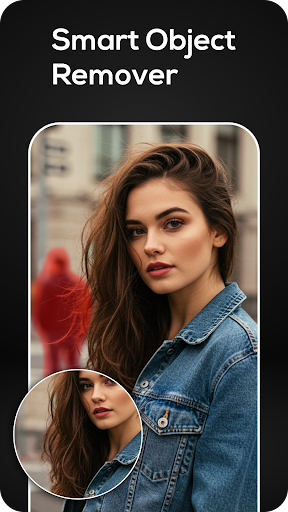
• Object Remover: Whether you're dealing with distracting backgrounds, photobombers, or unwanted objects, this feature enables you to swiftly erase them from your photos. The smart removal tool seamlessly blends surrounding pixels, ensuring your image looks natural and pristine. It also acts as a photo background object remover, providing clutter-free photos perfect for professional portfolios or social sharing.
Combined, these features make Photo Enhancer: Object Remover an all-in-one solution for achieving high-quality, flawless images. The app's ability to clean up and beautify photos with minimal effort helps you create captivating visuals that look as if they were shot in a high-end studio.
Why Choose AI Photo Editor: Photo Enhance?
This app offers a straightforward yet powerful approach to photo editing. Its user-friendly interface means you don’t need any technical skills to produce professional-grade results. With just a few taps, you can enhance your photos, remove unwanted objects, and improve overall quality without complex software.
For those who enjoy batch editing, the app provides a batch editing option, letting you apply the same enhancements to multiple images simultaneously. This feature is perfect for photographers and content creators who want consistency across a set of photos.
Moreover, the app supports free upgrades, so you can try out the picture quality enhancer feature at no cost. Its AI algorithms ensure that each edit preserves image resolution, maintaining the sharpness and vibrancy of your original captures.
Personal Experience and User Benefits
Many users find AI Photo Editor: Photo Enhance to be a game-changer. Its ability to quickly analyze and enhance images offers a near-magical experience, making editing both fun and effortless. Even casual photographers can turn their smartphone snapshots into stunning visuals with minimal effort.
The app also includes a variety of filters and effects—ranging from vintage to modern styles—allowing users to customize their images further while preserving high resolution. This flexibility ensures that whether you're editing personal memories or curating content for social media, your photos will always stand out.
Overall, AI Photo Editor: Photo Enhance is perfect for content creators, social media enthusiasts, and anyone who wants to elevate their photography. Its combination of AI-powered enhancements and simple interface makes professional-quality editing accessible to all.
Conclusion
If you’re looking to upgrade your photo editing process, AI Photo Editor: Photo Enhance offers an exceptional solution. Its intelligent tools for photo enhancement and object removal simplify complicated editing tasks, saving you time while delivering top-tier results. Whether you're enhancing vacation photos, refining portraits, or preparing images for social media, this app ensures every picture you share is flawless. Give it a try today and start creating stunning visuals that truly capture your moments!
Pros
- Effectively improves photo quality.
- Intuitive and user-friendly interface.
- Offers a wide selection of editing tools.
- Processes edits quickly.
- Allows offline editing without internet connection.
Cons
- Limited features in the free version.
- Occasional advertisements may be disruptive.
- Requires significant storage space.
- Certain features need enhancement.
- In-app purchases can accumulate costs.











