


Overview of Blurrr-Capcut Pro Video Editor
Blurrr-Capcut Pro Video Editor is a powerful and versatile video editing software designed to cater to both beginners and professional editors. Its intuitive interface and robust feature set enable users to unleash their creativity and craft high-quality, professional-looking videos with ease. The app provides an array of special effects, rich presets, and high-definition output quality, making it an excellent choice for content creators aiming to produce engaging visual content.
This app stands out for its user-friendly design—whether you're an experienced video editor or just starting out, you'll find it simple to navigate and operate. With Blurrr-Capcut Pro, you can create unique videos that captivate audiences on platforms like Instagram, YouTube, or TikTok. Its combination of powerful tools and accessible layout makes it a top contender in the realm of mobile video editing apps.
Key Features of Blurrr-Capcut Pro Video Editor
[Free Track Layer Mix]
This feature allows you to mix multiple video, audio, and image layers seamlessly, enabling the creation of more dynamic and engaging video effects. You can combine multiple effects to produce richer visuals, enhance your storytelling, and make your videos more vivid and captivating.
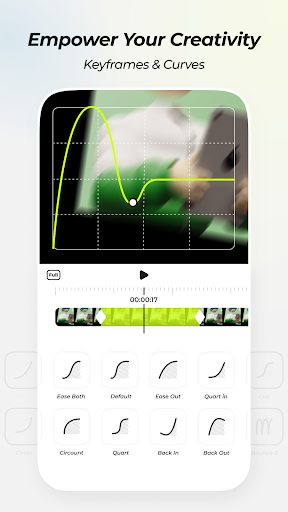
[Custom Keyframes and Curves]
With the ability to set custom keyframes and manipulate curves, users gain complete control over animations and changes within their videos. This feature helps in adding smooth transitions, dynamic effects, and creative animations that make your content more interesting and personalized.
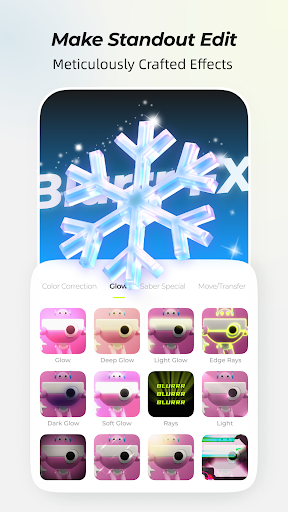
[Meticulously Crafted Effects]
Over 80 professionally designed effects are included, created by a team of visual effects experts. These effects add flair to your videos, making them visually striking and memorable. The app supports layer adjustments, allowing multiple effects and filters to be applied within the same track, giving you full creative freedom to arrange and customize your effects.
[Highly Enjoyable Velocity Function]
The velocity feature offers variable speed keyframes such as time remapping and linear speed changes. These tools enable you to control pacing precisely, synchronize music with visuals, and produce rhythms that keep your viewers engaged. The variable speed options can turn ordinary footage into exciting, danceable videos that resonate with your audience.
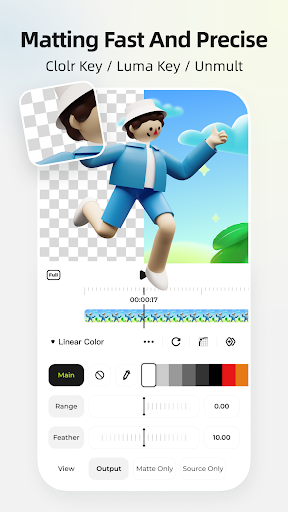
[AI Intelligent Matting]
This smart background removal tool lets you eliminate or replace backgrounds effortlessly, giving you more freedom to craft stunning scenes. Whether you're working with green screens or complex backgrounds, AI intelligent matting simplifies the process and helps you create professional-quality videos.
[3D & Camera Functions]
Enhance your videos with 3D effects and camera movements. You can create 3D tunnels, conveyor belts, cubes, or build visual effects (VFX) that bring depth and realism to your content. These features make your videos more immersive and engaging for viewers.
[AI Intelligent Frame Interpolation]
Using AI-based frame interpolation, this feature smooths out slow-motion footage and transitional effects, providing a more seamless viewing experience. Your audience will enjoy high-quality, fluid visuals regardless of the creative effects applied.
[Null-Objects and Parent-Child Subsets]
Control complicated animations and screen compositions effortlessly by organizing objects with nulls and parent-child relationships. These tools help in creating precise, professional-looking animations and effects that impress viewers.
Performance and Usability
Despite its extensive feature set, Blurrr-Capcut Pro Video Editor performs smoothly even on mid-range devices, thanks to optimized performance. There are no significant lags or crashes, allowing for uninterrupted editing sessions. Its intuitive interface ensures that users can quickly familiarize themselves with the available tools. Tutorials and guides are available for beginners, which makes the learning curve gentle. The app's design aims to simplify the editing process, making advanced features accessible to all creators.
Final Thoughts
If you're searching for a comprehensive, easy-to-use video editing app that packs a punch with advanced features, Blurrr-Capcut Pro Video Editor is an excellent choice. It encourages creativity, offers high-quality export options, and supports multiple aspect ratios suitable for various social media platforms. Whether you're making short clips for TikTok or polished videos for YouTube, this app provides all the tools needed to elevate your content. Download Blurrr and start transforming your video editing experience today—it's an innovative tool that will inspire your next big project.
Pros
- Intuitive interface that simplifies video editing.
- Extensive selection of filters and effects.
- Options for high-quality video exports.
- Quick rendering and exporting processes.
- Frequent updates introducing new features.
Cons
- Lacks some advanced editing capabilities.
- May crash occasionally on certain devices.
- Free version includes a watermark on exports.
- Premium features require in-app purchases.
- Some features depend on a stable internet connection.











