



TurboSpeed: Game Mode FPS - Enhance Your Mobile Gaming Experience
For passionate gamers looking to elevate their mobile gaming sessions, TurboSpeed: Game Mode FPS offers a compelling solution designed to optimize performance and minimize interruptions. Whether you're engaging in intense FPS, MOBA, or RPG games, this application is tailored to help you achieve smoother gameplay, reduced lag, and better resource management. Read on to discover how TurboSpeed: Game Mode FPS can become your essential gaming companion and improve your overall experience.
Key Features of TurboSpeed: Game Mode FPS
FPS Optimization
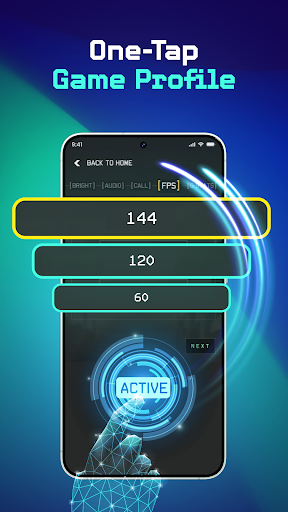
One of the standout features of TurboSpeed: Game Mode FPS is its ability to enhance frames per second, resulting in more fluid and responsive gameplay. This is especially crucial for FPS titles like Call of Duty Mobile or PUBG, where every millisecond counts. By fine-tuning your device’s performance, the app ensures that you experience fewer stutters and smoother animations during high-intensity battles.
Display Control
With the Display Control feature, players can toggle screen settings to conserve battery life or maintain discreetness. Whether you're in a competitive match or just casually gaming, adjusting display parameters can help extend your device’s usage and reduce on-screen distractions.
Brightness Adjustment
Adjust brightness levels to optimize visibility based on your environment. Whether you're gaming outdoors in bright sunlight or in a dim room at night, fine-tuning the brightness ensures you can see clearly without straining your eyes.
Block Distractions
The app includes features to block notifications and other interruptions, helping you stay focused solely on your game. This function creates a distraction-free zone so you can concentrate on defeating opponents or exploring game worlds uninterrupted.
One-Tap Boost
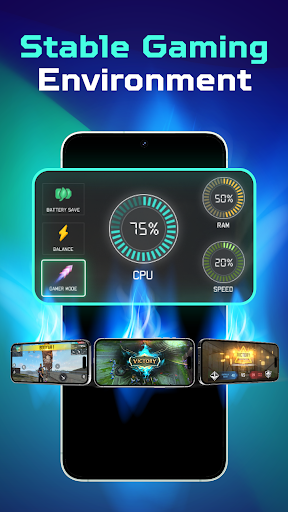
Execute a quick boost with a single tap that clears residing RAM and optimizes CPU resources. This simple yet effective feature enhances device responsiveness, delivering a seamless gaming performance even during intensive scenes.
Who Can Benefit from TurboSpeed: Game Mode FPS?
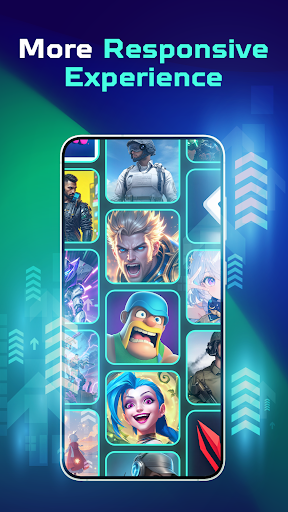
This game mode application is perfect for all types of players—whether you enjoy fast-paced FPS shooters, strategic MOBA battles, or immersive RPG adventures. Its versatility allows it to support a broad range of gaming styles, making it a valuable tool for casual gamers or competitive eSports enthusiasts alike.
Ease of Use and Setup
Getting started with TurboSpeed: Game Mode FPS is straightforward. Simply select your game from the interface, adjust display brightness according to your preferences, and activate distraction blockers. You can monitor performance metrics like FPS, CPU, and RAM usage in real time, giving you insight into how your device is performing during gameplay. Once configured, launching your game triggers the optimized settings instantly, so you're ready to play without delay.
Performance Considerations and Final Thoughts
While TurboSpeed delivers noticeable improvements in gameplay responsiveness and resource management, it’s important to be mindful of its impact on device battery life. High-performance mode can drain power more quickly, so it’s advisable to play while charging if you plan extended gaming sessions. Additionally, newer devices tend to benefit more from these optimizations, though even older models can experience small but meaningful improvements.
Overall, TurboSpeed: Game Mode FPS is an invaluable tool for serious mobile gamers aiming to gain an edge in competitive environments. Its simple interface and powerful features help reduce lag, improve frame rates, and block distractions—all critical factors in achieving victory. If you’re ready to elevate your mobile gaming, give TurboSpeed a try and experience smoother, more focused gameplay today!
Pros
- Enhances game performance effectively
- User-friendly interface
- Supports a broad selection of games
- Offers customizable settings for optimization
- Regular updates enhance functionality
Cons
- Drains battery quickly
- Potential for overheating
- Limited features in the free version
- Intrusive ads in the free version
- Compatibility problems with older devices











