

Control Your Vehicle with the myGMC App
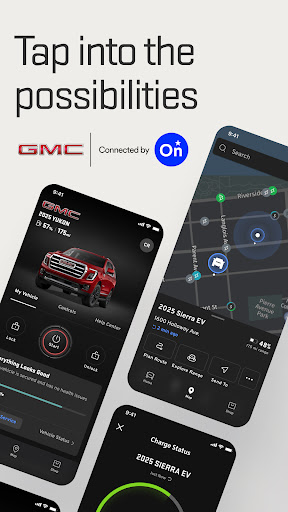
Discover the power of the myGMC app, a connected vehicle solution designed to enhance your driving experience through seamless remote control features. Powered by OnStar, this innovative application allows you to manage various aspects of your GMC vehicle directly from your mobile device. From starting your vehicle and setting your preferred cabin temperature to locating your vehicle and navigating to it, the myGMC app makes vehicle ownership more convenient than ever.
Key Features of the myGMC App
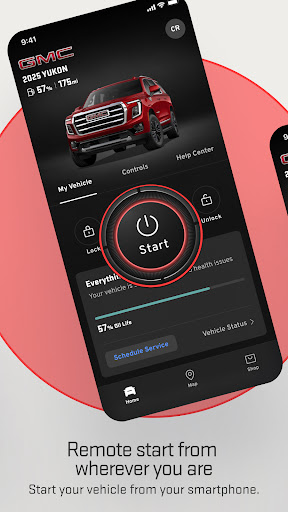
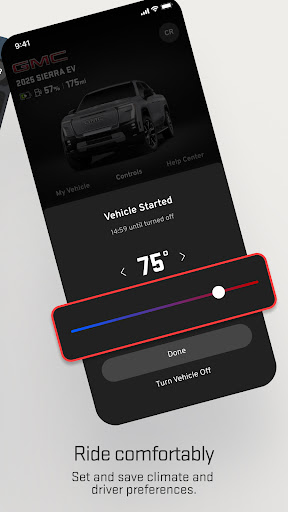
The myGMC app is packed with features aimed at providing both control and peace of mind. For instance, you can effortlessly remotely start your vehicle, ensuring it's warm or cool when you’re ready to drive—perfect for those cold winter mornings or hot summer days. You can also set your ideal cabin temperature remotely, making sure your vehicle’s interior is just right before you even step inside.
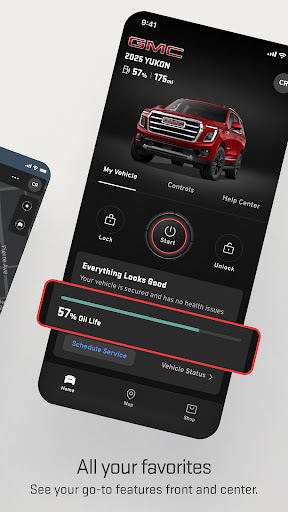
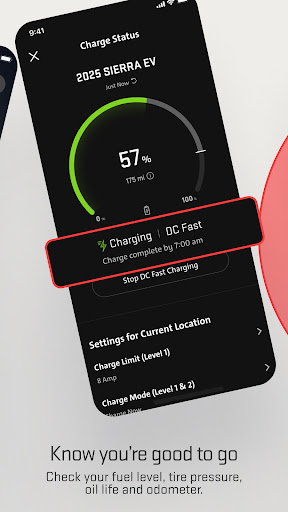
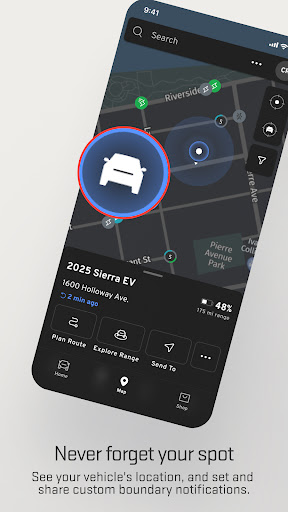
Finding your parked vehicle is simple using the app’s location services. Once located, you can get detailed walking directions to your vehicle, saving time and reducing stress. Additionally, the app provides real-time monitoring of important vehicle health metrics such as fuel level, tire pressure, oil life, and odometer. This proactive approach helps you stay on top of maintenance needs, potentially saving you money and preventing breakdowns.
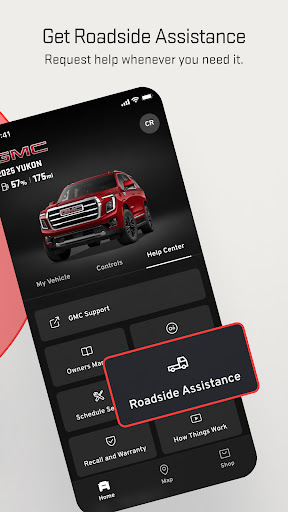
The convenience continues with the ability to schedule vehicle maintenance appointments and request Roadside Assistance at the tap of a button—ideal in emergencies or if you encounter vehicle issues while on the go. With the myGMC app, managing your vehicle is not only easier but smarter, providing peace of mind with every drive.
*Please note,* mobile app functionality depends on your device, data connection, and vehicle compatibility. Service availability, features, and coverage may vary by region, device, and plan enrolled.
Getting Started with the myGMC App
For GMC owners, setting up the myGMC app is straightforward. All you need is your vehicle’s VIN to get started. Once logged in, the intuitive interface greets you with a sleek dashboard that offers a comprehensive view of your vehicle's status. This user-friendly design ensures even those new to digital vehicle management can navigate and control their car with ease.
The dashboard provides quick access to vehicle information, allowing you to monitor critical systems and receive notifications about maintenance or service needs. It’s like having a trusted mechanic and personal assistant combined into one handy app.
Why Choose the myGMC App?
The myGMC app stands out because of its extensive remote capabilities and vehicle diagnostics. The remote functions—from unlocking doors to sounding the horn—offer unmatched convenience, especially when you're far from your vehicle. Imagine being able to start your engine from indoors on a chilly day or unlock your vehicle for a friend without physically being there.
The app's diagnostics features are particularly valuable. Real-time updates on tire pressure, oil health, and overall vehicle performance empower you to stay proactive about maintenance. You’ll receive alerts if something requires attention, helping to prevent costly repairs and ensuring your vehicle operates at peak performance.
For those who enjoy detailed insights, the integration with OnStar services makes for an enriched driving experience. You can effortlessly send destinations from your app to your car’s navigation system—making trips easier and safer. Plus, driving insights offer feedback on your driving habits, encouraging more efficient and safer driving behaviors.
Overall, the myGMC app transforms your smartphone into a powerful tool for vehicle control, diagnostics, and safety. Whether you’re a tech enthusiast or someone seeking added convenience, this app is designed to enhance every aspect of vehicle ownership. Downloading and using myGMC is a step toward smarter, safer, and more connected driving—making your GMC not just a vehicle, but a true partner on the road.
Pros
- Intuitive user interface for easy navigation.
- Remote access to vehicle functions via app.
- Real-time vehicle health updates provided.
- Integration with smart home devices available.
- Customizable alerts for maintenance reminders.
Cons
- Limited functionality without OnStar subscription.
- App may occasionally crash or freeze.
- Compatibility issues on older devices.
- Updates can be infrequent and delayed.
- Some features require a strong internet connection.











