
S25 Launcher One UI Overview
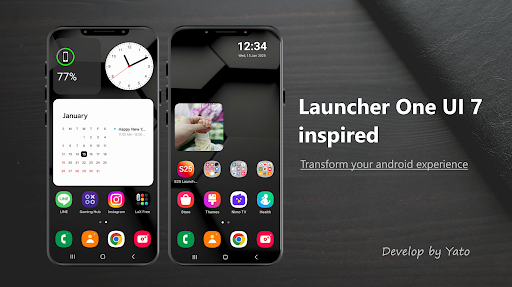
The S25 Launcher One UI is a stylish and modern Android launcher that recreates the sleek and intuitive design of Samsung's One UI experience. Built as a third-party solution, this launcher offers a clean, customizable, and Galaxy-inspired user interface, transforming your device into a more visually appealing and functional powerhouse without any official affiliation with Samsung Electronics.
Key Features of S25 Launcher One UI
Design and Aesthetics
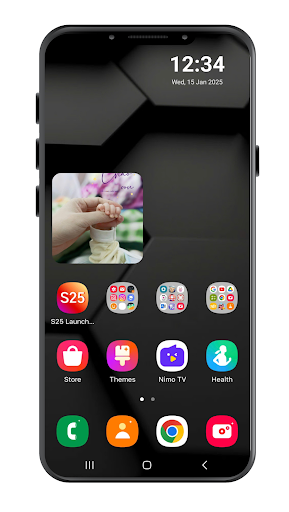
The launcher boasts a refined and fluid interface inspired by One UI 7. It brings a fresh, modern look to your home screen with soft curves and minimalistic icons, making your device look premium and stylish. Whether you prefer a simple aesthetic or more personalized options, S25 Launcher One UI provides ample customization to match your taste.
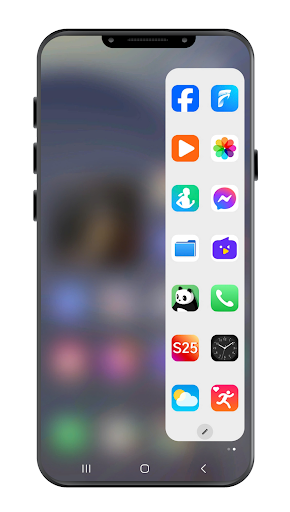
Edge Panel (like Galaxy Edge)
Access your favorite apps, contacts, or tools quickly with a swipe from the screen's edge. Mirroring the Galaxy Edge Panel, this feature is part of the premium package and allows seamless multitasking and effortless app management, elevating your Android experience.
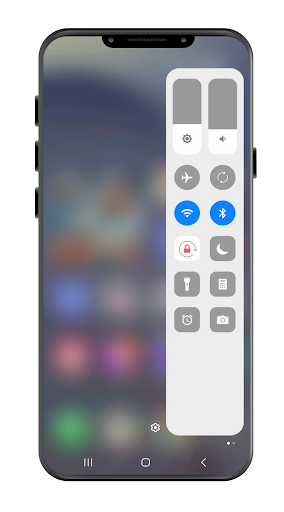
Control Center (One UI 7 Style)
The customizable Control Center mimics Samsung's style, giving you quick access to toggle Wi-Fi, brightness, sound, and more. This feature enhances your convenience, enabling swift adjustments without navigating through complex menus.
Smart Search
Powerful and fast, the smart search allows you to swipe down to find apps, contacts, or settings instantly. It streamlines your navigation, saving time and improving overall usability.
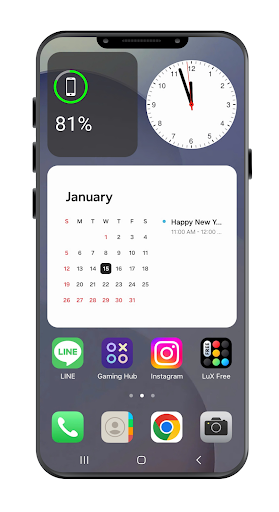
Widgets and Themes
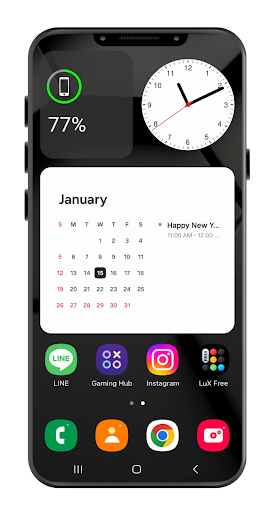
Enjoy beautifully designed clock, calendar, and weather widgets that match the aesthetic of One UI 7. The launcher supports various theme and icon packs, enabling you to personalize your device's look to reflect your mood or style.
App Drawer & Folders
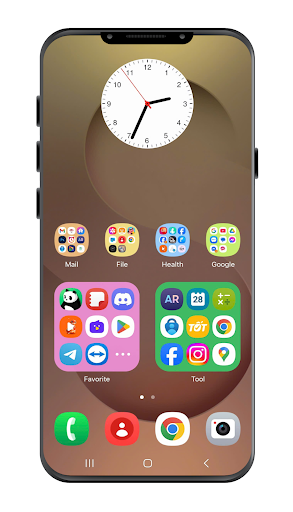
Organize your applications efficiently with a customizable app drawer and folder grid styles. This helps keep your home screen clutter-free and accessible.
Performance and Optimization
The launcher is optimized for speed and battery efficiency, ensuring a lag-free experience even on older or low-end devices. Its lightweight nature makes it a practical choice for everyday use.
Clock Widget Customization
Personalize your clock widget with various backgrounds and fonts, adding a touch of elegance to your home screen.
Premium Upgrade Benefits
Upgrade to Premium to unlock the full potential of S25 Launcher One UI:
- Remove all ads for an uninterrupted experience
- Access Edge Panel and Control Center
- Enjoy exclusive themes and advanced customization options
- Support future updates and feature additions
All premium features are offered through a one-time purchase—no subscription necessary.
Why Choose S25 Launcher One UI
- No bloatware or intrusive ads on the home screen; ads only appear on the settings page
- Lightweight and battery-friendly
- Clean, intuitive user interface
- Regular updates and new features
Permissions & Privacy
S25 Launcher One UI may request permissions such as READ_EXTERNAL_STORAGE, READ_CONTACT, and READ_CALENDAR to enable features like wallpaper customization, contact display, and calendar integration. Additional permissions include Bluetooth controls, camera access for flashlight, and system settings adjustments. Importantly, the launcher does not collect personal data, and all operations work offline unless connected to Google services.
Transform Your Device Today
Download S25 Launcher One UI now and experience a sleek, Galaxy-style interface on your Android device. Whether you're seeking a visually appealing UI or advanced customization features, this launcher offers a comprehensive solution that enhances usability and aesthetic appeal. Elevate your smartphone's look and feel with a launcher designed to emulate Samsung's iconic One UI experience, all while maintaining optimal performance and privacy.
Pros
- Smooth and user-friendly interface.
- Highly customizable homepage screens.
- Effective management of RAM resources.
- Regular updates and good support.
- Available in a variety of themes.
Cons
- May consume more battery power.
- Limited support for widgets.
- Contains advertisements in the free version.
- Periodic lag on older hardware.
- Certain features require payment.











