


Discover the Power of YouTube Create: The Ultimate Video Editing App
In today’s digital age, creating captivating videos is more relevant than ever. YouTube Create stands out as the official video editing application from YouTube, designed to make professional-looking videos accessible to everyone. Whether you're a seasoned content creator or just starting your journey, this intuitive app equips you with all the tools needed to transform raw footage into engaging content that resonates with your audience. From adding stunning filters & effects to incorporating royalty-free music, YouTube Create simplifies the editing process, eliminating the need for complicated software or technical expertise.
Easy Video Editing Tools
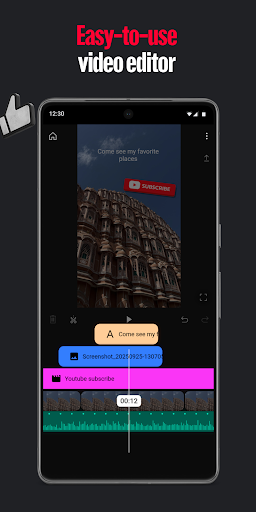
Getting started with YouTube Create is a breeze thanks to its comprehensive suite of easy video editing tools. Users can effortlessly combine videos, photos, and audio tracks within a single platform. Basic editing functions such as trimming, clipping, and cropping are made simple with user-friendly controls. Additionally, more advanced features like selecting from over 40+ transitions enable seamless scene changes, while options to speed up or slow down segments give creators full control over pacing and storytelling.
Next-Level Video Editing Features
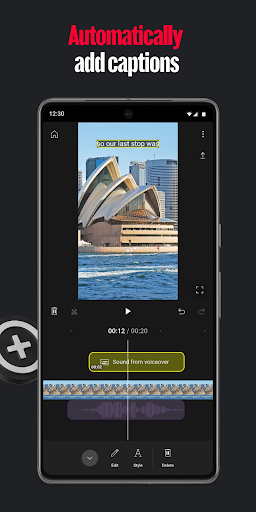
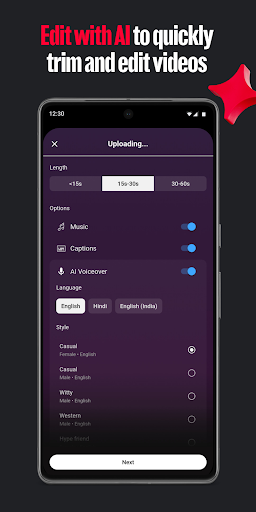
YouTube Create offers innovative features that elevate your video production. With just a single tap, users can automatically add captions or subtitles to enhance accessibility (available in select languages). The audio clean-up tool helps eliminate background noise, ensuring clear sound quality. For creative effects, the cut out effect allows easy removal of backgrounds, giving videos a more professional appearance. These advanced editing options help content creators produce high-quality videos without the complexity often associated with professional software.
Music & Audio Enhancements
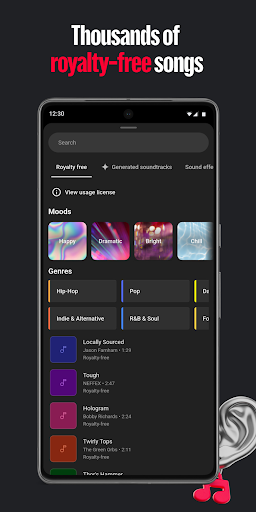
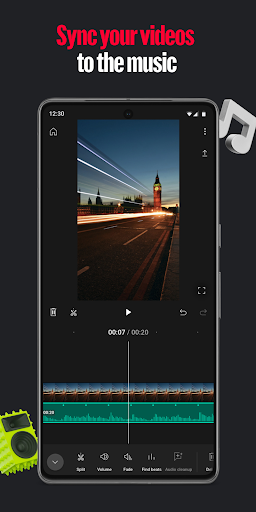
Elevate your videos with an extensive library of royalty-free music tracks and sound effects. You can find the perfect soundtrack that matches your video's mood and even beat match your clips with the music for a synchronized feel. Want to add a personal touch? Record a voiceover directly within the app to narrate or explain your content. These audio features make it easy to add depth and atmosphere to your videos, engaging your viewers on a whole new level.
Filters, Effects, and Creative Touches
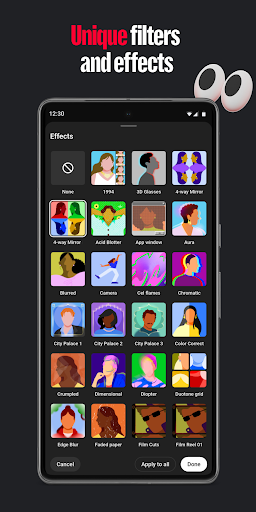
Make your videos stand out with a variety of customizable filters & effects. Adjust parameters such as saturation and brightness to fine-tune your visuals or set the perfect mood with filters that match your style. Enhance your creative expression by adding hundreds of fonts, animated text effects, stickers, GIFs, and emojis. These design elements help you personalize your videos, making each creation uniquely yours and more appealing to your audience.
Designed for Making Content Shareable
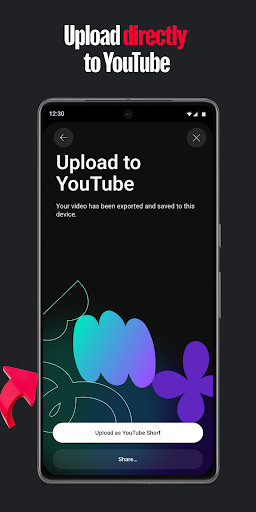
Flexibility is key when sharing content across different social media platforms. YouTube Create allows you to resize videos to various aspect ratios—including portrait, landscape, and square—optimized for different formats. This ensures your videos look professional regardless of where they are published. After editing, the app enables you to directly upload your projects to your YouTube channel, streamlining the entire sharing process and making it easier than ever to showcase your work to the world.
Conclusion: Your Creative Companion
If you're seeking an all-in-one video editing app that combines ease of use with powerful features, YouTube Create is the ideal choice. Its intuitive design, extensive editing tools, and seamless integration with YouTube make it perfect for content creators at any level. Whether you're vlogging, producing tutorials, or sharing daily moments, this app empowers you to craft professional-quality videos effortlessly. With built-in features like filters, music, stickers, and straightforward sharing options, YouTube Create feels like having a personal editing studio right in your pocket. Give it a try and unlock your creative potential—your next viral video is just a few taps away!
Pros
- User-friendly video editing suitable for beginners
- Extensive selection of filters and effects
- Ability to upload directly to YouTube
- Supports a variety of video formats
- No cost to use when linked with a YouTube account
Cons
- Lacks advanced editing capabilities
- Occasional application crashes
- Displays advertisements in the free version
- Requires internet access to function
- Limited to the YouTube platform











