


Introduction to SketchPad - Doodle On The Go
Have you ever experienced a burst of inspiration but lacked the right tools to capture it? SketchPad - Doodle On The Go is a versatile mobile application designed to bring your creativity to life anytime and anywhere. Whether you're a professional artist, a hobbyist, or someone who simply loves to doodle, this innovative app functions as your personal mini art studio, right in your pocket.
Unleashing Creativity on the Move
A defining feature of SketchPad - Doodle On The Go is its remarkable accessibility. Picture yourself sitting in a park, sipping coffee, and suddenly struck by a creative idea. With this app, you can instantly open your device and start sketching within seconds. It’s all about making spontaneous creativity effortless, capturing those fleeting moments of artistic inspiration with ease.
User-Friendly Interface
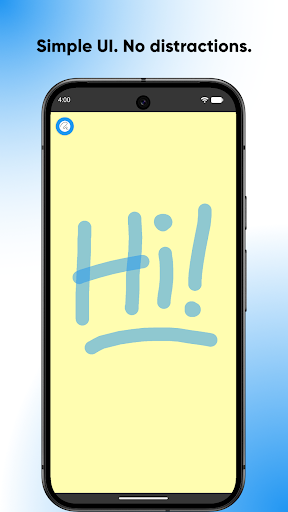
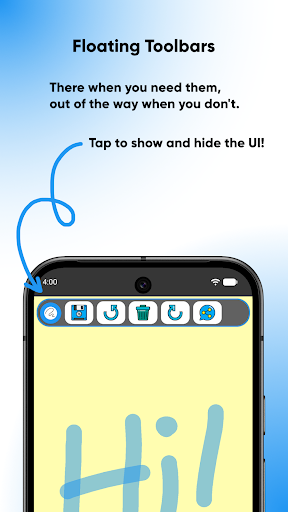
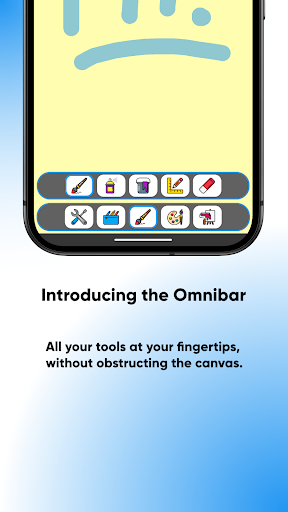
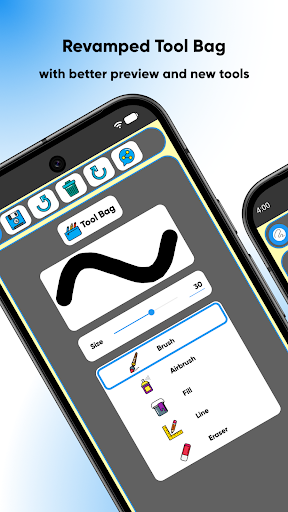
The interface of SketchPad - Doodle On The Go is designed with simplicity and intuitiveness in mind. You don't need any technical expertise to navigate through its features. The tools are logically organized, allowing you to quickly switch between various brushes, colors, and effects without confusion. The elegant design ensures smooth performance, free from lag or delays, so your creative flow remains uninterrupted.
Tools and Features Galore
This app is packed with a diverse range of brushes and effects to enhance your artwork. From classic pencil and ink tools to modern digital brushes that add unique textures, there's never a shortage of options to express yourself. The expansive •color palette allows for vibrant and dynamic color choices, offering palette, spectrum, and RGB sliders for precise color selection. Additionally, layer-based editing support empowers serious artists to work on different elements separately, providing greater flexibility and control over your creations.
Sharing and Saving Made Easy
Once you've crafted your masterpiece, SketchPad makes it simple to share your artwork. You can export images in formats like PNG or JPEG, and directly share them on social media platforms or save them to your device. The app also offers cloud storage options, ensuring that your artwork is safely backed up and accessible across multiple devices. By default, exported images are saved to "/Pictures/SketchPad/", but the storage location can be customized in the app's settings. On newer Android versions, images are stored in a dedicated folder within app data, ensuring compatibility and security.
Innovative Features and Practical Tips
One standout feature is Shake to Clear, which allows you to quickly clear your canvas by shaking your device—perfect for moments when you want to start fresh without fiddling with menus. Note that this feature requires an accelerometer and is best suited for casual doodling, not detailed sketching. Additional advantages include no advertisements, no in-app purchases, and an extremely lightweight download size of just 5 MB, making it accessible even on devices with limited storage. The app operates offline, offering you full creative freedom without needing an internet connection—though sharing features do require network access.
Dedicated to User Experience
The core philosophy behind SketchPad is to prioritize a seamless and enjoyable user experience. By keeping the interface clutter-free and performance optimized, it ensures that users can focus solely on their art. The app requires only storage permission for saving files—no data theft concerns—and allows you to set preferred storage locations for your sketches. Whether you save your images to "/DCIM/Camera/" or a custom directory, the process is straightforward and safe.
Join the Creative Community
Interested users are encouraged to share feedback and connect with fellow artists via the Kaffeine Community Discord server. Your input helps continually improve the app and tailor it to your creative needs. Whether you're providing suggestions or just saying “hi,” the community fosters a supportive environment for everyone passionate about digital art.
Conclusion
SketchPad - Doodle On The Go is more than just a drawing app—it's a portable art studio that empowers users to express their creativity effortlessly, whether at home, outdoors, or on the move. Its intuitive design, rich feature set, and lightweight size make it an ideal choice for artists of all levels looking to capture moments of inspiration instantly. So, next time inspiration strikes, remember that with this versatile app, you can turn your device into a canvas anytime, anywhere—unlocking your inner artist with just a few taps.
Pros
- Intuitive interface for quick sketching.
- Extensive selection of colors and brush types.
- Offline mode increases portability.
- Capable of exporting in high resolution.
- Includes real-time collaboration features.
Cons
- Limited selection of advanced drawing tools.
- May experience lag on older devices.
- In-app advertisements can be distracting.
- Does not support cloud storage integration.
- Missing a text tool for annotations.











