
Discover the Campus Student App: Your Ultimate School Companion
Are you a student looking for a reliable and efficient way to stay connected with your academic life? The Campus Student app is designed to be your personal digital assistant, providing instant access to essential school information right at your fingertips. Whether you're in high school or college, this innovative mobile application streamlines your educational experience by consolidating all necessary data in a user-friendly interface.
Key Features of Campus Student
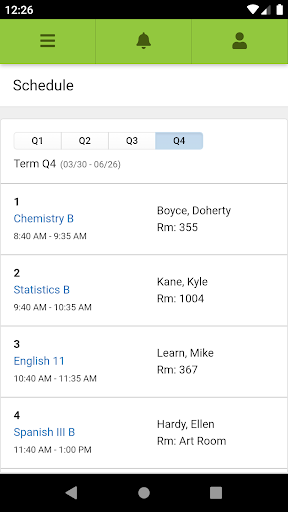
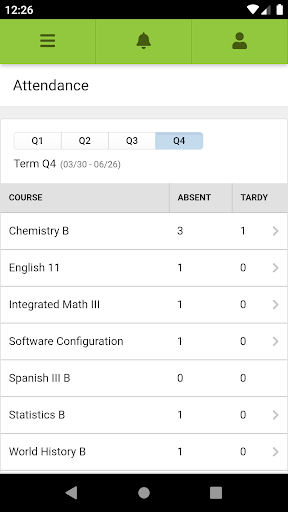
One of the most impressive aspects of Campus Student is its comprehensive feature set that caters to various student needs. From real-time grade updates to assignment management, the app makes it easy to stay organized and informed. The dashboard presents a clear overview of your academic schedule, upcoming assignments, attendance records, and current grades, all in one place. This centralization reduces stress and helps students prioritize their tasks efficiently.
Real-time Grades and Notifications
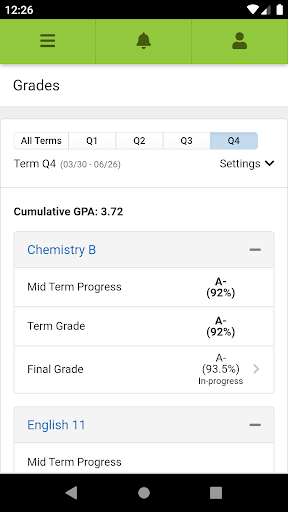
With Campus Student, you can track your grades continuously, receiving instant notifications about any significant changes. This proactive approach allows students to address academic challenges promptly and stay motivated. Alerts for attendance modifications and assignment scores help keep you well-informed about your progress without the need for constant manual checks.
Assignment Calendar and Task Management
Another standout feature is the assignment calendar. It helps you organize your deadlines by adding due dates, setting reminders, and categorizing tasks based on priority. This planning tool makes managing multiple assignments straightforward, ensuring you never miss a submission and can plan your study schedule more effectively.
Communication Tools and Collaboration
The app also facilitates seamless communication with educators and peers. Built-in messaging features enable quick conversations, and integration with email ensures your messages are delivered smoothly. Additionally, discussion boards foster collaborative learning, allowing students to share ideas and gain new perspectives, which is especially beneficial for remote or hybrid learning environments.
How to Get Started with Campus Student
Getting started is simple:
- Download the App
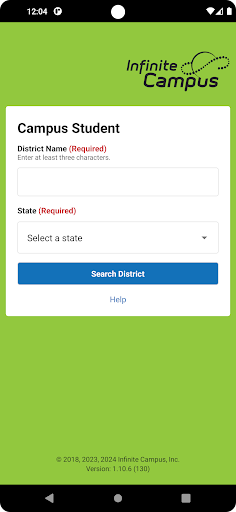
- Search for your district name and state
- Select your district
- Enter your username and password (provided by your school/district)
System Requirements and Support
To use Campus Student, your school district must be utilizing the Infinite Campus student information system, and you need an active account. The app is available on various platforms, ensuring accessibility and ease of use for all students. For any technical support, visit www.infinitecampus.com/appsupport.
Why Students Love Campus Student
The Campus Student app has genuinely transformed the way students manage their educational journey. Its intuitive design and comprehensive suite of features make it an indispensable tool for staying organized, motivated, and connected. Whether you're monitoring grades, managing assignments, or communicating with teachers, this app acts as your personalized digital assistant, always ready to support your academic goals.
Conclusion
In today’s fast-paced educational environment, staying organized and connected is more crucial than ever. The Campus Student app meets this need by offering a secure, easy-to-navigate platform packed with features that streamline your school life. It’s like having a personal assistant in your pocket, making your learning experience more enjoyable and less stressful. If you're seeking a reliable tool that keeps you informed and engaged, give Campus Student a try and discover how it can enhance your educational journey.
Pros
- User-friendly interface simplifies navigation.
- Provides real-time updates on grades and assignments.
- Supports collaboration with peers.
- Enables efficient communication with faculty.
- Offers customizable notifications for important events.
Cons
- Limited functionality when offline.
- Occasional synchronization issues with the server.
- Requires regular updates for optimal performance.
- Consumes a large amount of data when used extensively.
- Lacks integration with some external tools.










