

Introduction to the Stripe Dashboard App
Key Features of the Stripe Dashboard App
Monitor Your Business Performance
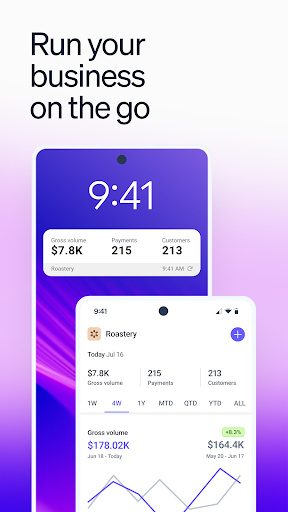
Stay updated with detailed insights into your business operations. The app allows you to view your revenue, payments, balances, and payouts. You can easily compare current performance with historical data to understand trends and make informed decisions. This real-time monitoring helps you stay on top of your financial health, whether you're in the office or on the move.
Accept Payments Anywhere
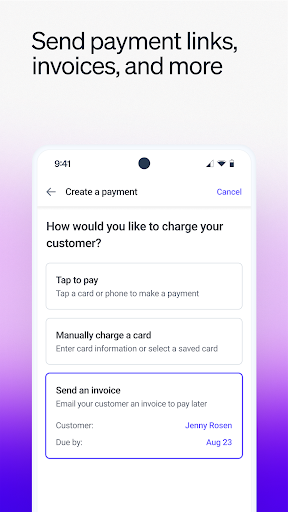
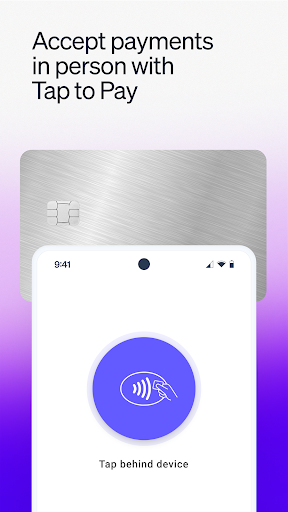
The Stripe Dashboard facilitates effortless payment acceptance. Whether you're conducting in-person transactions manually or using the innovative Tap to Pay feature, accepting payments has never been easier. The app also enables you to send invoices directly to your customers, streamlining your billing process and ensuring you never miss a payment.
Manage Your Business Accounts
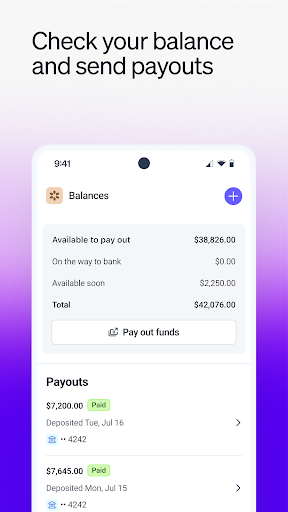
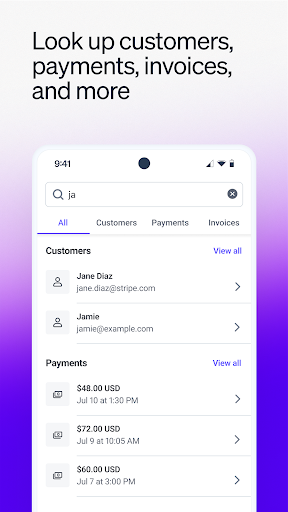
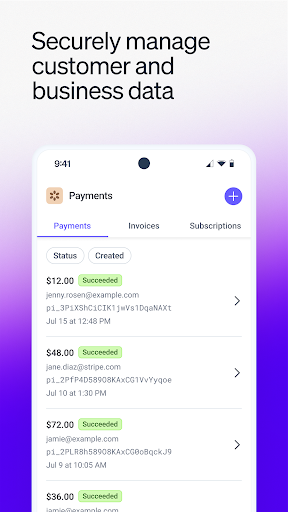
Manage your funds and transactions directly through the app. Check your balance and initiate payouts to your linked bank accounts. If needed, you can issue full or partial refunds or investigate failed payments—all from your mobile device. The app also allows you to look up details for customers, payments, and invoices, simplifying record-keeping and customer management on the go.
Stay Informed with Notifications
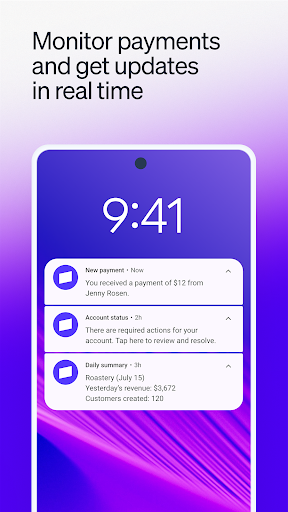
Enhance your business awareness with instant updates. The app provides the option to receive daily business summaries via push notifications. Additionally, you get real-time alerts about new payments and customer activities, ensuring you're always in the loop. This proactive notification system helps you respond quickly to important events, improving your overall operational agility.
Ease of Use and Security
One of the standout aspects of the Stripe Dashboard app is its sleek, intuitive design. Navigating through the app is straightforward, with a user-friendly layout that anticipates your needs. Whether you're checking transaction details, issuing refunds, or reviewing performance metrics, everything is accessible with just a few taps.
Security is a top priority for Stripe. The app incorporates advanced encryption and security protocols to safeguard your sensitive financial information. You can trust that your data remains protected, giving you peace of mind. Additionally, the app's reliability ensures stable performance without crashes or glitches, even during busy periods.
Offline access further enhances usability, allowing you to review your data without an internet connection—perfect for on-the-go business management.
Conclusion
Pros
- User-friendly interface design.
- Real-time financial updates.
- Secure data encryption.
- Customizable reporting tools.
- Easy integration with other apps.
Cons
- Requires constant internet connection.
- Limited offline functionality.
- Some features can be costly.
- Learning curve for beginners.
- Occasional synchronization issues.











