
OtterAI Transcribe Voice Notes
Are you tired of constantly taking handwritten or manual notes during meetings, lectures, or interviews? OtterAI offers a smart and efficient solution to transcribe voice notes into easily accessible text. Designed for professionals, students, and anyone seeking a seamless note-taking experience, this app leverages powerful artificial intelligence to capture, transcribe, and organize your voice conversations in real time.
What is OtterAI?
OtterAI is a voice transcription application available on both Android and iOS platforms, as well as accessible via web browsers. Its core function is to convert spoken words into written text with high accuracy, making it an indispensable tool for capturing important details effortlessly. Whether you're in a formal business meeting, a classroom lecture, an interview, or simply recording voice memos, OtterAI transforms your speech into searchable, shareable notes instantly.
Key Features of OtterAI
Real-Time Transcription & Recording
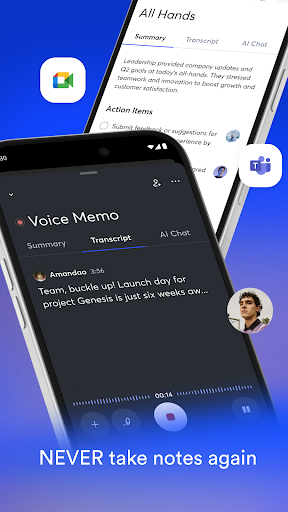
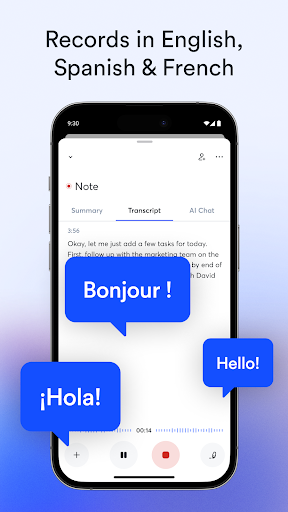
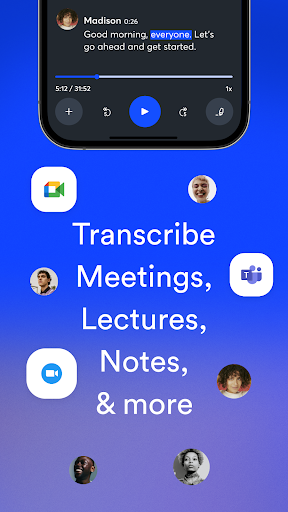
One of OtterAI's most impressive features is its ability to transcribe audio in real time. Simply tap the record button or use voice commands to start capturing conversations. The app then displays the transcribed text instantly, allowing you to follow along without missing any detail. Its high-accuracy transcription ensures that even fast speakers or overlapping conversations are captured effectively, making it ideal for busy meetings or lectures.
Automatic Notes & Summaries
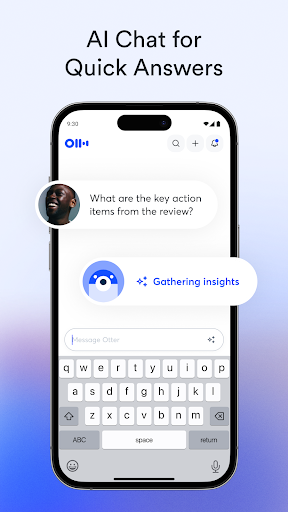
Beyond live transcription, OtterAI can automatically generate summarized notes and voice memos, helping you condense lengthy discussions into manageable highlights. This feature is perfect for saving time and reviewing key points later. It can also insert photos of whiteboard discussions, presentation slides, or other visual aids, enriching your notes with context.
Speaker Identification & Editing
The app can identify different speakers after some training, tagging each paragraph accordingly. You can edit transcriptions to correct errors or add emphasis, highlight important sentences, and organize notes into personal folders for easy access. The ability to search keywords across all transcribed content enables quick retrieval of specific information, making your notes not only comprehensive but also efficient.
Sharing & Collaboration
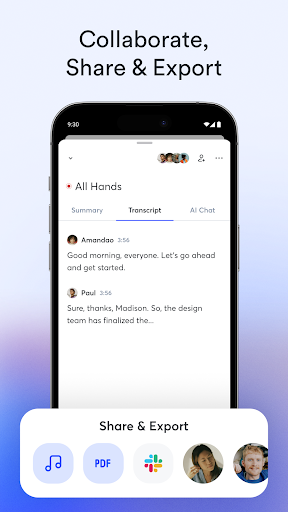
Share your notes directly with colleagues, classmates, or collaborators by generating shareable links. OtterAI also supports live transcription sharing during ongoing meetings, along with collaborative editing, commenting, and action item assignment within the app. You can start group recordings, invite others to view and annotate, and keep everyone in sync effortlessly.
Integration & Export Options
OtterAI seamlessly integrates with popular platforms such as Zoom, Google Meet, Microsoft Teams, and calendar apps to record and transcribe meetings automatically. Its export features allow you to save notes in PDF, TXT, or SRT formats, or export audio as MP3 files. Importing various audio and video formats is also supported, making it versatile for different use cases.
How OtterAI Enhances Your Workflow
With OtterAI, you never have to worry about missing important points during busy meetings or lectures. The app's AI-powered features not only transcribe conversations but also analyze and highlight key information automatically. If you're giving a presentation or participating in a team discussion, OtterAI's live captioning and real-time notes let everyone stay engaged without distraction. Its searchable database of transcriptions simplifies referencing past conversations, ensuring essential action items or decisions are never lost.
Whether you're looking to boost productivity, improve accessibility with live captioning, or organize your voice recordings effortlessly, OtterAI provides a comprehensive solution. Its ability to synchronize with your devices and cloud storage ensures your notes are always backed up and accessible on any platform.
Conclusion
OtterAI is more than just a voice transcription app; it's an intelligent assistant for capturing and managing spoken content. Suitable for various scenarios—from professional meetings and academic lectures to casual voice memos—it delivers accurate, searchable, and shareable notes that save you time and enhance your productivity. Its intuitive interface and robust features make it a must-have tool in today's fast-paced digital world. If you're seeking to make voice note-taking effortless and organized, giving OtterAI a try could be a game-changer for your workflow.
Pros
- User-friendly interface
- High accuracy in transcriptions
- Supports multiple languages
- Provides real-time transcription
- Convenient sharing options
Cons
- Requires internet connectivity
- Free version has limitations
- Data privacy concerns
- May have difficulties with accents
- Occasional errors in transcription











