

Discover the Power of the Scratch App: A Creative Platform for All Ages
If you're looking for an engaging, user-friendly platform to cultivate creativity through coding, the Scratch app is an excellent choice. Available for Chrome and Android tablets, Scratch has become a favorite among millions of kids, students, educators, and aspiring digital artists worldwide. This dynamic application empowers users to craft their own interactive stories, engaging games, and captivating animations—all while having fun in a vibrant digital environment.
What Makes Scratch Stand Out?
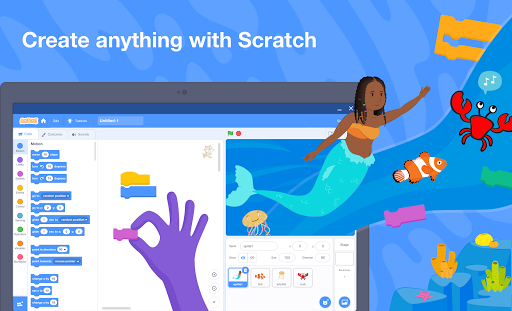
At its core, Scratch offers a rich, intuitive interface that welcomes beginners and seasoned programmers alike. Its block-based coding system simplifies the learning curve, replacing complex syntax with visual blocks that can be easily dragged and dropped. This modular approach makes it accessible to users of all skill levels, removing barriers often associated with traditional coding. Whether you're interested in designing a short animation or developing a complete game, Scratch provides the tools to realize your ideas effortlessly.
Features That Inspire Creativity and Learning
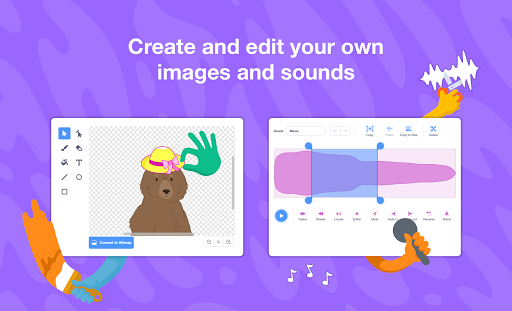
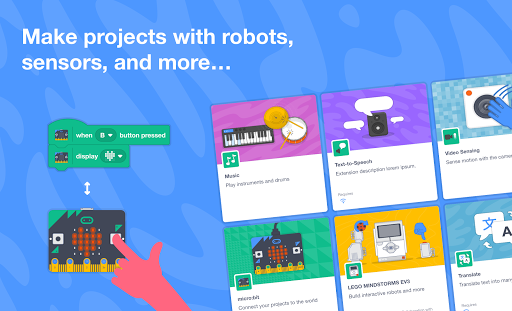
One of the most appealing aspects of Scratch is its expansive library of resources. Users can select from a wide array of characters, backgrounds, and sounds—either choosing from pre-made options or creating their own recordings. The platform also allows for integration with physical devices such as micro:bit, Makey Makey, LEGO MINDSTORMS, and even your computer’s webcam, opening up exciting possibilities for interactive projects that link the digital and physical worlds.
Offline Functionality and Sharing
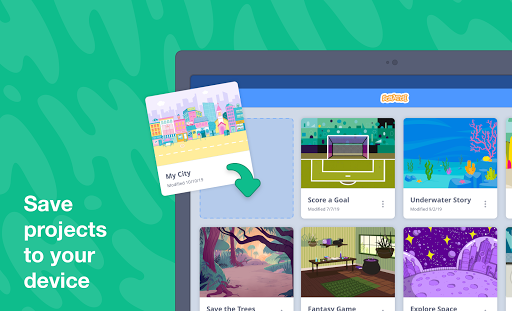
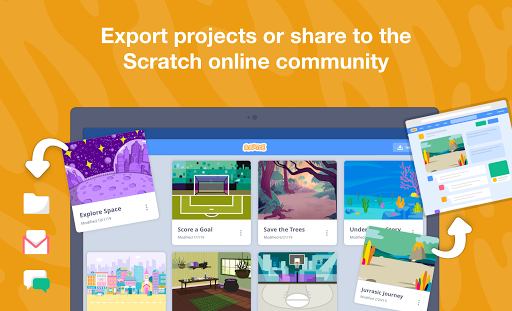
Despite its online community focus, Scratch also enables you to craft and save projects offline, providing flexibility and uninterrupted creativity. When ready, projects can be exported easily to share with friends and family. Additionally, creating an account unlocks access to the Scratch Community where users can share their creations, gain inspiration, and collaborate with others from around the globe.
Educational Support and Resources
Educators can benefit immensely from dedicated resources available on the platform. The Scratch Educator Resources serve as a comprehensive guide to incorporating Scratch into classroom lessons. For learners seeking guidance, tutorials provided at Scratch Ideas and Tutorials are a fantastic way to start or advance your skills.
Getting Started and Growing with Scratch
When you open Scratch, you’re greeted with a colorful, inviting environment filled with creative potential. The user-friendly design makes it easy to dive right in—dragging blocks, experimenting with characters, and building stories or games without any prior coding experience. The platform encourages experimentation, making learning both entertaining and educational.
Learning Resources and Community Support
A wealth of tutorials and support materials are available to guide new users through the basics and help experienced creators refine their projects. The vibrant online community shares feedback, ideas, and collaborations, fostering a supportive space for learners of all ages to grow their skills and showcase their work.
The Limitless Possibilities of Scratch
What makes Scratch particularly special is its capacity for endless creativity. Whether you're creating a simple animation or developing a complex, multi-level game, the tools are sufficiently versatile to support every project idea. This accessibility encourages people of all ages to experiment, innovate, and bring their unique visions to life—making technology a powerful instrument for education and self-expression.
Conclusion
Scratch isn’t just a coding app; it’s a gateway to a universe where imagination meets technology. Suitable for children, students, teachers, and curious minds alike, it offers a platform full of features designed to spark creativity, support learning, and promote collaboration. Whether you're interested in learning the basics or exploring advanced projects, Scratch provides everything you need to start your digital creation journey today. Why not dive in and see where your imagination can take you?
Pros
- Highly educational for beginners.
- Intuitive drag-and-drop interface.
- Support from a large online community.
- Free to use with no advertisements.
- Fosters creative thinking.
Cons
- Lacks advanced programming capabilities.
- Requires internet connection for full features.
- Not optimized for mobile device use.
- Limited options for sound editing.
- Some features may load slowly.











