

Introduction to the Go Program Way2Go Card App
The Go Program Way2Go Card app is a convenient and secure solution designed for users of all Go Program® Way2Go Card® eligible MasterCard programs. If you possess a qualifying prepaid card, this app provides a seamless way to manage your account directly from your mobile device. To verify your eligibility, simply look at the bottom right corner of your card's back, where you will see the words GoProgram.com. This free app is a quick and efficient tool to monitor your available balance, transaction history, and more, empowering you to stay in control of your finances wherever you are.
Key Features of the Way2Go Card Mobile App
Real-Time Balance and Transaction Monitoring
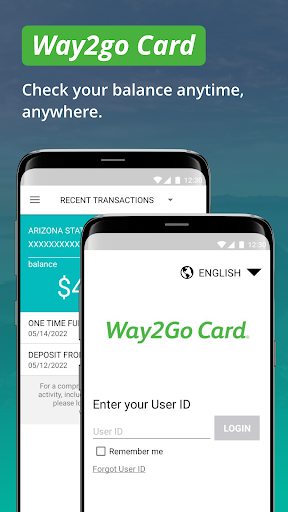
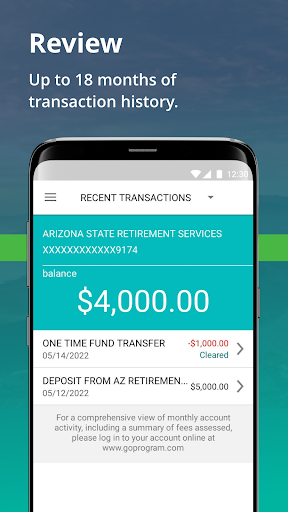
With the Way2Go Card app, you can check your available balance anytime, anywhere and review up to 18 months of transaction history. This makes budgeting and tracking your spending more straightforward than ever before.
Deposit Management and Alerts
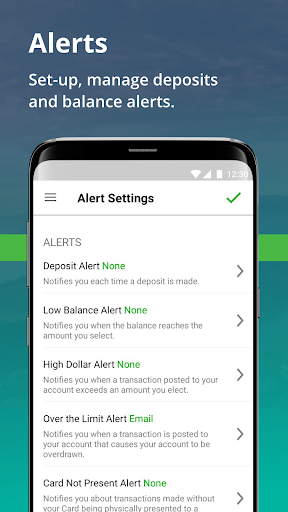
You can easily confirm your last deposit and manage deposit and balance alerts. The app allows you to set notification preferences so you're promptly informed about important account activities, helping you avoid overdrafts or missed deposits.
Security and Card Control
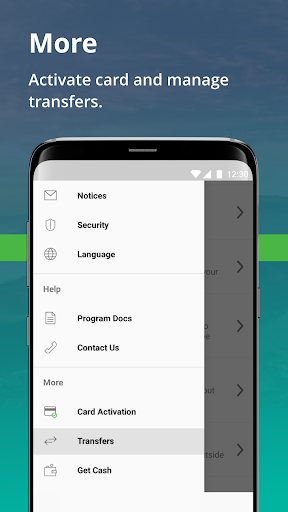
Security is a top priority with features like lock and unlock your card. If your card is misplaced or left behind, you can instantly lock it to prevent unauthorized use instead of canceling and waiting for a replacement. Additional features include activate a new card, cancel & replace, and cardless cash, providing greater control over your funds.
Additional Functionalities
The app allows users to view ancillary service charge information and manage all notifications effectively. Whether you need to settle service fees or customize alerts, the app is equipped to handle these tasks seamlessly.
Getting Started with the Way2Go Card App
If you already have your GoProgram.com Way2Go Card user ID and password, you're all set to dive into the app. For first-time users, you'll need to enroll your Card account either through the mobile app or at www.GoProgram.com to obtain your login credentials. The app is designed for eligible Go Program Way2Go Card customers and accounts only.
It’s important to note that while there is no charge for using the official Way2Go Card mobile app, message and data rates may apply depending on your mobile plan.
Benefits of Using the Way2Go Card Mobile App
The Way2Go Card app offers a range of benefits tailored to enhance your financial management experience. Its user-friendly interface ensures that even those new to digital banking can navigate effortlessly, while advanced security features keep your financial information protected at all times. The ability to lock and unlock your card instantly provides peace of mind, especially if you suspect any suspicious activity or misplace your card temporarily.
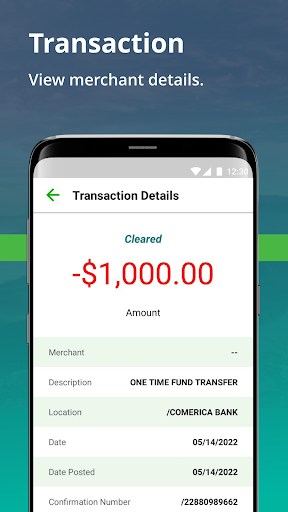
By integrating real-time notifications and comprehensive transaction reviews, the app acts like a personal financial assistant, helping you stay on top of your funds. Whether it’s confirming deposits, reviewing charges, or setting thresholds for alerts, this app points to a smarter way to handle your funds—saving you time and reducing financial stress.
Moreover, the security protocols employed, such as encrypted login methods, ensure your personal and financial data remain safe. Easy features like cancel & replace your card and view ancillary service charges further streamline your experience, making managing your Way2Go Card straightforward and hassle-free.
Overall, the Go Program Way2Go Card mobile app is a powerful tool that combines convenience, security, and functionality. It’s ideal for anyone who wants quick access to their prepaid card account on the go, with the latest features designed to provide peace of mind and full control over their financial activities.
Pros
- User-friendly interface improves accessibility.
- Real-time updates of account balances facilitate better financial management.
- Secure login system protects user data.
- Support for multiple languages increases accessibility.
- Efficient customer service helps resolve issues quickly.
Cons
- Fewer features compared to other financial apps.
- Occasional app crashes can disrupt user experience.
- Does not offer offline functionality for checking balances.
- Lacks fingerprint authentication for quick access.
- Notifications may sometimes be delayed.











