



Introducing the MyHyundai with Bluelink App: Your Smart Vehicle Companion
The MyHyundai with Bluelink app transforms the way Hyundai owners interact with their vehicles, offering a seamless, intuitive experience that combines convenience, security, and advanced vehicle management features. Designed with user-friendliness in mind, this app acts like a personal assistant, always ready to help you stay connected to your Hyundai car wherever you are. Whether you're at home, in the office, or on the go, the app provides instant access to a wide range of vehicle functions, making your driving experience smarter and more efficient.
Getting Started with MyHyundai and Bluelink
Upon launching the MyHyundai app, users are greeted with its sleek and easy-to-navigate interface—no technical expertise required. Setting up your account is straightforward: simply link your Hyundai account using your MyHyundai.com ID, password, and PIN. Once connected, you'll unlock a host of features designed to make vehicle management effortless. The app also supports biometric authentication methods like fingerprint and face recognition, allowing you to log in quickly and securely.
Powerful Features for Convenience and Peace of Mind
The MyHyundai with Bluelink app offers a suite of innovative features to enhance your driving experience:
Remote Vehicle Control
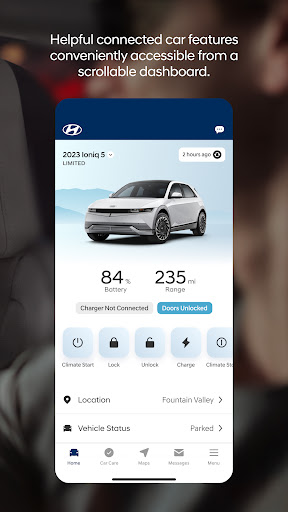
- Remotely start your vehicle (R) — perfect for warming up or cooling down your car before you get in.
- Remotely lock or unlock doors (R) — providing peace of mind if you’re unsure whether you secured your vehicle.
- Start your vehicle with customized presets (R) — set your favorite climate control or seat position for quick access.
- Activate horn and lights remotely (R) — helpful for locating your vehicle in crowded parking lots.
Vehicle Monitoring & Management
- View charging status, manage charging schedules, and adjust settings for EV and PHEV vehicles only (R)
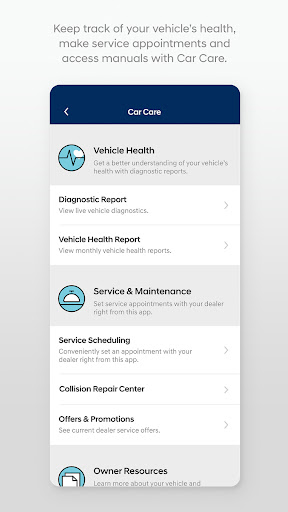
- Access maintenance information and vehicle health diagnostics, providing insights that keep your vehicle in top shape.
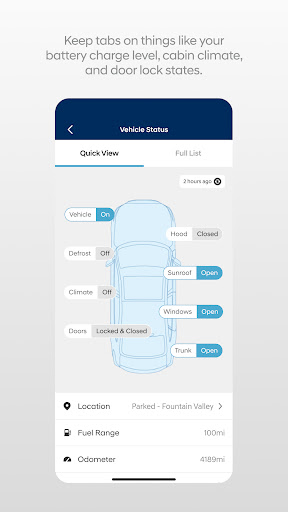
- Check vehicle status supported on select 2015MY+ vehicles.
Navigation & Navigation-Related Features
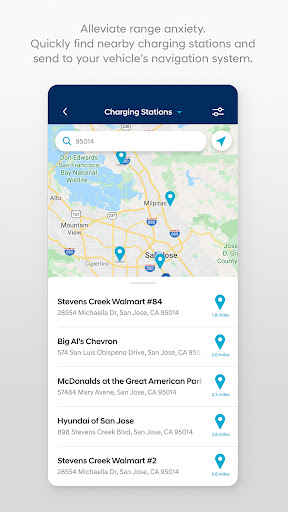
- Search for and send Points of Interest (POI) to your vehicle’s navigation system (G)
- Access saved POI history for easy re-navigation (G)
Additional Convenience & Security Functions
- Make service appointments with Car Care directly from the app
- Find your vehicle easily using the Vehicle Finder (R) feature
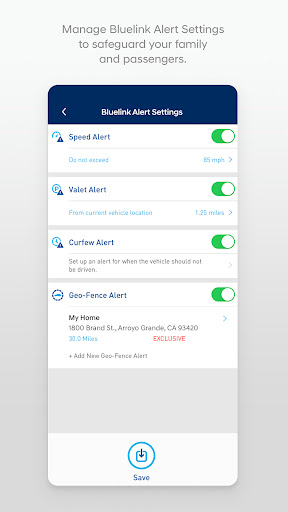
- Receive alerts for speed limits, geofence breaches, and other security notifications
- Access support via Bluelink Customer Care
Enhanced Experience with Wear OS Smartwatch Integration
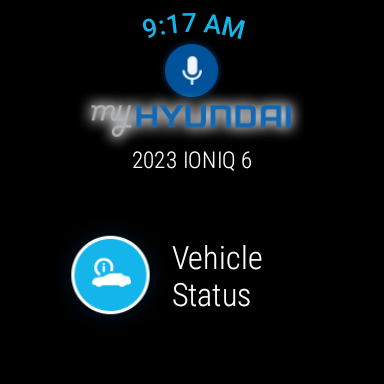
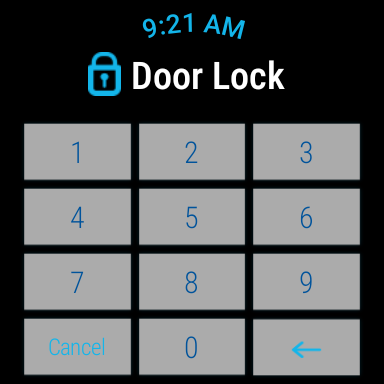
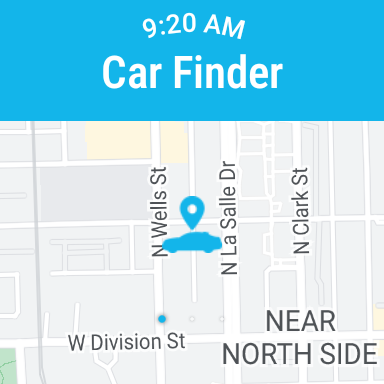
The MyHyundai app extends its functionalities to Wear OS smartwatches, allowing users to control key vehicle features directly from their wrist. With voice commands or the smartwatch menu, you can:
- Remotely start your vehicle (R)
- Lock or unlock doors (R)
- Activate horn and lights (R)
- Locate your car (R)
How to Grant App Permissions
To function smoothly, the MyHyundai with Bluelink app requires certain device permissions:
- Camera — for adding driver profiles and pictures
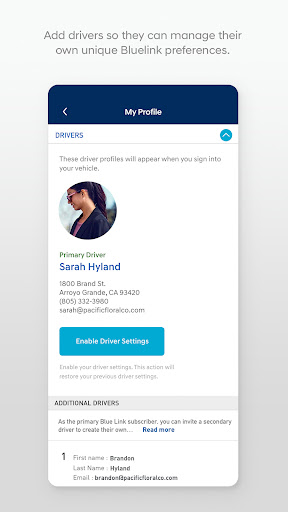
- Contacts — to invite secondary drivers from your contacts
- Location — for maps and navigation services
- Phone — to initiate calls directly from the app
- Files — for saving documents or PDFs
- Notifications — to send push alerts about vehicle status or updates
- Biometrics — for secure login via fingerprint or face recognition
Why Choose MyHyundai with Bluelink?
If you own a Hyundai vehicle, the MyHyundai app serves as an indispensable tool to enhance your ownership experience. It combines convenience, security, and intelligent vehicle management in a single platform. From remote start and vehicle locking to navigation assistance and vehicle diagnostics, the app empowers you to stay connected to your car at all times. Plus, with its support for wearables and voice commands, controlling your Hyundai has never been easier.
Note on Compatibility & Support
Please be aware that feature support varies by vehicle model. To find out whether your Hyundai is compatible with specific Bluelink features, visit HyundaiBluelink.com. For technical assistance or questions regarding app capabilities, contact the support team via [email protected].
Pros
- User-friendly interface
- Real-time vehicle diagnostics
- Remote engine start feature
- Comprehensive vehicle status
- Easy-to-navigate menus
Cons
- Limited features in free version
- Occasional connectivity issues
- Battery drain during extended use
- Infrequent app updates
- Requires a strong internet connection











