

Introducing the Campus Parent App: Your Ultimate Digital School Companion
Imagine having all your student’s school information right at your fingertips. The Campus Parent app makes this a reality by providing real-time access to essential school updates, grades, attendance records, schedules, and important announcements. Designed specifically for parents and guardians, this app ensures you stay well-informed about your child's academic journey without the need for constant back-and-forth communication with the school.
Key Features of Campus Parent
Easy Access to Critical School Data
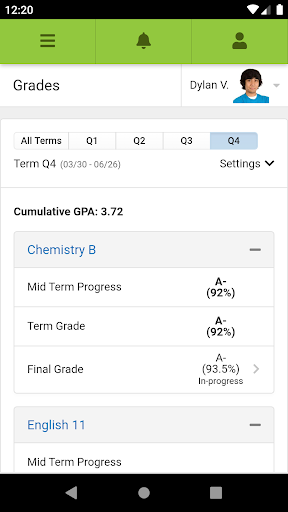
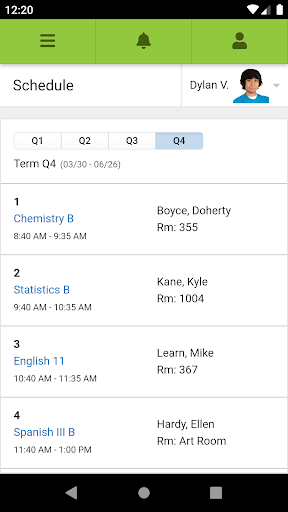
Once you download and set up the Campus Parent app, you gain instant access to a comprehensive dashboard. From grades and assignments to attendance and upcoming tests, everything is conveniently available in one place. The app’s real-time updates mean you don’t have to wait until report cards or parent-teacher meetings to know how your child is performing.
Instant Notifications for Parents
Stay proactive with push notifications that alert you to changes in attendance, assignment scores, and important announcements. This feature helps you keep your child on track and ensures you're always aware of their progress and any urgent updates from the school.
Attendance Tracker & School Calendar
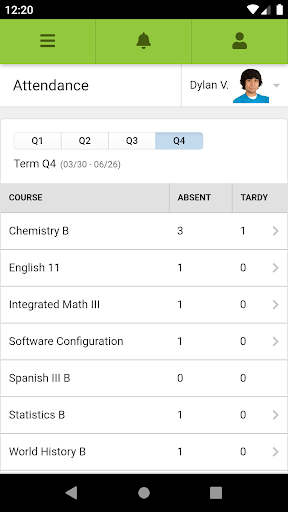
One of the standout features is the attendance tracker, allowing you to verify if your child is attending their classes. The integrated school calendar consolidates all important dates, such as holidays, parent-teacher conferences, and testing schedules, helping you plan your family activities accordingly.
Easy Communication with School Staff
The app simplifies parent-teacher communication via its messaging feature. You can directly contact teachers or school administrators to ask questions or clarify concerns. Teachers can also send out announcements or important updates, reducing the need for emails or paper notes, and keeping you in the loop effortlessly.
Getting Started with Campus Parent
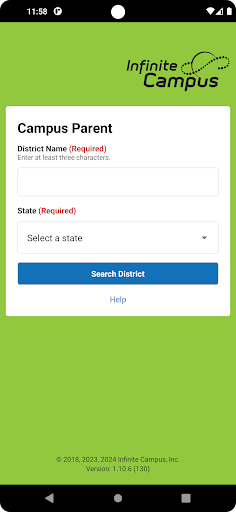
Starting with Campus Parent is straightforward. The app is available on both Android and iOS platforms. Simply visit your app store, download the app, and follow the easy registration steps. You'll need to search for your district and select it, then enter your username and password provided by your school. This seamless setup process gets you connected quickly and keeps you engaged with your child's academic life.
Requirements & Support
- Your school district must use the Infinite Campus student information system.
- An active Infinite Campus account is required.
While Infinite Campus prioritizes privacy and does not store personal login information, support is available through their official website for assistance.
Why Choose Campus Parent?
If you're a parent eager to stay connected with your child's educational progress without feeling overwhelmed, Campus Parent is the ideal solution. Its user-friendly interface, comprehensive features, and real-time updates make it a game-changer. By incorporating this app into your routine, you'll foster a supportive environment for your child's academic success, all while simplifying your daily schedule.
Whether it’s tracking attendance, checking grades, or communicating with teachers, Campus Parent ensures that you are always just a few taps away from vital school information. Say goodbye to uncertainty and hello to parent empowerment with this innovative educational app.
Pros
- User-friendly interface for easy navigation.
- Real-time updates on student progress.
- Secure login ensuring data privacy.
- Supports multiple languages to improve accessibility.
- Customizable notifications for important alerts.
Cons
- Limited offline capabilities restrict functionality.
- Users experience occasional login problems.
- Interface design may be overwhelming for new users.
- Minimal options for customization based on parent preferences.
- Requires a stable internet connection for optimal performance.











