


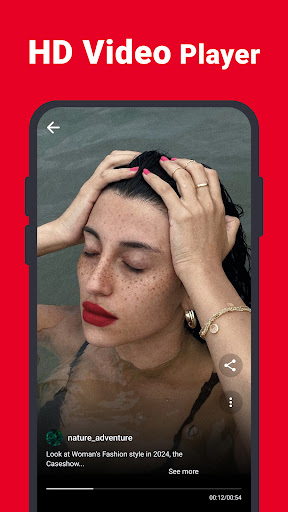
Discover the Power of Video Downloader for Pinterest
If you're an avid Pinterest user, you know how inspiring and visually captivating the content can be—trailblazing fashion tips, stunning home decor ideas, or engaging DIY projects. However, one common challenge is the inability to directly download videos, GIFs, and photos to enjoy them offline or share effortlessly with friends. That's where Video Downloader for Pinterest steps in as a must-have tool designed to elevate your Pinterest experience. This innovative app simplifies the process of saving high-quality videos from Pinterest, allowing you to build your personal collection with ease.
Seamless and User-Friendly Experience
Getting started with Video Downloader for Pinterest is an absolute breeze. Available on both Android and iOS platforms, the app takes just seconds to install and set up. Its minimalistic design ensures a simple and clear interface that even a tech newbie can navigate confidently. Once opened, the app presents a clutter-free environment focused on functionality, making the process of downloading Pinterest videos straightforward and hassle-free.
Powerful Features Tailored to Your Needs
Efficient Downloading with Multiple Format Support
With Video Downloader for Pinterest, you can:
- No login required — start downloading immediately without creating an account.
- Enjoy fast download speeds that save your time.
- Benefit from safe, lightweight, and HD downloads for crystal-clear quality.
- Support for multiple formats: videos, photos, GIFs, and images so you can save whatever content you like.
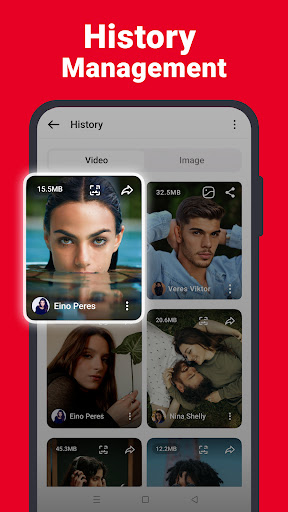
- See file sizes and quality options before downloading, making it easy to select the best version for your needs.
Simple How-To Guide for Saving Pinterest Videos
Saving videos from Pinterest is as easy as:
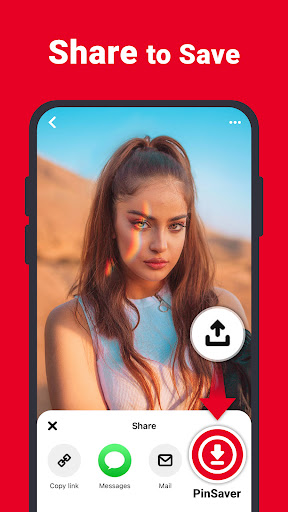
- Open the Pinterest app and tap the share icon.
- Choose the Pinterest downloader app icon from the popup options.
- Select your preferred download quality and tap the download button. Your video will be saved automatically.
Alternatively, you can:
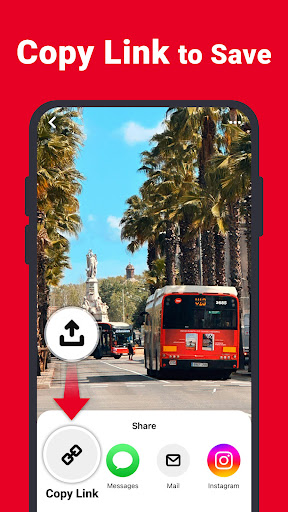
- Copy the link of the Pinterest video by clicking share and selecting Copy Link.
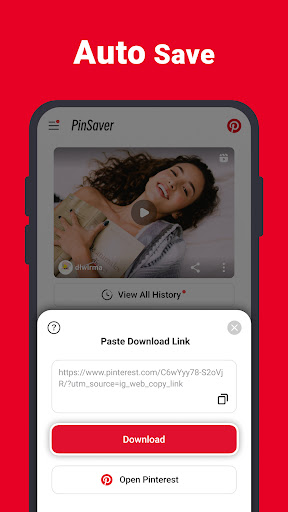
- Open Video Downloader for Pinterest and paste the link into the app.
- If download options don't appear, click the download icon and select your desired quality to start saving.
Organized Storage and File Management
All your downloaded videos and images are stored conveniently in a folder labeled Pinterest Downloader. This organized approach makes it effortless to access your saved content anytime—perfect for offline viewing or sharing with friends.
Reliable Performance and Great Compatibility
After multiple weeks of testing, Video Downloader for Pinterest proves to be a reliable companion—download speeds are swift, and the app remains stable without crashing. Its lightweight design ensures optimal performance, even on devices with limited storage. Plus, the app's minimal Ads presence keeps your experience smooth and distraction-free.
Why Pinterest Enthusiasts Will Love This App
Beyond technical features, the true value of Video Downloader for Pinterest lies in its convenience. No more frustrating screenshots or shaky recordings—simply save your favorite pins and build a personal collection of inspiring videos for offline viewing. Whether you're on a long commute, traveling, or just in a place with poor Wi-Fi, having access to your saved content is invaluable.
In summary, if you're passionate about Pinterest and wish to capture and keep those mesmerizing videos, this app is your perfect partner. It combines ease of use, high-quality downloads, and swift performance—all without complicated steps or intrusive ads. Say goodbye to missing out on your favorite clips and start creating your offline Pinterest library today!
Pros
- Fast download speeds
- User-friendly interface
- Supports multiple formats
- No login needed
- Free to use
Cons
- Contains advertisements
- Limited to Pinterest content
- Lacks video editing features
- Requires a stable internet connection
- Occasional bugs











