


Introduction to Video Home - Speed Play
Are you tired of the limitations posed by traditional video players that fail to support your preferred formats? Video Home - Speed Play is here to revolutionize your viewing experience! Designed for flexibility and convenience, this innovative app seamlessly handles most video formats and provides advanced playback controls to cater to your unique needs. Whether you're studying dance, watching tutorials, or simply enjoying your favorite videos, Video Home - Speed Play offers a range of features that put you in command of your media consumption.
Main Features of Video Home - Speed Play
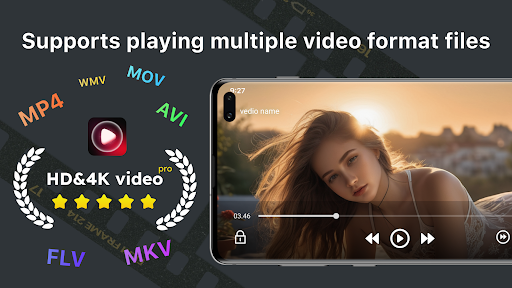
The standout advantage of Video Home - Speed Play is its extensive support for •video formats. Say goodbye to compatibility issues—whether your video files are MP4, AVI, MKV, or other popular formats, this app ensures smooth playback without the need for extra conversions. Additionally, it enables you to •adjust playback speed, giving you the power to speed up or slow down videos effortlessly. From watching educational content at higher speeds for efficiency to slowing down dance tutorials for precise practice, Video Home - Speed Play adapts perfectly to your learning style.
Customizable Playback Speed and User Control
One of the most compelling aspects of Video Home - Speed Play is its intuitive speed control. You can instantly toggle between various speed settings, such as 0.5x for slow motion or 2x for faster viewing. This feature is especially beneficial for students, researchers, or content creators aiming to scrutinize details without missing out. The app’s smooth performance ensures that there’s no lag during speed adjustments, providing a seamless and enjoyable viewing experience.
Support for Landscape and Vertical Content
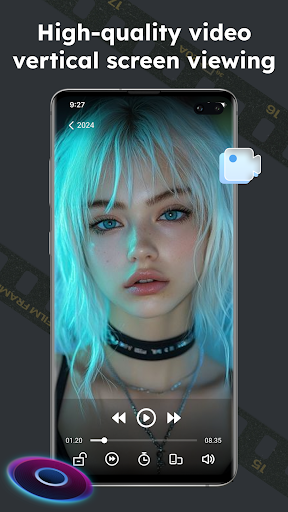
Whether you prefer watching videos in landscape mode or vertical orientation, Video Home - Speed Play seamlessly supports both formats. This flexibility ensures a comfortable viewing experience across different device orientations and video types, making it perfect for on-the-go video playback on smartphones and tablets.
Why Choose Video Home - Speed Play?
Many users have experienced frustration with limited video players that restrict format support or lack advanced features. Video Home - Speed Play addresses these issues comprehensively. Its lightweight design ensures minimal resource consumption, so it doesn’t drain your device’s battery or slow down its performance. This optimized performance makes it an ideal choice for everyday use.
User Experience and Personal Insights
From the moment I started using Video Home - Speed Play, I was impressed by its clean, user-friendly interface. There are no cluttered menus or confusing buttons—just straightforward controls that make adjusting the speed or switching videos quick and effortless. As someone who consumes a lot of video content for both leisure and learning, I found the ability to modify playback speed extremely useful. It allowed me to go through lengthy tutorials in less time without missing key information, enhancing my productivity and enjoyment. Plus, the high-quality video rendering and minimal resource use mean my device handles the app smoothly, even during extended viewing sessions.
Conclusion
In summary, Video Home - Speed Play is a versatile and powerful video player that caters to diverse viewing needs. Its support for multiple formats, adjustable playback speeds, and smart design make it an essential tool for anyone who values control and flexibility in their video consumption. Whether you’re an avid learner, casual viewer, or content creator, this app can transform your watching experience. Why settle for ordinary when you can have a personalized, efficient, and enjoyable media experience? Try Video Home - Speed Play today and discover a new way to watch videos at your own pace.
Pros
- User-friendly interface
- Supports multiple video formats
- Customizable playback speed
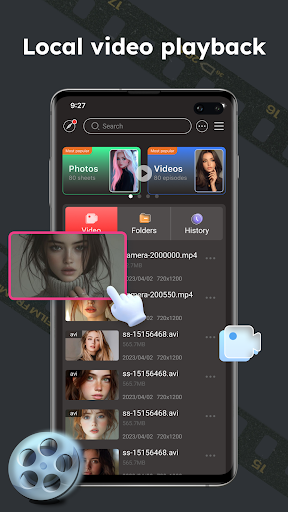
- Offline video playback
- Minimal ads
Cons
- Limited advanced features
- Occasional playback glitches
- No subtitle support
- Ads can interrupt playback
- No cloud sync option











