
Overview of PDF Reader: PDF Scanner & Edit
PDF Reader: PDF Scanner & Edit is a versatile and user-friendly application designed to revolutionize your document handling experience. Whether you're a student, professional, or casual user, this all-in-one PDF tool offers the perfect balance of functionality and convenience. With features that cover reading, scanning, editing, and managing PDF files, it’s an essential app for modern document workflows. Download now and discover the seamless way to work with your PDFs on the go!
Key Features of PDF Reader: PDF Scanner & Edit
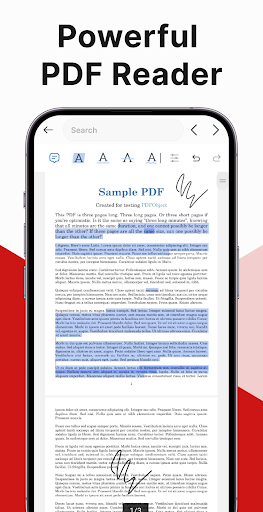
PDF Reader
The application provides an easy reading experience, with smooth scrolling and intuitive navigation. This ensures you can effortlessly browse through your PDF documents without any hassle. The clean interface makes it accessible even for users who are new to PDF management.
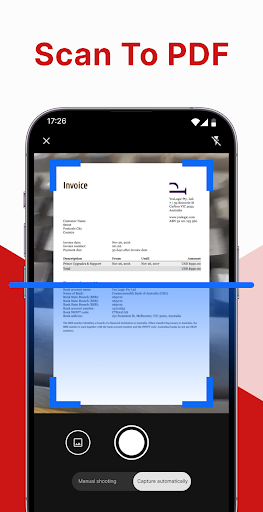
PDF Scanner
Transform your paper documents into high-quality digital PDFs with the PDF Scanner feature. Simply use your phone’s camera to capture any document, and the app automatically processes the image to produce a clear, sharp PDF. Whether it's receipts, notes, or contracts, this tool makes digitizing paper documents quick and straightforward.
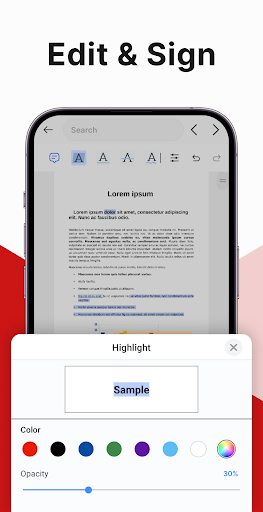
PDF Editor
Beyond just reading and scanning, PDF Reader allows for comprehensive editing. You can insert electronic signatures directly onto your PDFs, making signings hassle-free. Highlight, underline, or strikethrough text with ease—perfect for reviewing and marking up documents. Additionally, a powerful search feature helps you locate specific phrases swiftly, saving time and effort.
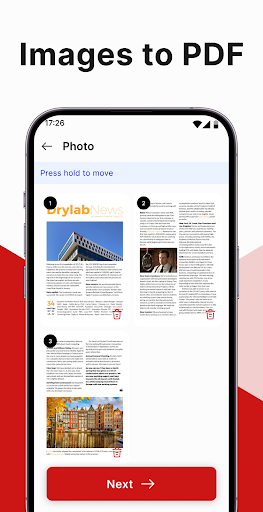
Image to PDF
This feature enables you to convert images into PDFs seamlessly. Add images to your PDF files quickly and easily, making it simple to compile visual content or create documents from photos.
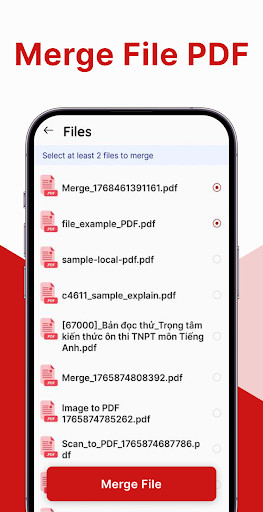
Merge PDF Files
The merge functionality simplifies document management. Select multiple PDF files and combine them into a single, organized document, streamlining workflows and document sharing.
Enhanced Productivity and On-the-Go Convenience
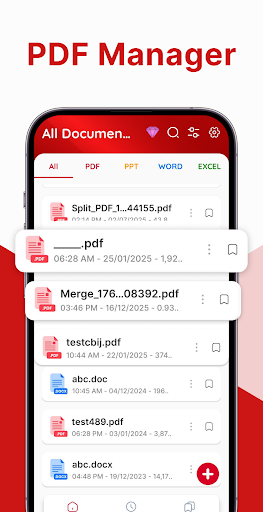
This app acts like a mini office in your pocket. Its seamless integration of scanning, reading, editing, and merging features allows you to manage your documents effortlessly, wherever you are. Whether you're sitting in a coffee shop or commuting, you can scan a receipt, annotate a contract, or read a report—all within a few taps.
An outstanding feature is the cloud integration. Your documents can be synced with popular services like Google Drive and Dropbox, ensuring your files are backed up and accessible across devices. This capability enhances collaboration, especially for teams working remotely or across different locations.
Why Choose PDF Reader: PDF Scanner & Edit
In the modern digital age, efficient document management is crucial. PDF Reader: PDF Scanner & Edit stands out because it combines core functionalities—reading, scanning, editing, merging—in a seamless interface that caters to users of all skill levels. Its powerful features allow quick editing, signing, and sharing, saving you precious time.
For students, professionals, or everyday users, this application is invaluable for reviewing contracts, creating PDFs from images, or managing multiple documents effortlessly. Its accessibility and robustness make it a top choice for anyone looking to optimize their PDF workflow.
Overall, the app offers a comprehensive solution to meet your every PDF need, making document handling faster, smarter, and more convenient. Why wait? Download the PDF Reader: PDF Scanner & Edit app today and experience a new level of productivity!
Pros
- Fast document scanning
- Easy PDF editing
- User-friendly interface
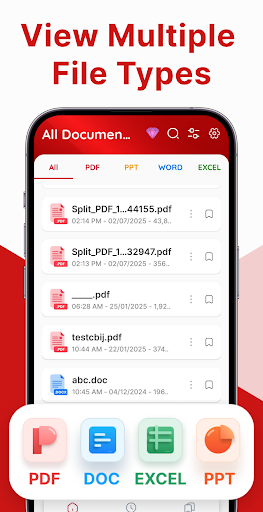
- Supports multiple formats
- Secure document storage
Cons
- Limited free version
- Requires internet for some features
- Occasional ads
- No OCR for handwriting
- Large app size











