


All Video Downloader - Browser: Your Ultimate Video Downloading Companion
Are you frequently looking for a reliable way to save videos from various websites for offline viewing? The All Video Downloader - Browser is designed to make this task seamless and hassle-free. This innovative app combines fast downloading capabilities with a built-in proxy browser and a powerful video player, creating a comprehensive solution for video enthusiasts who value privacy, speed, and convenience. Whether you're on Android or want a tool to handle diverse video formats, this app has you covered, making it an essential addition to any user's digital toolkit.
Key Features of All Video Downloader - Browser
Fast & Secure Video Downloading
The app boasts a •Fast HD Video Downloader that ensures rapid downloads, supporting resolutions up to 4K Ultra HD. Thanks to its smart download manager, you can expect up to 4X faster speeds without sacrificing quality. The ability to download all formats - including MP4, M4V, MOV, AVI, and audio formats like MP3 and M4A - ensures compatibility with your preferred media players and devices.
Built-in Proxy Browser for Privacy & Security
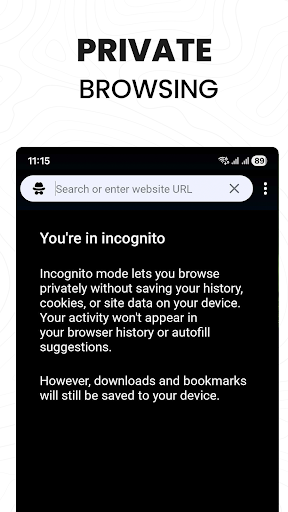
Our •secure proxy browser is ideal for Android users who prioritize privacy online. It encrypts your browsing data, blocks ads and trackers, and keeps your activities private, especially on public Wi-Fi. By routing your traffic through safe proxy servers, it provides a protected environment for browsing and video downloading, preserving your anonymity and safeguarding your personal information.
Seamless Video Detection & Download
The app automatically sniffs out videos on webpages, allowing you to download reels, stories, social media clips, and videos from popular websites with a single tap. The built-in detection system negates the need for tedious copy-pasting, streamlining your video saving experience. Once detected, you can choose your preferred quality and format, then hit download to save videos directly to your device.
Intuitive Video Player & Download Manager
The app's ultra HD video player supports a variety of formats, including MKV, FLV, and MOV, enabling you to preview videos before downloading. It also supports background downloads, pause, resume, and multi-downloads. This makes managing large batches of videos simple and efficient, so your media library grows effortlessly.
Offline Viewing & Content Management
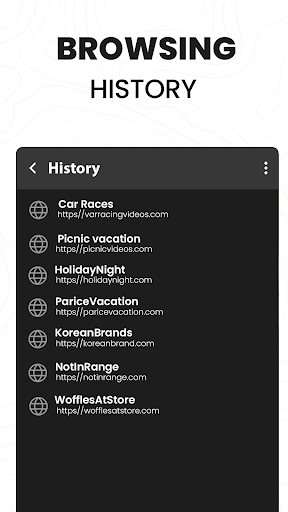
With the ability to download videos, stories, and social media clips, you can watch your favorite content anytime, anywhere, even without an internet connection. You can also personalize your experience by bookmarking websites and organizing downloaded files in password-protected folders for added security.
Why Choose All Video Downloader - Browser?
Ad & Tracker Blocking
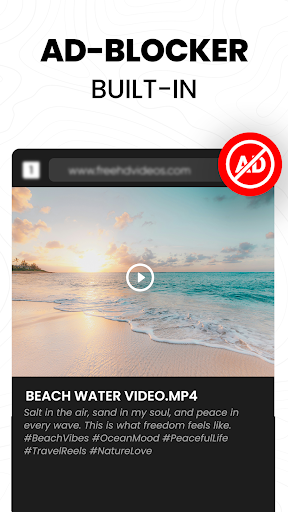
Browsing becomes faster, safer, and less data-consuming thanks to integrated ad and tracker blocker features, ensuring an uninterrupted experience free from unwanted ads and invasive trackers.
Legal & Ethical Usage
While users can download videos efficiently, it's important to note that downloading content from YouTube and other platforms might violate their Terms of Service. This app is intended for websites and content that explicitly permit downloads. Always ensure you have the right to save and use the content, and use the app responsibly for personal and non-commercial purposes.
How to Use the All Video Downloader
Method 1
- Open the Video Downloader application.
- Copy the link of the video you wish to download from a website.
- Paste the link into the app and tap "Download Video".
Method 2
- Open the app and navigate to your preferred website.
- Play the video you want to save.
- Tap the download button that appears.
- Select your desired quality and format, then tap "Download".
Final Thoughts
All Video Downloader - Browser is a reliable and user-friendly tool for anyone wanting to build a local video library for offline viewing. Its robust feature set—including fast downloads, format versatility, privacy protections, and easy management—makes it stand out among similar apps. Whether you're downloading videos for personal entertainment or managing media content, this app simplifies the process and enhances your digital experience. While always respecting content rights and platform policies, this app offers a convenient solution for offline access, making it an excellent choice for avid video consumers.
Pros
- User-friendly interface
- Supports a variety of video formats
- Rapid download speeds
- Integrated browser feature
- No account login needed
Cons
- Advertisements may be disruptive
- Limited features in the free version
- Lacks support for batch downloads
- Some video formats are not supported
- May experience occasional crashes











