


Discover the Power of CineToolkit: Caster & Roku Remote
Are you tired of juggling multiple remote controls or struggling to find the perfect way to cast your favorite media to the big screen? Look no further! The CineToolkit: Caster & Roku Remote app is designed to transform your entertainment experience, turning your smartphone into a versatile remote control that seamlessly connects with your TV, Roku, and other smart devices. With a suite of innovative features, this app caters to movie lovers, tech enthusiasts, and casual viewers alike, making your TV control and media casting more intuitive and enjoyable.
Comprehensive Casting Tools for Every Need
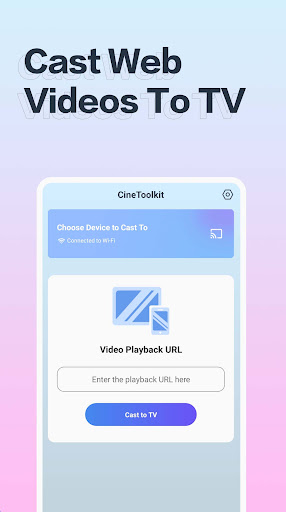
One of the standout features of the CineToolkit app is its robust scree capture capabilities. Users can effortlessly cast local media files stored on their device, stream IPTV playback addresses, or connect via network playback services. Whether you're looking to enjoy your personal movie collection, access live TV streams, or watch videos from online sources, this app provides a flexible platform to cast content quickly and smoothly. Additionally, the app offers QR code scanning functionality to simplify website access, making it easier than ever to stream content from various online portals.
Subscription Benefits
Unlock all Cinephile tools with a subscription plan, offering unlimited screencasts through multiple methods without interruption. Enjoy ad-free streaming, ensuring your viewing sessions are seamless and distraction-free. Subscribers also benefit from ongoing updates and new linking features that enhance the overall user experience. For more details, the app’s privacy policy and terms of use are available on the official site: Privacy Policy and Terms of Use.
Seamless Smartphone-to-TV Control
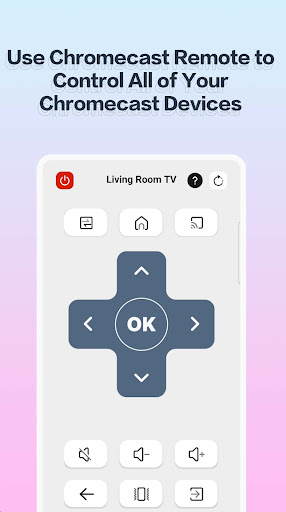
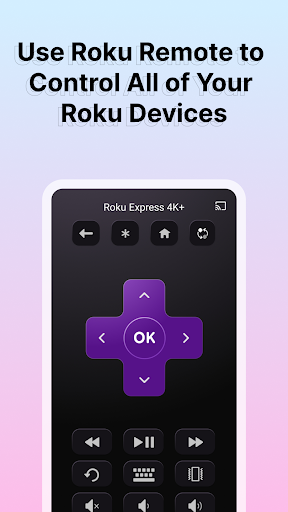
Ever wished your smartphone could double as a remote control for your TV or Roku device? The CineToolkit app makes this possible and effortless. Its user-friendly interface resembles a traditional remote, which makes navigation intuitive—perfect for users of all tech skill levels. Setting up the app is straightforward; after a simple download and configuration, your device becomes a powerful remote control capable of managing multiple smart devices in your home.
Impressive Features for Enhanced Viewing
What sets this app apart is its wide range of features packed into a single platform. Besides controlling your Roku device and smart TVs, it offers voice search, keyboard input, and even a private listening mode. This last feature allows users to connect headphones directly to their phone, enabling discreet enjoying of shows and movies without disturbing others—a perfect solution for late-night viewing or shared spaces. Additionally, the app supports casting media like videos, music, and photos from your smartphone directly onto your TV, transforming any living room into a mini home theater.
Optimized User Experience
Using the CineToolkit app is a delight; the response time is fast with minimal lag, creating a smooth experience that feels natural and effortless. To maximize performance, make sure your smartphone and TV are connected to the same Wi-Fi network. While the voice search feature performs admirably in quiet settings, it may face minor challenges in noisy environments—an area where future updates could bring improvements.
Why You Should Try CineToolkit: Caster & Roku Remote
Overall, CineToolkit: Caster & Roku Remote is an excellent addition for anyone seeking to simplify their entertainment setup. It balances powerful functionality with simple usability, making it suitable for tech enthusiasts and casual viewers alike. By consolidating multiple remote controls into one app, it elevates your viewing experience and saves you from the clutter of traditional remotes. Whether you’re casting personal media or controlling your smart TV, this app offers the tools to enhance your home entertainment effortlessly.
Pros
- Intuitive user interface
- Seamless Roku integration
- Quick setup process
- Wide range of features
- Responsive customer support
Cons
- Requires stable internet connection
- Limited free version
- Ads present in the free version
- Occasional connectivity issues
- In-app purchases required for full access











