

Introducing the Cox Panoramic Wifi App: Your Ultimate Home Network Control
Key Features of the Cox Panoramic Wifi App
User-Friendly Management
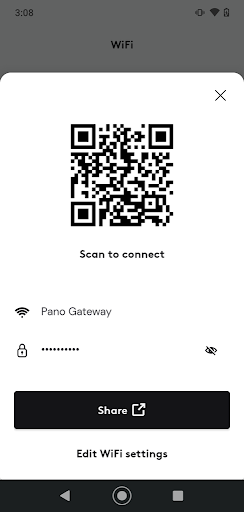
No need to remember complex passwords—manage your wifi network using your Cox User ID and password. Easily change your network name and password to keep your connection secure and personalized.
Device Management & Naming
View all connected devices in real-time and assign custom nicknames for quick identification. This makes it easier to monitor device activity and troubleshoot specific gadgets if needed.
Profiles & Parental Controls
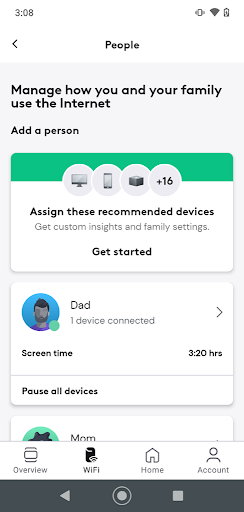
Create custom profiles for family members, assigning devices accordingly. Implement parental controls by setting bedtimes or limiting internet access during certain hours—pause specific devices or entire profiles with a simple tap for family-focused control.
Wi-Fi Pause & Guest Access
Pause Wi-Fi on individual devices or profiles to manage screen time during dinner or bedtime. Set up and manage guest Wi-Fi networks, providing visitors with temporary access and the ability to change passwords easily for added security.
Enhanced Security & Troubleshooting
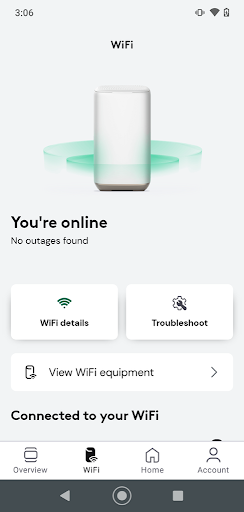
Benefit from advanced security features that protect your connected devices. The app also offers intuitive troubleshooting tools, alerting you to issues without needing to contact tech support.
Mesh Network Management
Adding and managing Panoramic Wifi Pods is straightforward. These extenders help eliminate dead zones, ensuring consistent coverage throughout your home for maximum Wi-Fi stability.
Additional Benefits
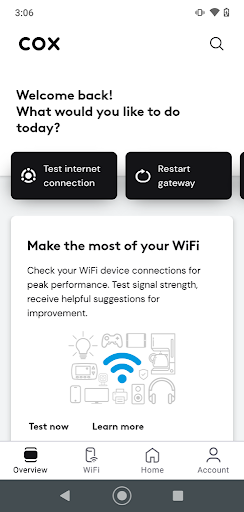
The Cox Panoramic Wifi app also includes a built-in VPN service, currently in testing, which promises improved privacy options in the future. The app’s sleek interface and comprehensive controls make managing your home network both simple and effective.
Getting Started with Cox Panoramic Wifi
Is the Cox Panoramic Wifi App Right for You?
Conclusion
Pros
- User-friendly interface
- Seamless connectivity
- Customizable settings
- Parental control options
- Secure network
Cons
- Limited coverage range
- Occasional connectivity issues
- Subscription required
- Complex initial setup
- Limited device compatibility











