Overview of the All-in-one Calculator Launcher
The All-in-one Calculator Launcher is a versatile and innovative smartphone app designed to simplify everyday calculations and enhance your device's functionality. This all-in-one launcher seamlessly combines the power of a comprehensive calculator with the convenience of a customizable home screen interface, providing users with instant access to essential tools right from the comfort of their device's main screen. Whether you need to perform quick basic calculations, split bills, convert units, or manage daily chores, this app offers a user-friendly and efficient solution that integrates effortlessly into your digital routine.
Main Features of the All-in-one Calculator Launcher
Practical Calculators for Daily Use
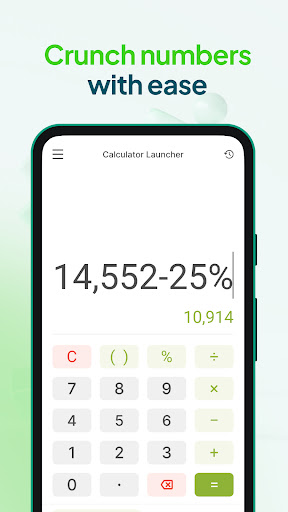
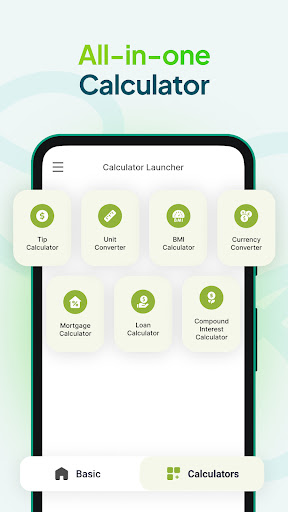
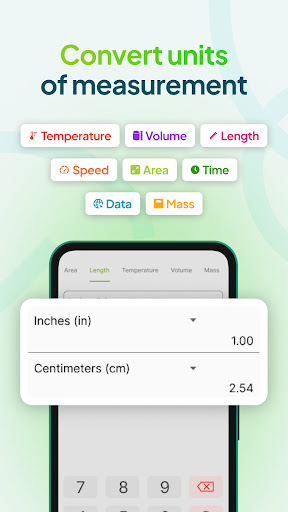
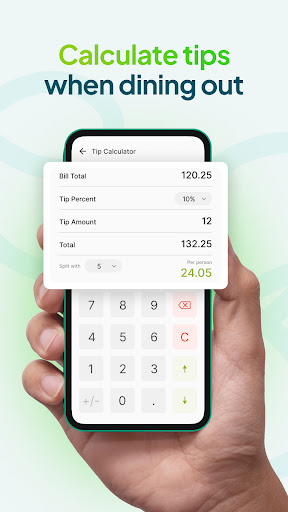
One of the key offerings of the Calculator Launcher is its array of practical calculator tools designed for quick and accurate computations. The basic calculator allows you to perform everyday arithmetic operations—addition, subtraction, multiplication, and division—with ease. This makes managing budgets, expenses, or simple math problems straightforward and hassle-free. For those dining out or splitting bills with friends, the tip calculator simplifies tipping calculations by allowing you to set custom tip percentages and split costs effortlessly. Additionally, the unit converter module is perfect for converting measurement units such as length, volume, temperature, and more—whether you're cooking, traveling, or managing a home improvement project.
Enhanced Home Screen Experience
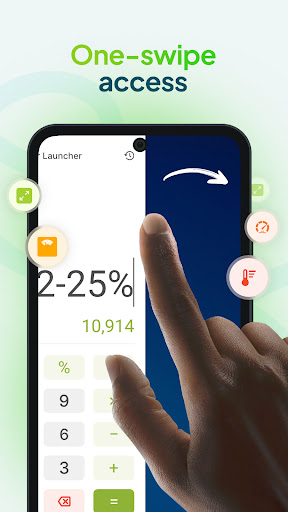
The app revamps your home screen layout, offering One-swipe access to calculations—simply swipe right from your home screen to open the calculator interface. It also features a customizable home screen widget where you can view real-time information like time, weather, and other relevant data, all without opening any app. Personalization is easy: select from a variety of themed wallpapers to decorate your home or lock screen, creating a visually pleasing environment tailored to your style. To further enhance quick access, the app provides shortcuts on your home screen for instant launching of different calculators or tools.
Intuitive and Multi-Functional Interface
Designed with user experience in mind, the Calculator Launcher features a sleek, minimalistic interface with large, easily pressable buttons, making navigation simple even on smaller screens. The app supports multiple themes, letting you customize the look and feel to match your vibe. With multi-touchpoint search capabilities, you can browse your installed apps or perform web searches powered by Yahoo directly from within the app, streamlining your multitasking capabilities.
Why Choose the All-in-one Calculator Launcher?
This app is more than a standard calculator; it's a comprehensive productivity tool. It bridges the gap between functionality and convenience, transforming your smartphone into a smart assistant for both basic and advanced mathematical calculations. Its reliable performance and compatibility dependability across Android and iOS devices make it accessible to a broad user base.
Regular updates ensure the app remains bug-free and introduces new features, keeping your experience fresh. Whether you're a student, professional, or casual user, the Calculator Launcher adapts to your needs—be it quick calculations, unit conversions, or home screen customization. Its intuitive design and practical features save time and increase productivity in everyday tasks.
Conclusion: Simplify Your Daily Math and More
In today's fast-paced digital world, versatility and efficiency are vital. The All-in-one Calculator Launcher exemplifies this by combining multiple functions into a single, easy-to-use app that streamlines your daily routines. Download now to enjoy instant access to powerful calculators, customizable themes, and home screen widgets that make managing your everyday calculations easier than ever. Optimize your smartphone experience and stay organized with a tool that truly does it all.
Pros
- User-friendly interface with easy-to-navigate design.
- Offers a variety of calculators to meet different needs.
- Allows customization of themes for a personalized experience.
- Accessible offline without requiring an internet connection.
- Features a simple, minimalistic layout for quick calculations.
Cons
- Advertisements may interrupt during calculations.
- Lacks advanced scientific features.
- Does not support cloud synchronization for saving work.
- May experience occasional delays on older devices.
- No introductory tutorial available for first-time users.