

PNC Mobile App Overview
If you're seeking a convenient way to manage your finances on the go, the PNC Mobile app offers a comprehensive solution for banking anytime, anywhere. Designed for both Android and iOS devices, this app combines security, ease of use, and a wide array of features to help you stay in control of your money. Whether you're checking balances, transferring funds, or paying bills, PNC Mobile makes banking simple and accessible.
Main Features of PNC Mobile
Account Management & Monitoring
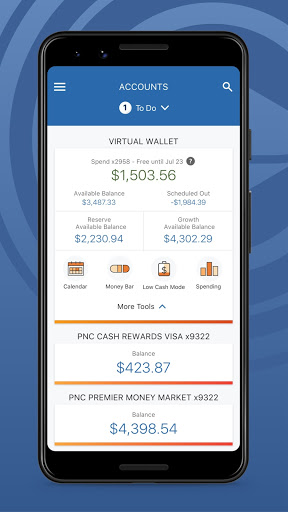
Easily check balances and view recent transactions across your checking, savings, credit card, and loan accounts. The app provides real-time insights into your current account activity, helping you stay updated on your finances at all times. You can also see your Free Balance, which tells you what’s available to spend after scheduled expenses, and monitor potential Danger Days to avoid overdrawing your account.
Secure Access & Authentication
Security is paramount with PNC Mobile. The app allows you to set up Face Authentication or Fingerprint Authentication for quick and secure sign-ins. If needed, resetting your password is straightforward, providing peace of mind and seamless access to your account data.
Money Transfer & Payment Services
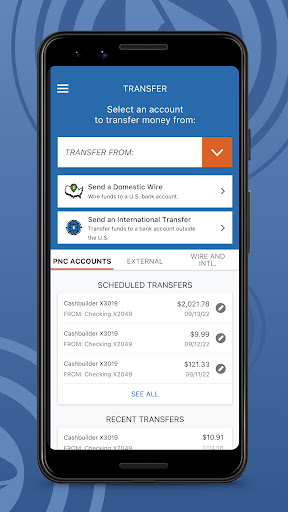
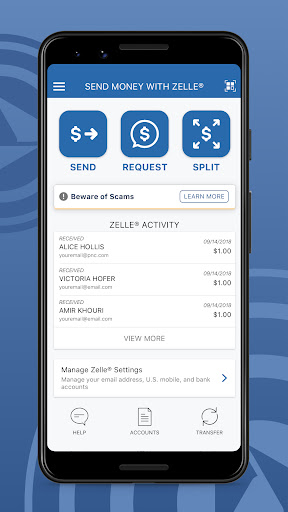
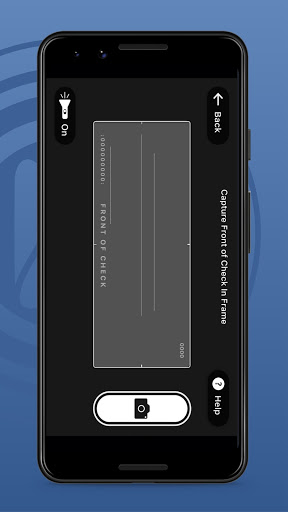
Send money effortlessly with Zelle®, using your mobile number or email address to transfer funds to trusted contacts within minutes. You can also transfer funds between your PNC accounts and external bank accounts. Making deposits is simple with your device's camera, enabling quick check deposits without visiting a branch. Managing bills is convenient too—add your bills and make one-time or recurring payments directly within the app.
Card Management & Control
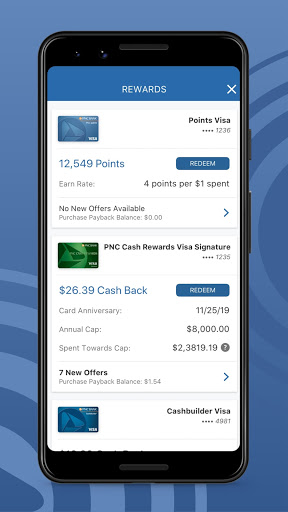
View and manage your PNC Credit, Debit, and SmartAccess® cards. If your card is misplaced, locking or unlocking your card is just a tap away, adding an extra layer of control. You can also make in-store payments efficiently using PNC Pay.
Location & ATM/Branch Locator
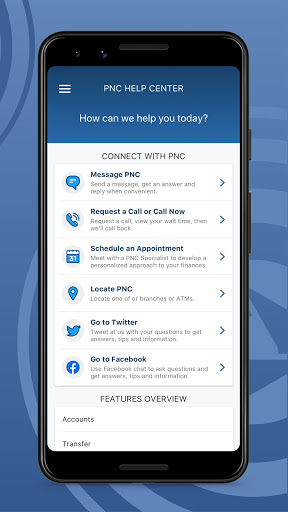
The app utilizes location services to help you locate the nearest PNC ATM or branch by zip code or street address, ensuring access to banking services wherever you are.
Financial Management Tools
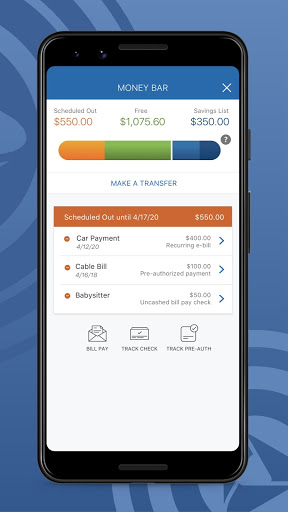
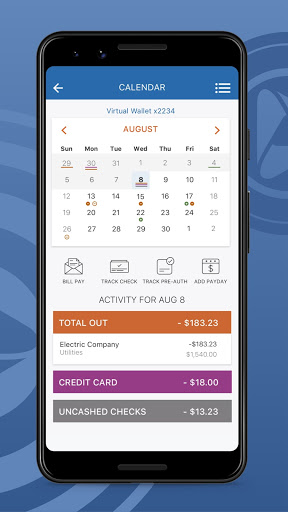
For Virtual Wallet® users, the app offers enhanced tools and insights to track your financial goals. The Money Bar® visualizes your available spending limit, scheduled bills, and savings goals, making it easy to see where your money is going. The Calendar feature helps you plan ahead by displaying upcoming paydays, bill due dates, and transaction history.
Budgeting & Savings
Track your spending across categories like dining, gas, and more. Create budgets to stay on top of your expenses. Set up savings goals and monitor progress, or automate transfers to your savings account. Add a personalized piggy bank to make saving fun and engaging.
Additional Security & Privacy Measures
The PNC Mobile app incorporates robust security protocols, including encryption and multi-factor authentication, to safeguard your personal and financial data. You can enhance security further by enabling biometric login options, ensuring your account remains protected even if your device is lost or stolen.
Final Thoughts
If you’re looking for a reliable, feature-rich mobile banking application, PNC Mobile stands out as an excellent choice. Its intuitive interface, comprehensive features like bill payments, check deposits, and account monitoring, combined with top-tier security, make banking on the go easier than ever. Whether managing everyday expenses or working toward financial goals, this app is like having a bank in your pocket. Don’t miss out—try PNC Mobile today and experience the convenience of full-featured mobile banking.
Pros
- User-friendly interface for easy navigation.
- Real-time updates on account activities.
- Secure login with biometric authentication.
- Access to a wide range of financial services.
- Customer support available 24/7.
Cons
- Fewer features compared to the desktop version.
- Occasional app crashes reported by users.
- Requires a stable internet connection for optimal performance.
- Notifications can sometimes be overwhelming.
- Initial setup may be time-consuming.











