

Introduction to Infocar - OBD2 ELM Scanner
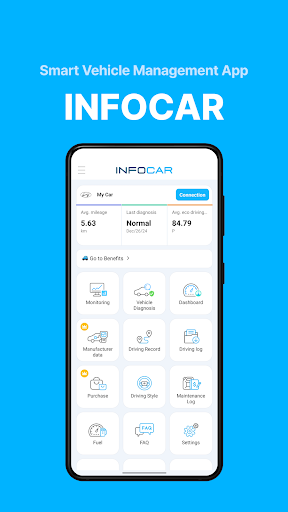
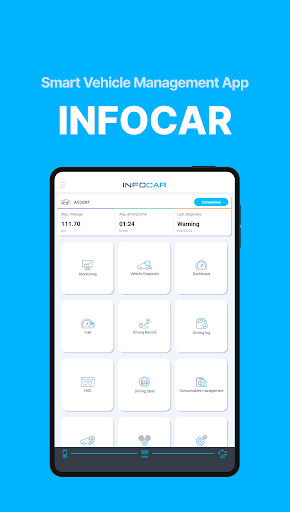
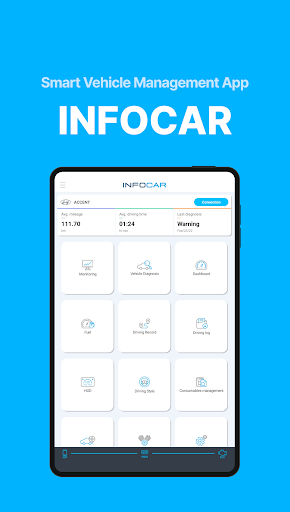
Discover the innovative Infocar - OBD2 ELM Scanner app, a powerful tool designed to give you comprehensive insights into your vehicle's health and performance. Whether you're a car enthusiast or a casual driver, this app transforms your smartphone into a mini mechanic, empowering you to understand your vehicle better and take control of its maintenance. Built with user-friendliness in mind, Infocar seamlessly connects to your car via an OBD2 port using an ELM327 adapter, providing real-time diagnostics, driving analysis, and vehicle management features that were once only available at workshops.
Key Features of Infocar - OBD2 ELM Scanner
Vehicle Diagnostics
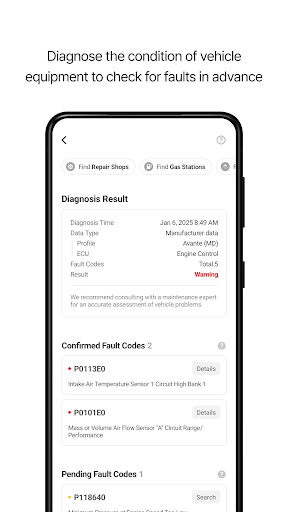
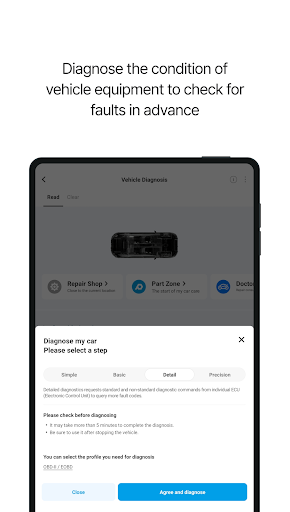
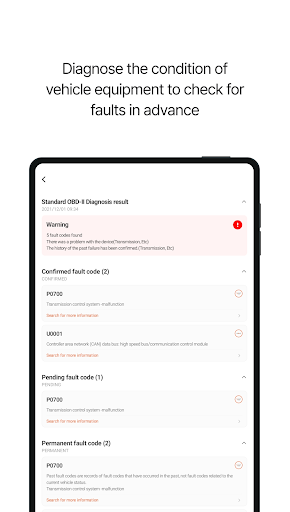
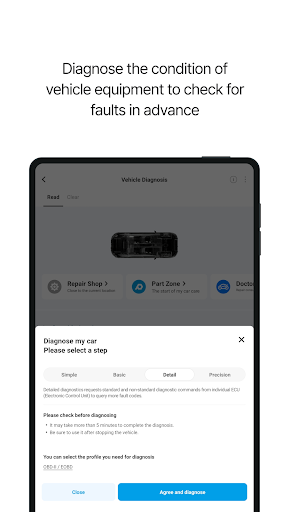
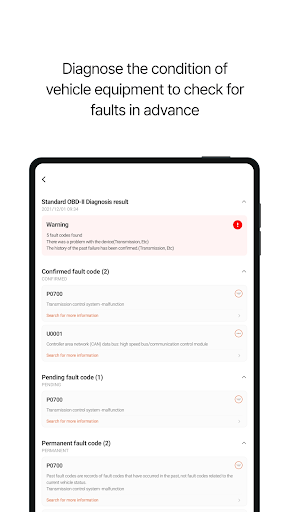
With Infocar, you can perform vehicle diagnostics yourself. The app allows you to check your vehicle's condition, identify malfunctions in components such as the ignition system, exhaust system, and electronic circuits. It offers detailed explanations of error codes, which are categorized into three levels, making it easy to understand issues. Want to clear some error codes? A simple tap is all it takes to delete stored error codes from your vehicle's ECU.
Manufacturer Data
Experience diagnostics results that match 99% of workshop reports with over 2,000 manufacturer-specific data sensors. These sensors are tailored to your vehicle model, enabling accurate fault detection. You can view detailed diagnostic results categorized by control units (ECUs), giving you in-depth insight into your vehicle’s systems.
Real-time Monitoring
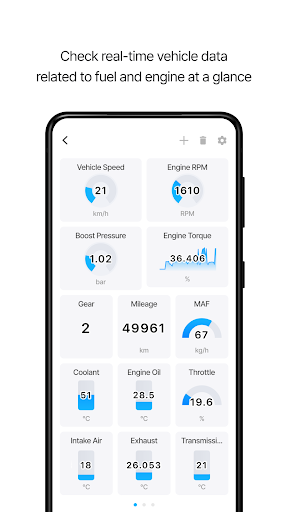
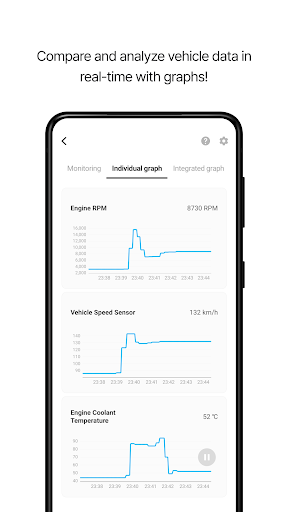
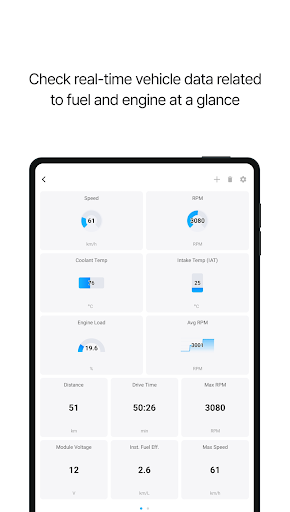
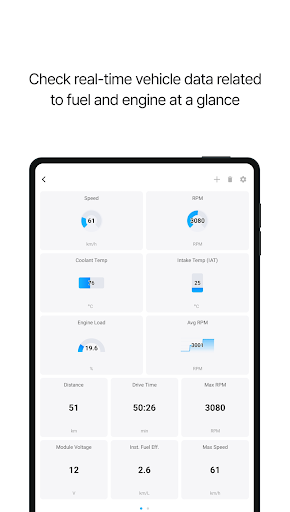
Stay informed with over 800 OBD2 sensor data points accessible in real-time. Visualize this data using intuitive graphs to get a clear picture of your vehicle’s current status, including engine performance and emissions.
Dashboard & HUD
The app features a comprehensive dashboard that displays essential driving metrics on a single screen. It's highly customizable, allowing you to monitor real-time fuel efficiency, remaining fuel level, and more. For enhanced driving convenience, the Head-Up Display (HUD) projects key information like speed, RPM, and trip distance directly onto your windshield, so you can keep your eyes on the road.
Driving Style Analysis
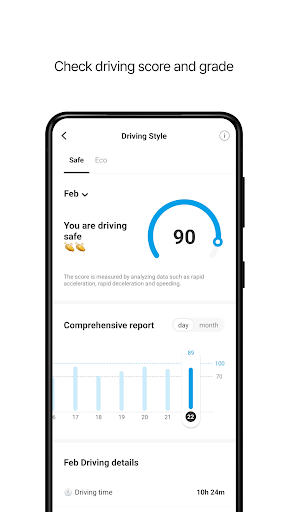
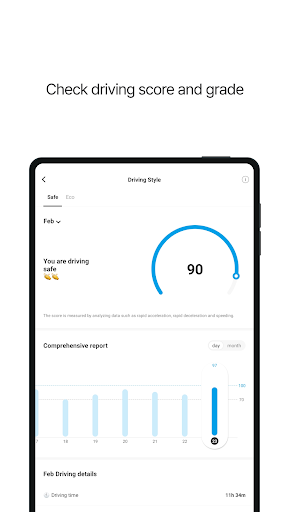
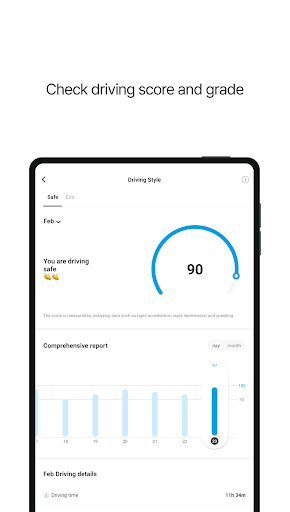
Evaluate your driving habits with the driving style analysis feature. The app calculates safety scores and driving efficiency, providing insights into your acceleration, braking, and overall driving pattern. Use the statistical graphs and historical records to improve your driving safety and fuel economy over time.
Driving Records & Logs
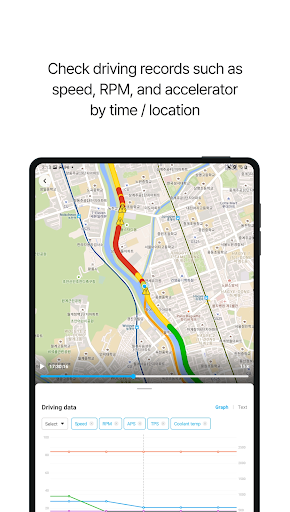
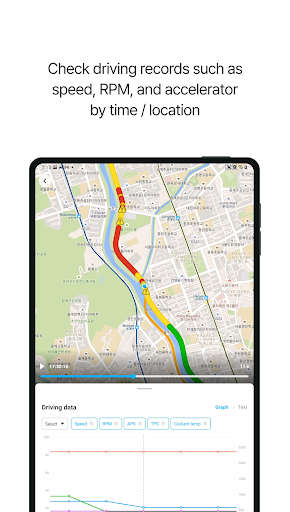
All your driving data is stored safely within the app. Track details such as driving distance, average speed, and fuel consumption. The app also records warnings for speeding, rapid acceleration, and sudden braking, which are mapped geographically. For further analysis, you can download driving logs as Excel files and review your travel history in detail.
Vehicle Management & Maintenance
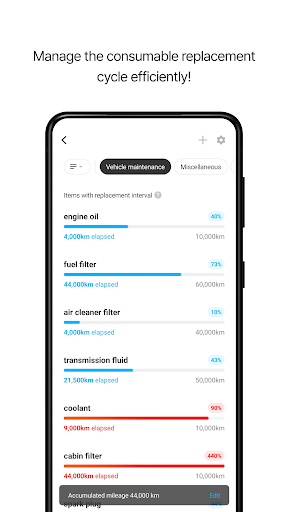
Effortlessly manage your vehicle by setting replacement schedules based on recommended intervals for consumables and vehicle mileage. Keep track of expenses related to repairs and maintenance, organizing them by category or date to help you budget effectively.
Compatibility & Device Support
Infocar supports a variety of OBD2 devices following international standards. While optimized for their proprietary devices, the app can connect to third-party adapters, though some features may have limited functionality.
Permissions & Support
The app requires permissions such as Bluetooth, microphone, location, camera, and file access to enable features like Bluetooth connections, voice recordings, parking location tagging, and data export. Most core services are available even without granting optional permissions. For technical support or inquiries, users can reach out via the app's FAQ section.
Subscription & Usage
Infocar is freely accessible, but certain advanced features are subscription-based or behind in-app purchases. Subscriptions are billed through your Google account and will auto-renew unless canceled at least 24 hours before renewal. Please be aware that uninstalling the app does not cancel your subscription—you need to manage that through your account settings.
Why Choose Infocar - OBD2 ELM Scanner?
Looking for a smart vehicle management app that combines diagnostic precision with driving insights? Infocar is among the best options for drivers who want to monitor their car’s health, improve fuel efficiency, and understand their driving patterns. Its comprehensive features—ranging from real-time data visualization and detailed error explanations to driving style analysis—make it a standout in the realm of vehicle diagnostics apps. Whether you are troubleshooting engine issues, managing maintenance schedules, or simply curious about your driving habits, Infocar empowers you to take proactive control over your vehicle’s wellbeing.
Get started today and experience the convenience of having a personal mechanic right in your pocket. With easy connectivity, detailed reports, and smart management tools, Infocar - OBD2 ELM Scanner transforms your driving experience, helping you save money, increase safety, and extend the lifespan of your vehicle.
Pros
- User-friendly interface for easy navigation.
- Compatible with most OBD2 devices.
- Real-time data monitoring and logging.
- Comprehensive diagnostic trouble code library.
- No subscription required for basic features.
Cons
- Limited advanced features in the free version.
- Some devices may require manual setup.
- Occasional connectivity issues reported.
- Interface may seem outdated to some users.
- Advertisements are present in the free version.










