

Introduction to the My Verisure App
Are you searching for a comprehensive home security solution that offers full control right from your smartphone? The My Verisure app is designed to meet this need, providing homeowners and businesses with a seamless way to manage their security system anywhere, anytime. Think of it as having a security guard in your pocket; this powerful application transforms your mobile device into a command center for your property’s safety and surveillance.
Key Features & Functionality
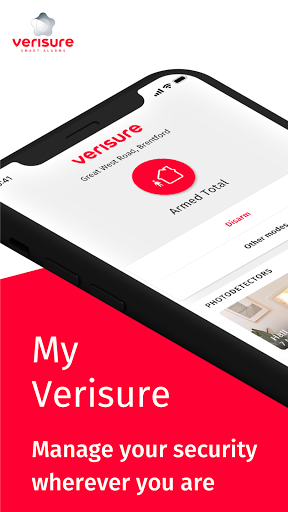
The My Verisure app boasts an intuitive and user-friendly interface, making it accessible even for those who are not tech-savvy. Once set up, users can easily control their security system with just a few taps—arming or disarming alarms, checking the status, or managing users and action plans. This level of control ensures peace of mind, whether you're at home or away.
Remote Control & Real-Time Monitoring
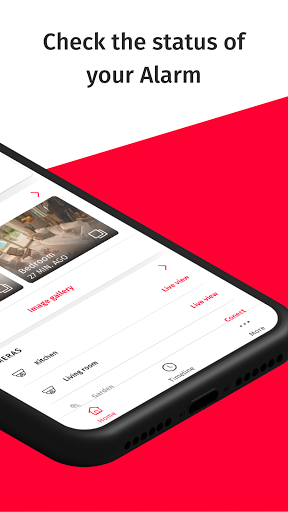
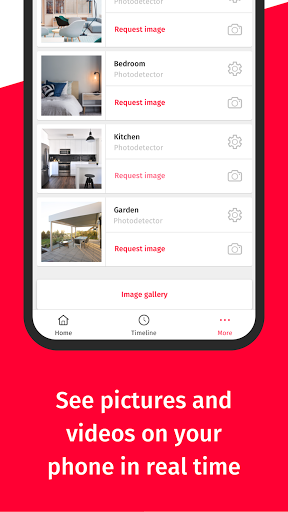
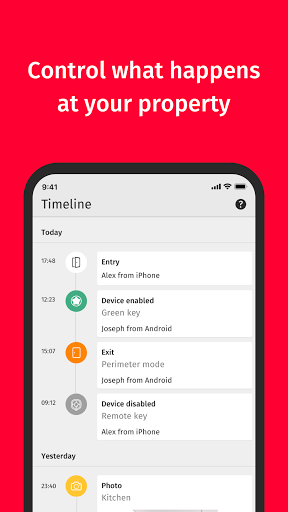
One of the standout benefits of the My Verisure app is the ability to remotely activate or deactivate the intruder alarm. With live alerts and notifications, users stay informed about any activity around their property, including access logs showing who enters and when. You can also take remote photos, view live video streams, and monitor ongoing surveillance footage directly from your device—alerting you to suspicious activity instantly.
Additional Management Tools
Beyond basic controls, the app enables modification of keywords for security alerts, management of additional users, and adjustment of action plans. Users can easily download invoices, update personal details, or customize the system to suit their specific security needs—making it a flexible and comprehensive security management tool.
Compatibility & Requirements
To access the full capabilities of My Verisure, users must be registered customers with an active Verisure account, including a username and password. It’s compatible with most smartphones and tablets, but note that functionality may vary depending on the specific Alarm model. Setting up the app is straightforward, and detailed instructions are available on the official Verisure customer portal.
Security & Support
Robust security protocols safeguard your data and personal information, allowing you to use the app with confidence. Additionally, dedicated customer support is available to assist with login issues or any other inquiries, ensuring you always have help when needed.
Why Choose My Verisure?
If you wish to enjoy full control over your home security system at your fingertips, My Verisure is the ideal app to consider. It seamlessly integrates with comprehensive security assets, including burglary detection, surveillance cameras, and smart home devices, offering a unified platform that simplifies security management. Its ability to manage multiple locations makes it perfect for homeowners with several properties or businesses managing various sites.
Enhanced Peace of Mind
Peace of mind is the key benefit—knowing your property is protected with advanced encryption and rapid response features such as panic buttons. Whether you’re at work, traveling, or simply relaxing at home, the app ensures you are always connected and informed.
Ease of Use & Customer Support
Designed for everyone, from tech beginners to security experts, My Verisure strikes a perfect balance between simplicity and advanced features. Coupled with attentive customer service, this app provides an all-encompassing security experience.
Conclusion
The My Verisure app offers a reliable, convenient, and secure way to manage your home or business security system remotely. Its wide array of features—from real-time alerts and remote arming/disarming to live video surveillance and multiple location management—empowers users to stay connected and in control at all times. Embrace smarter security today and experience peace of mind like never before with the My Verisure app.
Pros
- User-friendly interface for quick navigation.
- Real-time alerts to improve security.
- All-in-one device management via the app.
- Prompt customer support through the app.
- Secure login with biometric authentication.
Cons
- Some features are only available with a premium subscription.
- Reported occasional connectivity problems.
- Limited options for customizing alert settings.
- High battery consumption during use.
- Slow loading times for live video feed.










