
Introducing PDF Reader Zone: Your Ultimate Document Management Companion
In the rapidly evolving world of digital documents, having a reliable and versatile PDF reader can transform your workflow and elevate your user experience. PDF Reader Zone is designed to meet all your needs—from reading and editing to scanning and securing your documents. This powerful app combines functionality, ease of use, and security to provide a comprehensive solution for managing various document formats efficiently.
Key Features of PDF Reader Zone
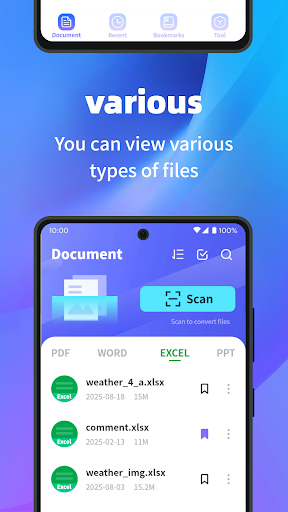
Versatile Document Support: Whether you need to access PDFs, Word documents, PowerPoint presentations, Excel spreadsheets, or other formats, PDF Reader Zone ensures seamless compatibility. This means you can open and read multiple file types effortlessly, making your document management streamlined and convenient, no matter where you are or what device you’re using.
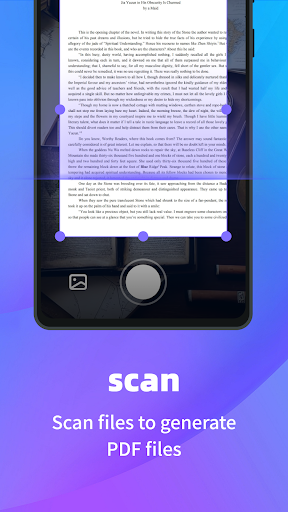
Scan to PDF: Transform your physical documents into digital PDFs quickly and easily. Using your phone’s camera, you can capture important papers, receipts, or notes and save them as high-quality PDF files. This feature simplifies archiving, sharing, and organizing your physical documents without the need for additional scanners or complex software.
PDF Merge and Split: Manage your PDF files more efficiently with the ability to merge multiple documents into one cohesive file or split large PDFs into smaller, more manageable parts. Whether for organization or sharing purposes, these tools help you tailor your documents exactly how you need.
Document Security: Protect sensitive information by encrypting your PDF files. With built-in security features, PDF Reader Zone allows you to safeguard your data, ensuring that only authorized persons can access your confidential documents.
Why You Should Choose PDF Reader Zone
Are you tired of dealing with bulky and complicated PDF tools? PDF Reader Zone is designed for both casual users and professionals seeking a user-friendly, feature-rich app. Its intuitive interface allows quick navigation and effortless document handling, making it ideal for students, business professionals, or anyone who frequently works with digital documents.
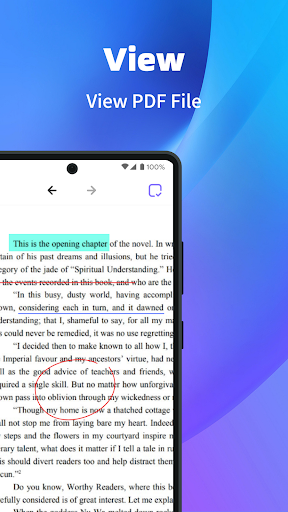
One of the standout aspects is built-in annotation tools. Highlight important sections, add sticky notes, or draw directly on your PDFs with ease. This makes collaborative work, studying, or reviewing documents much more productive and engaging.
Another significant advantage is cloud integration. Sync your documents across Google Drive, Dropbox, and other cloud services, ensuring your files are backed up and accessible from any device. It’s like having a personal document assistant that always keeps your files within reach.
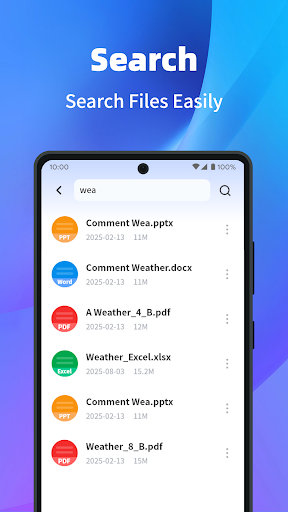
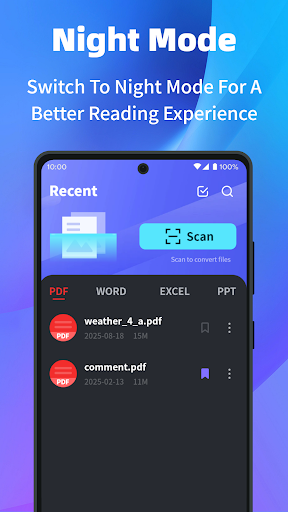
In terms of performance, PDF Reader Zone handles large files smoothly without lag or crashes. The app offers a variety of viewing modes—whether you prefer a full-page layout or a continuous scroll—which can be customized for maximum comfort during your reading sessions. Plus, a quick and precise search function helps you locate specific information within your documents swiftly.
Final Thoughts
If you’re someone who regularly deals with PDFs, PDF Reader Zone is a versatile and efficient tool that can significantly enhance your document management process. Its combination of support for multiple formats, scanning capabilities, editing tools, security features, and cloud integration makes it an all-in-one solution for digital document handling.
Download PDF Reader Zone today and experience a new level of simplicity, efficiency, and security in managing your documents. Whether you’re reading, editing, scanning, or securing your files, this app is designed to make your digital life easier and more organized.
Pros
- Supports a variety of file formats including PDF, DOC, and XLS.
- User-friendly interface with simple navigation.
- Allows users to highlight text and add annotations.
- Provides offline access to documents.
- Ensures quick loading and processing of files.
Cons
- Contains ads that may be distracting.
- Limited features available for free.
- Many functionalities require a paid subscription.
- Sometimes crashes on older devices.
- Does not offer advanced editing capabilities.
- Experiences syncing issues with cloud services.











