
Introducing PDF Viewer Pro: The Essential PDF Management App
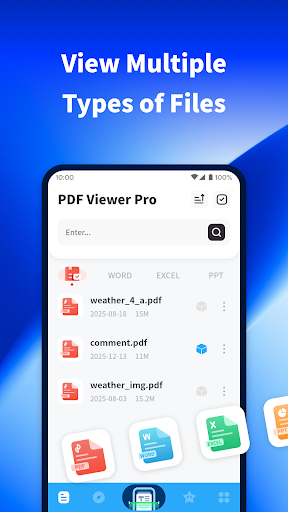
In today’s fast-paced digital world, having a reliable PDF viewer is vital for both study and daily life. PDF Viewer Pro has emerged as an indispensable application that allows users to effortlessly open, annotate, and manage a variety of file formats. Whether you're reviewing important documents, reading e-books, or creating new PDFs on the go, this app offers a comprehensive solution designed to enhance your productivity and reading experience. Download PDF Viewer Pro now and unlock a suite of powerful features available for free!
Key Features of PDF Viewer Pro
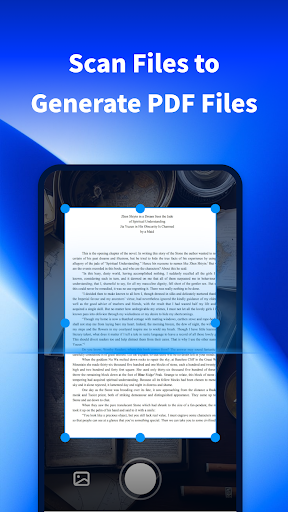
Scan Files to Generate PDFs
Need to convert physical documents into digital PDFs? PDF Viewer Pro makes this task simple. Use your device’s camera to take photos and scan content, transforming printed pages into high-quality PDF files. This feature is perfect for students and professionals who need quick digitization of documents without the hassle of dedicated scanning hardware.
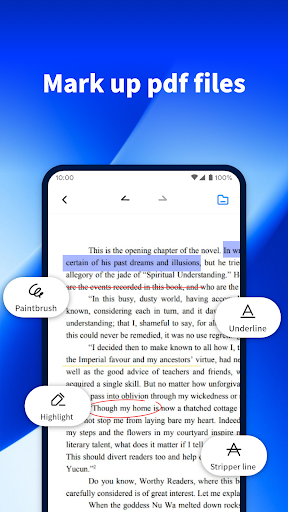
Comprehensive PDF Markup Tools
Enhance your PDF editing workflow with intuitive tools that enable you to highlight text, draw shapes, and add comments. This makes reviewing and annotating documents seamless, whether you're preparing for a presentation or studying for exams. The robust markup capabilities turn PDF Viewer Pro into a mini office assistant right on your mobile device.
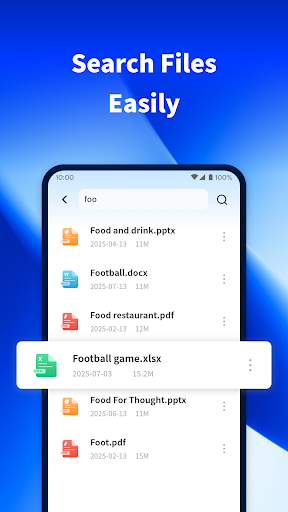
Efficient File Search
Struggling to find a specific file among numerous documents? The search function in PDF Viewer Pro is designed for speed and accuracy. Quickly locate the needed files on your phone, saving valuable time and improving your productivity, especially when managing multiple documents or reference materials.
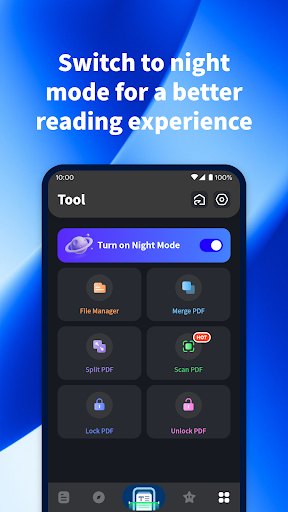
Night Mode for Comfortable Reading
Long reading sessions can strain your eyes, especially in low-light environments. PDF Viewer Pro offers a night mode feature that provides a soft, eye-friendly background. This thoughtful addition ensures a comfortable reading experience whether you're working late or simply prefer a darker interface, making it a perfect reading app for students, commuters, and night owls.
Why Choose PDF Viewer Pro for Your Digital Documents?
If you've ever faced the challenge of quickly accessing or editing PDF files on the go, PDF Viewer Pro is your ultimate companion. This app is designed with user convenience at its core, combining a sleek interface with powerful functionalities that rival desktop solutions. From merging documents to digitally signing contracts, this application covers all your essential PDF management needs.
Seamless Performance and Usability
Speed and efficiency are critical in a PDF reader. PDF Viewer Pro delivers a smooth experience even with large files containing hundreds of pages. The zoom feature is responsive, and navigation remains effortless, ensuring you can focus on your content without lag or frustration.
Advanced Document Handling
Beyond simple viewing, this app supports editing, signing, and even merging PDFs directly from your mobile device. The digital signing feature is especially useful in legal or formal contexts, allowing you to sign documents securely without printing or scanning. This makes PDF Viewer Pro a handy tool for professionals and students alike.
Final Thoughts: Elevate Your PDF Experience
In an era where document handling is increasingly digital, having a versatile PDF app like PDF Viewer Pro can significantly improve your workflow. Its rich features for annotation, search, and reading comfort make it stand out among competitors. Whether you need an app for study, work, or leisure reading, PDF Viewer Pro is designed to elevate your PDF experience to a whole new level. Download now and see how this all-in-one PDF management solution can transform your daily tasks.
Pros
- User-friendly interface design.
- Supports multiple file formats.
- Offline access to documents.
- Easy annotation and editing of PDFs.
- Fast document rendering.
Cons
- Limited free features.
- Occasional syncing issues.
- Requires in-app purchases.
- Consumes significant storage space.
- Lacks cloud storage integration.











