

Overview of the Compress Video Size Compressor App
In today’s digital era, managing video file sizes effectively is crucial, especially when dealing with limited storage space or fast sharing needs. Compress Video Size Compressor is a versatile and powerful application designed to simplify the process of reducing video file sizes without sacrificing significant quality. Supporting a wide range of formats such as MP4, MKV, AVI, 3GP, FLV, MTS, MPEG, MPG, WMV, M4V, MOV, and VOB, this app provides users with an efficient way to shrink their video files for easier storage and sharing. Whether you need to send large videos via email, upload to social media platforms, or free up device storage, this tool offers a user-friendly and feature-rich solution.
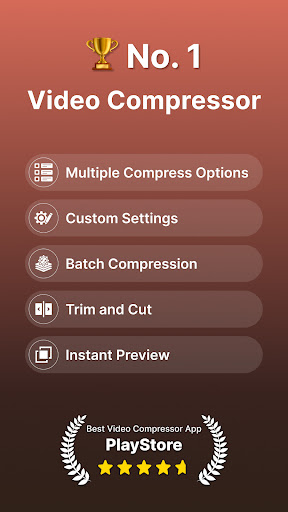
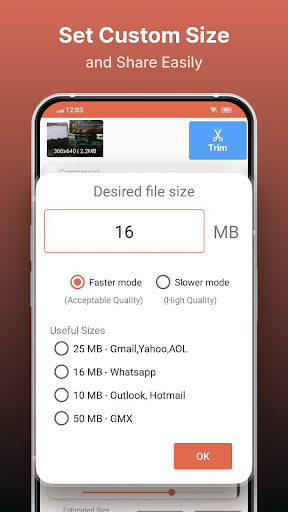
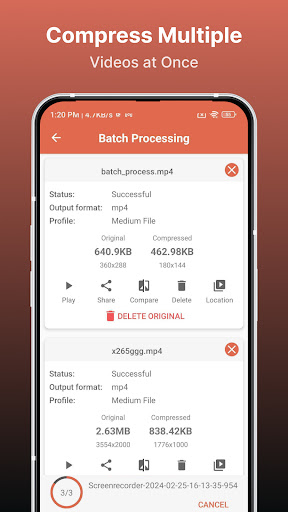
The app's core strength lies in its ability to compress videos while maintaining high quality, offering multiple predefined compression profiles to suit different needs. You can select from various quality levels, customize resolution and bitrate, or input your desired final video size. This flexibility makes it ideal for both casual users and professionals seeking precise control over their video output. Additionally, the app supports batch processing, enabling users to queue multiple videos for simultaneous compression—saving valuable time and effort.
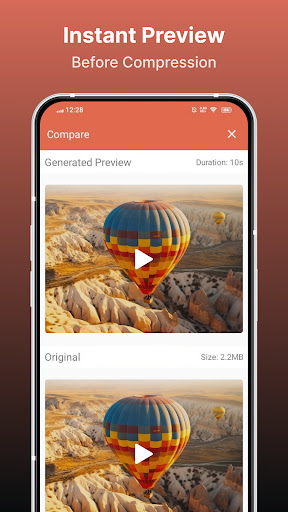
With options to choose between X264 and X265 (HEVC) codecs, users can prioritize either faster processing or higher compression efficiency. This provides an optimal balance between speed and quality based on individual preferences. The app also offers a preview feature, where you can view a short segment of the compressed video before finalizing the process. This helps in decision-making and ensures the result meets your expectations. Once compressed, you can compare the original and output videos side-by-side, ensuring satisfaction before replacing files.
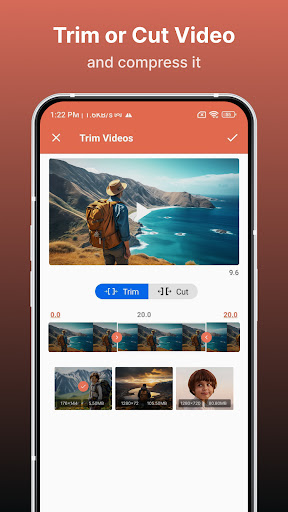
Beyond compression, the application allows for file format conversion, giving you the flexibility to convert videos to popular formats like MP4, AVI, MOV, MKV, and more (PRO feature). You can also easily share the compressed or converted videos directly from the app, streamlining workflow for content creators, students, or anyone managing large video libraries. Its straightforward interface combined with advanced features makes it the best tool for shrinking videos without compromising quality.
Features & Benefits of Using the Video Compressor
Supported Video Formats
The app supports a wide array of formats including MP4, MKV, AVI, 3GP, FLV, MTS, MPEG, MPG, WMV, M4V, MOV, and VOB. This broad compatibility ensures you can process almost any video file without hassle, making it suitable for diverse use cases, from personal video archives to professional media workflows.
Key Features
- Original Quality Preservation: Compress uncompressed videos while maintaining their original quality, thanks to advanced codecs and profiles.
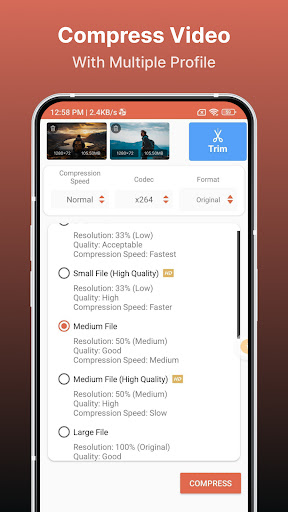
- Multiple Compression Profiles: Select from default profiles that balance quality and size according to your needs.
- Custom Compression: Input a specific size for your output video, giving precise control over storage and quality trade-offs.
- Preview & Comparison: Preview short clips with selected settings before compression and compare the original and compressed videos side-by-side.
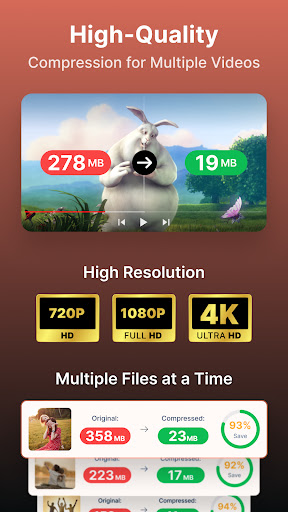
- Batch Processing: Queue multiple videos for simultaneous compression, streamlining large projects or collections.
- Codec Selection: Choose between X264 and X265 (HEVC) codecs—X265 delivers higher compression ratios, while X264 provides faster processing times.
- Adjustable Speed & Quality: Set the compression speed; higher speed results in larger files, whereas lower speed offers better compression efficiency.
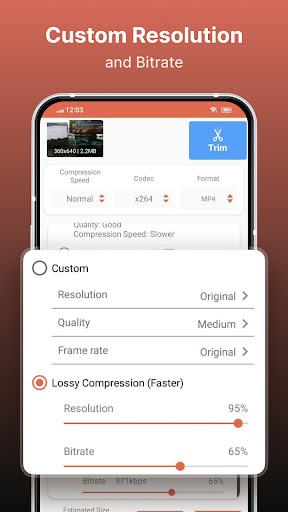
- Resolution & Bitrate Control: Modify resolution and video bitrate to balance quality and size, with an estimated final size shown beforehand.
- Format Conversion & Sharing: Convert videos between popular formats and share directly from the app, enhancing workflow flexibility.
Why Choose Compress Video Size Compressor?
This app is a game-changer for anyone struggling with large video files. Whether you’re a content creator, student, or casual user, the ability to reduce video size without losing significant quality makes it invaluable. Its intuitive interface ensures that even non-technical users can navigate it effortlessly, making video compression accessible to all. The swift processing times and batch processing capabilities save both time and effort, especially when handling multiple files.
Designed with versatility in mind, the app supports a broad selection of video formats and provides comprehensive options for customization. Whether you want minimal compression with high fidelity or aggressive reduction for maximum space savings, the app caters to your needs. The inclusion of preview and comparison features ensures you’re always confident in your output before finalizing changes.
In addition to compression, the ability to convert videos into different formats enhances its utility, making it more than just a compressor—it's a complete video management tool. Saving device storage, preparing videos for sharing, or easing upload/download processes are made straightforward with this all-in-one solution.
Pros
- Efficiently reduces video file size
- Supports various video formats
- User-friendly interface
- Quick processing time
- Maintains good video quality
Cons
- Limited editing features
- Ads can be intrusive
- Premium features require purchase
- Occasional app crashes
- Some formats not supported











